If you are bored of the same old look of Facebook, then there’s some good news for you. Facebook’s redesigned desktop site is now available globally. Back in 2019, the company had announced a massive redesign of its desktop site, but it was available as an opt-in feature in specific selected regions only. Now, in 2020, Facebook rolled out its redesigned website with a less cluttered look and an attractive dark mode. The new features have been tested by a variety of users earlier this year but now the company has decided to make it available for all users.
Facebook’s redesigned desktop site: What’s it about?
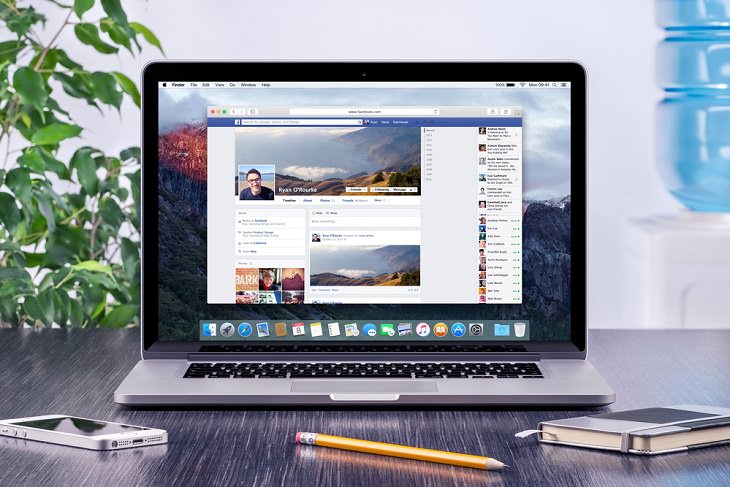 The new Facebook design will make the desktop version similar to the mobile experience. According to the company's executives, the new design will be less cluttered and allow users to find features like Videos, Games, and Groups much comfortably. Furthermore, much like Facebook’s mobile app, the desktop website will load much quicker, too. The new design will also make it simpler for users to create Events, Pages, Groups, and ads. Basically, this update will lay greater emphasis on Groups and Events. Facebook noted that the Groups Tab has been overhauled to make finding new groups that people can be interested in much easier.
 This means that in the "New Facebook”, the News Feed will feature fewer posts and updates. That doesn't mean the News Feed is dead. You will still find a stream of status updates as well as new photos there but there will be a greater focus on letting people comfortably use Groups and Events.
Facebook also described the new update as a cleaner design, with more of an all-white look along with a cool dark mode option. Other features of the "New Facebook” includes Chat for Gaming Groups, along with interaction improvements for Facebook Live.
How to get the 'New Facebook'?
The 'New Facebook' is now available in many regions. If you haven't gotten it already, you soon will. To get the 'New Facebook' on your desktop, follow the steps below:
*Go to the Facebook homepage, tap on the down arrow button in the top right corner.
*Choose “Switch to new Facebook”.
If you don’t feel comfortable with the new interface, you can always switch back to the old Facebook by simply going to the Settings drop-down menu and disabling it.
To try the "New Facebook" on your Android or iOS device, just ensure that you are running the latest version of the Facebook mobile app. If not, then simply update the app by visiting your phone's app store.
Facebook Dark Mode
Image credit: Flickr
Perhaps the highlight of the newly redesigned Facebook experience is the new dark mode. According to several reports, Facebook is rolling out the Dark Mode to some of its users. While the company has stated that this mode is only for “a small percentage of users globally right now”, it is believed that the Dark Mode will soon become available everywhere by the end of the year.
Currently, all Facebook-owned properties and apps including Messenger, Facebook Lite, WhatsApp, and Instagram, have the Dark Mode feature. Now, with the Dark Mode coming on the main Facebook app, all the Facebook family apps will have the dark mode which is favored by countless users.
How to enable dark mode
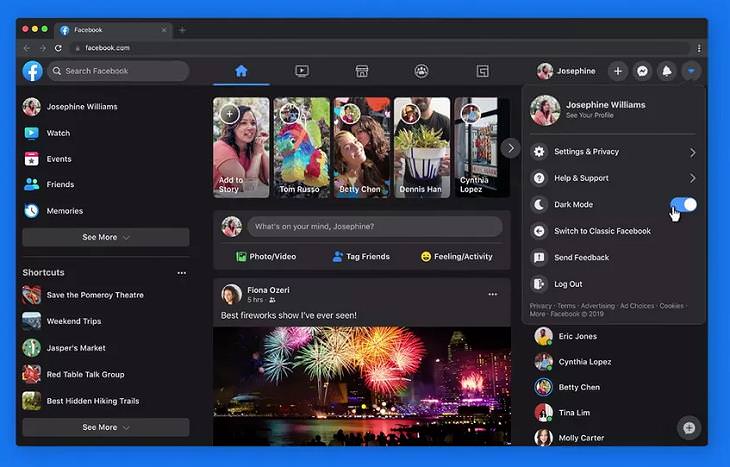
Image credit: Facebook/Tech Acrobat
If the Dark Mode is available for you, you will be able to turn it from the app menu. If you’ve switched to the "New Facebook", you will automatically be brought to the all-new look card which will show you the changes in details. You will then be given an option to choose the dark mode. In case you’ve missed this step, you can go to the Settings menu to toggle on dark mode. Just tap on the down arrow button, and tap the Dark Mode toggle.
On the mobile app, you will need to tap on “Settings & Privacy” first. There, you will find the “Dark Mode” feature below the “Your Time on Facebook” and above the “Language” option.
Remember, this feature is currently available to a group of testers chosen at random. If the option is not available to you, then just wait a while before Facebook begins a wider rollout. It shouldn’t be too long, however, for all of us to get the 'New Facebook' and all of its cool features. From the looks of it, it should be worth the wait.
Share this post with someone who loves technology...