Explore a Natural Wonder with David Attenborough Narration
This new interactive website lets you explore the wonders of the great barrier reef in Australia, and it is all narrated by David Attenborough!
16 Gorgeous Gardens I'd Be Delighted to Stroll Through...
A stunning collection of 16 different landscape designs that will excite every nature lover out there.
These Deadly Natural Disasters Are the Worst Since 2005
Every year, different parts of the planet are devastated by natural disasters, which required joint global efforts to provide relief
Travel to These National Parks Virtually
You can now admire the beauty and learn about 15 world-famous national parks without leaving your home by taking these 15 free virtual tours
Hear Sounds of Nature From Almost Anywhere in the World!
Immerse yourself in the richest natural locations on Earth by listening to their magnificent sounds for free. What a sensational experience!
4:35
Inspiring! Put on Your Walking Boots & Step Out in Nature
This inspiring video will entice you to put on your walking boots and step out in nature.
The 7 Most Common Online Scams in 2026
The seven most common online scams targeting people over 50 right now, and the simple habits that will keep your money and your peace of mind safe.
2:19
Google Presents Genie: A New Way to Create Interactions
This is Project Genie. Where imagination meets interaction, and every prompt opens a new frontier in AI research.
All You Need to Know About Your Computer
It's that age of computers, and we should all educate ourselves so we all save ourselves time and anxiety when using a computer, a tablet or a phone. This collection of posts will give you insight into many computer-related issues.

9:55
Windows 11: Super Helpful Tips and Tricks
Windows 11 has come a long way since its rocky launch, and if you haven't explored it lately, you're in for a surprise. ..
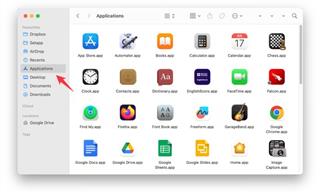
How to Safely Remove Programs You No Longer Use
Here is a friendly guide to removing programs from your computer the right way, on both Windows and Apple computers.

Losing Important Emails? Here’s How to Tidy Up Your Gmail
A helpful guide to setting up Gmail filters to prevent emails from getting lost or spam overflowing your inbox.

11:22
10 Things You Should Turn Off in Your PC
Don't let Windows run the show - watch now to see exactly what to shut down first.
How to Find Your Phone When You've Misplaced It
our phone is almost certainly close by, and there are some wonderfully simple ways to make it announce itself. Here is how, on both iPhone and Android.
Guide: How to Protect Your Eyes When On the Computer
Eye strain can be a serious problem if you work at a computer for long hours each day. Luckily, there are various things you can do in order to prevent it.
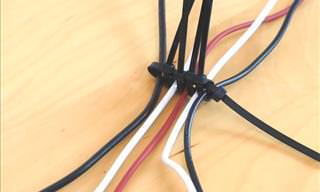
5 DIY Solutions to Better Organize Your Cords and Cables
Computer cables have an annoying tendency to tangle and create an unseemly mess. Here are some easy ways to prevent that.
7 Handy Chrome Extensions That You Must Install Today
This article features some of the best and most useful Google Chrome extensions that will be handy to every user.
How to Free Up Phone Storage Without Deleting Photos
Let's walk through feeing space on your phone, with instructions for both iPhone and Android.
It’s Almost a Crime Not to Use These Free Nifty Websites
Check out 15 really useful websites. They are completely free to use!
What We Can Learn from ChatGPT About Being Human
What can we learn from ChatGPT about ourselves?
If You Aren’t Doing these Things, Your PC WILL Wear Out...
All the basics of computer maintenance.
5:15
How to Find Out if Your Computer Has a Virus
In this video, I'll show you the most telling signs that your machine may be infected, walk you through how to remove threats effectively, and share the best antivirus solutions to keep you protected for good.
2026 Foldable Smartphones: The Complete Buyer's Guide
The foldable phone market in 2026 has reached unprecedented levels of sophistication and diversity. Here's a guide looking at the top foldable models.
These Gmail Shortcuts Will Save You Time & Frustration
If you use Gmail, but you don't know how to use a single keyboard shortcut, then you well and truly are missing out. Here are the most useful ones...
7 Most Common Reasons the Phone Battery Deteriorates
The seven most common mistakes that quietly drain your battery and shorten its lifespan, along with simple ways to break each one.
Do You Eat Out Often? These 7 Apps Will Save You Money!
If you’re struggling to keep up with your monthly food budget, you’re not alone. Here are 7 dinning apps that will save you money every time you eat.
17:41
TikTok: Tips and Tricks for Beginners
Whether you are a total beginner or just looking to streamline your process to get more views, this tutorial covers everything you need to know to go from recording to posting.
12 Google Chrome Shortcuts Everyone Should Know
Keyboard shortcuts are immensely useful! If you’re using Google Chrome to browse the internet, we have a few neat shortcuts to share with you.
25:19
S26 Ultra vs 17 Pro Max: A 2026 Flagship Phone Matchup!
In 2026, the smartphone crown is a toss-up between two absolute titans: the Samsung Galaxy S26 Ultra and the iPhone 17 Pro Max.
If Your Computer Is Not Working, Here's What to Do
This troubleshooting guide is all you need if you're computer isn't turning on.
Is it a Fake AI Video or the Real Thing? 13 Telling Signs
Have you ever been scrolling through TikTok or Facebook and felt that something about the person on your screen just did not add up? 13 ways to identify a fake AI video.
The Only Guide You Need to Clean Your Computer
Computers collect dust and dirt, causing them to slow down and heat up. Here's how to clean them:
5 Most Common Mistakes People Make When Working With AIs
Here are the five biggest mistakes people make when working with AI, and exactly how to sidestep them.
Computer Guide: Comparing Skype and Microsoft Teams
This article will explain why Skype is going away, how Teams fills its shoes, and guide you through using Teams for your personal video calls, screen shares, and chats.
2:35
6 Simple Tips for Taking Screenshots on Windows
Taking screenshots on Windows is now super easy. Just note these tips.
7:40
ChatGPT vs. Google Gemini: Which One is Better in 2026?
Which AI truly owns your devices in 2026? Let’s find out.
5 of the Best Apps for Anxiety in 2026
The Mind Ease App is our best overall because it's free and caters to anxiety in various ways for different people and symptoms.
The 11 Best Meal Planning Apps to Help You Lose Weight
Fortunately, numerous apps can make meal planning—and potentially weight loss—much more achievable.
Do You Know How to Act in a Medical Emergency?
Don't feel powerless in a medical emergency, learn what actions to take in these 10 serious medical emergencies and how to save lives
8 Mistakes That Shorten the Life of Your Electronics
Your gadgets and household electronics won’t last long if you keep repeating these common mistakes.
Your Easy Guide to OpenAI's Amazing Video and Photo Tools
OpenAI has created tools that anyone can use to make videos and photos, even if you're not a computer expert. Let me walk you through them step by step.
Thirsty For Knowledge? Check Out These YouTube Channels
If you love to learn new things with each passing day, then get ready to discover a gold mine full of educational tools!
These Shortcuts Make Using My PC SO Easy!
Shortcuts make life easier in many parts of life, and computing is no different. Here we'll show you how your keyboard can be used to speed things up.
Customize Your Computer to Your Own Needs
Let the computer adjust itself to you! Here are 7 tricks that focus on ease of access and readability you can use to alter your computer experience for the better.
12:58
25 iPhone Tips and Tricks Everyone Should Know
If you've never tried these before, prepare to be amazed by what your phone can actually do. Let's get started!
Computer Guide: Windows 11 Shortcut Keys!
Learn the best shortcuts for Windows 11 using your keyboard. From taskbar to screenshots, learn it all.
This Incredible Map Will Let You to Fly Above Any Location
This amazing site allows you to watch drone videos by location - and boy are they beautiful.
To enable your Ad-Free Subscription, please fill the fields below
Your subscription was successful, now you can enjoy an ad-free experience!! Note: To make sure you get no ads, please make sure to log in to your account. If you are logged in already, then refresh the page. The subscription can be cancelled at any time.