|
Google Drive is a free data storage service offered by the American search giant, Google. It offers you up to 15 gigabytes of storage space that you can use to store important files, documents, pictures and so on. It uses cloud computing technology, which means that your precious data is stored on one of Google’s servers so that you can access it from anywhere you may be. Here are 9 benefits of using Google Drive: 1. Backup Your Precious Files
Do you have photos of a family vacation that mean the world to you, or some important business documents that you just cannot afford to lose? Google Drive is a better storage alternative than an external hard drive or USB stick because it can both begin to malfunction or become corrupted over time, meaning that you’ can lose your precious files forever. Not with Google Drive, though.
2. Send Large Files to Family, Friends or Co-WorkersIf you happen to use Gmail, also using Google Drive will allow you to send large files to your contacts directly from your email account.
3. Use Google Drive App to Access Documents
Should you need to access any files while on the go, you can download the Google Drive app to your smartphone. You can use this if you need to give a presentation or show proof of purchase.
4. Efficient Built-in Search EngineGoogle Drive has its very own built-in search engine, which allows you to search by file type, such as image, Word document or video, as well as by keyword. It also allows you to search by owner. 5. Optical Character Recognition Feature
Do you happen to be look up someone or something in particular? Google Drive’s optical character recognition technology is capable of scanning through documents saved by other users and finding the word (or name) that you searched for. It can also be helpful if you’re conducting research on a historical topic.
6. Share Photos and Videos with Your ContactsIf your family members or friends also have their own Google Drive accounts, you can all share files with each other. This is especially handy if you have to travel for your occupation and need to work on a project simultaneously with colleagues while in completely different locations.
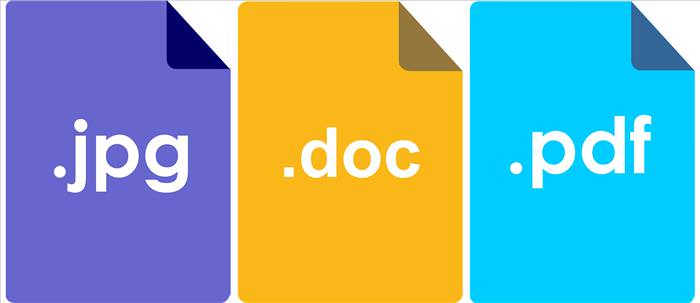
7. Open and Edit Various Kinds of Document
8. Fantastic Built-in Image Recognition TechnologyThis one is more of a neat feature than a benefit, but it’s still worth mentioning. Google Drive’s image recognition technology can actually recognize the content of your pictures. If you’ve visited a famous landmark on a recent vacation and upload a picture of you in front of it, the picture will come up when other users search for that landmark using Google Drive’s search.
9. Completely Free to Use
Google Drive offers you all these benefits while being entirely free to use. Thank you, Google! Google Drive Safety Tips
1. Make sure that you use a password that will not allow others to guess it easily. 2. Do not share your password with anyone. 3. If you’re accessing files stored on Google Drive from a public computer, make sure you log out of your account as soon as you leave.
Content Source: Art Systems Canada |

What Are the Health Benefits of CBD Oil?
With more states legalizing marijuana, CBD oil is gaining popularity. But is it safe?
10 Fun and Mind Boggling Facts About the Internet
Since its beginnings in the 1960s, the Internet itself has evolved beyond belief. These 10 fun, mind boggling facts teach you about the history and inner workings of the Internet.
12 Helpful Uses for Eucalyptus Oil You've Got to Try
With so many health benefits, which you will discover in the article ahead, you'll find Eucalyptus Oil has many great uses.
Google Is Watching You - Here's How to Stop It
Stories about Google watching you aren't really that far removed from the truth as you imagine. Here's how to use Google's My Activity page.
2:14
Tired of Google Spying on You? Here's How to Opt Out
Tired of Google spying on you? Here's how to SAFELY delete your account.
Here Are the Most Googled Health Questions of 2018
We're always told not to Google questions about or health, but there are millions of people who do so. Here are the 10 most Googled health questions of 2018.
7:31
How to Edit Your Photos Using 3 Different AI Services
If you shoot weddings, portraits, or anything high-volume, and you’ve wondered if AI can really speed things up without cutting corners, this is the no-nonsense breakdown you need.
Smishing 101: How to Recognize Scam Text Messages
This is how you recognize and handle fraudulent or scam text messages, also known as smashing.
Your Easy Guide to OpenAI's Amazing Video and Photo Tools
OpenAI has created tools that anyone can use to make videos and photos, even if you're not a computer expert. Let me walk you through them step by step.
Computer Tips: All You Can Do With the CTRL/Control Key!
The control key has more uses than just copying and pasting. These are the 20 more useful keyboard shortcuts you can do with the control key.
You Can Now Speak With ChatGPT on Your Whatsapp!
et’s explore what 1-800-ChatGPT offers, how to use it effectively, and why this innovation makes interacting with AI more seamless.
12:38
Skype is Dead: 9 Features of Microsoft Teams
These nine lesser-known tools are a must for any Microsoft Teams user.
What Do Those 12 'F' Keys on Your Keyboard Do?
Find out what those 12 curious F keys on your keyboard mean.
9 Useful Blogs Created Specifically For Senior Citizens
Here’s a wonderful collection of blogs that seniors will find particularly helpful.
These 5 Free Tools Can Help You Save Money Today!
These free apps and sites make saving money a breeze.
7 Tips to Follow When a Computer Hangs or Freezes
Take note of these steps that will help you unfreeze a computer that freezes or hangs regularly.
Laptop Won't Power Up? Try These 11 Effective Solutions
Laptop not starting? Try these essential steps to troubleshoot it.
Replace Your Smartphone if It’s Showing Any of These Signs
Here are 7 major telltale signs that your smartphone is in need of an upgrade.
9 Lesser Known Free Websites for Learning in 2025
A list of 9 great free learning websites that cover a variety of subjects, from coding and science to business and language learning.
Secure Your Data: 5 Must-Have Privacy Apps
A look at five apps that help you take back control of your digital footprint, including their strengths, trade-offs, and where to download them safely.
4:28
Update Now or Wait? Comparing iOS 17.7 and iOS 18
If you are wary of updating to iOS 18, watch this video.
Stop Paying For Software: 8 Free Productivity Options
Here are eight free open-source alternatives that can take the place of paid productivity apps without sacrificing quality or functionality.
Computer Guide: How to Keep Your Computer Up-to-Date!
Follow this simple guide to update drives and resolve common issues on your Windows computer.
How to Identify an Online Scam Email
Phishing emails are a common way of stealing information, but you can avoid them if you follow these tips that'll help you identify them
9:43
Tired of Google Photos Storage Limits? Try These Solutions
Get more space in your Google Photos account with these useful hacks.
Boost Your Brain With These 8 Brainy Mobile Games!
We’ve gathered 8 recommended games to keep your brain active, challenge your logical thinking, and help you pass the time enjoyably.
Who Traces Your Emails? Learn How to Detect Email-Tracking
40% of emails are being tracked by somebody without people's consent or notification, which means you'd better learn how to protect your privacy...
Computer Guide: Comparing Skype and Microsoft Teams
This article will explain why Skype is going away, how Teams fills its shoes, and guide you through using Teams for your personal video calls, screen shares, and chats.
10 Popular Tech Myths You Need To Stop Believing Now
Here we bust some popular and common myths about everyday tech that people still believe in.
Overpaying for Streaming? Here’s How to Fix That!
Save big on your streaming bills with these simple tips.
Why Fake Info is Best for These 6 Types of Sites
Always avoid giving your real information on these kinds of websites.
Is Your Browser Slowing Down? Fix It With These 10 Tips
Get Chrome running smoothly with these seven easy fixes.
7:09
Struggling with Slow iPhone Internet? Try These Tips
iPhone running slow again? Here’s how you boost your speed…
Skype Is Shutting Down – Try These Alternatives Now
With Skype officially retiring, here are some handy alternatives you should try.
Can’t Connect to the Internet? Here’s What To Do
Not being able to connect to the internet is one of the most pestering things. This is why it might be happening and easy solution to fix it.
12 USEFUL Chrome Extensions That Save Time
Improve your browsing experience with these free Google Chrome extensions.
0:48
WhatsApp Hack: Read Messages Without Showing Blue Ticks
Learn how to read WhatsApp messages without showing blue ticks in this video.
10 Free Ancestry Sites for Tracing Your Family History
Here are 10 of the best free ancestry sites that can help you uncover your family’s story.
Surround Yourself With the Forest Sounds of the World
Ready to be surrounded by the music of the world’s forests and experience the restorative properties of being in nature?
Do You Know How to Act in a Medical Emergency?
Don't feel powerless in a medical emergency, learn what actions to take in these 10 serious medical emergencies and how to save lives
7:38
Most People Don’t Know About These Google Maps Features
Google Maps has a ton of new features that most people don’t know about.
How to Tell If a Virus Warning Is Real or Fake - 12 Tips
If you see a barrage of security alerts popping up on your computer, then it might be sign of a virus attack.
Did You Know These Cell Phone Facts Are All Totally False?
People just love to give you advice about smart phones, but it turns out that a lot of this information is false. Never believe these 9 smart phone myths.
Guide: How to Sign a PDF Without Printing it First
This guide will teach you how to sign PDF files digitally without having to print them.
14 Tips for Using the Computer More Easily
It’s very likely that in the following computer tips list you’ll find information that will surprise you!
Privacy Settings You Should Change in Chrome Right Now
These Chrome settings should always be disabled.
Looking for an Instagram Alternative? Try These Platforms
If you’re ready to explore beyond Instagram, here are eight great alternatives.
To enable your Ad-Free Subscription, please fill the fields below
Your subscription was successful, now you can enjoy an ad-free experience!! Note: To make sure you get no ads, please make sure to log in to your account. If you are logged in already, then refresh the page. The subscription can be cancelled at any time.