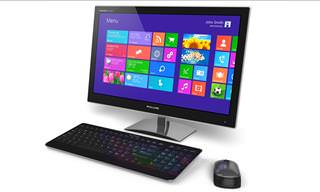
Why is cleaning a computer important? Because the cleanliness of a computer has a big impact on its speed. A clean computer works much faster, and that's a fact. Also, it's a lot more pleasant to be using a shiny, clean mouse and keyboard while looking at a shiny, clean screen.
So let's clean that computer, from top to bottom. Don't worry, we'll be with you the whole way!

Let's start with cleaning the computer itself.
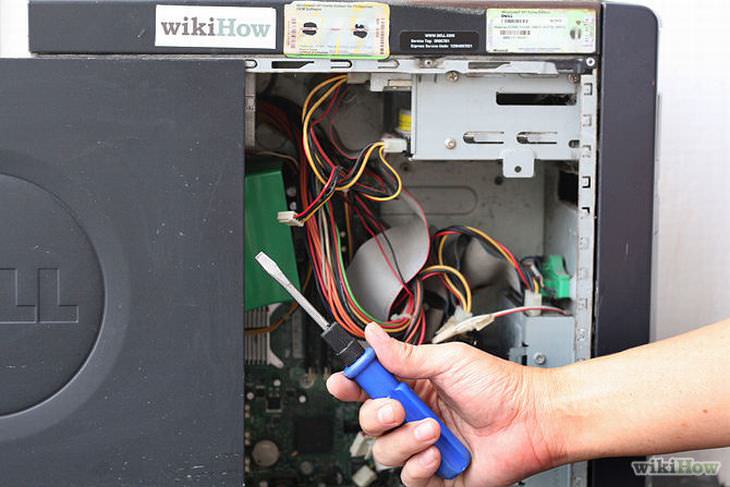
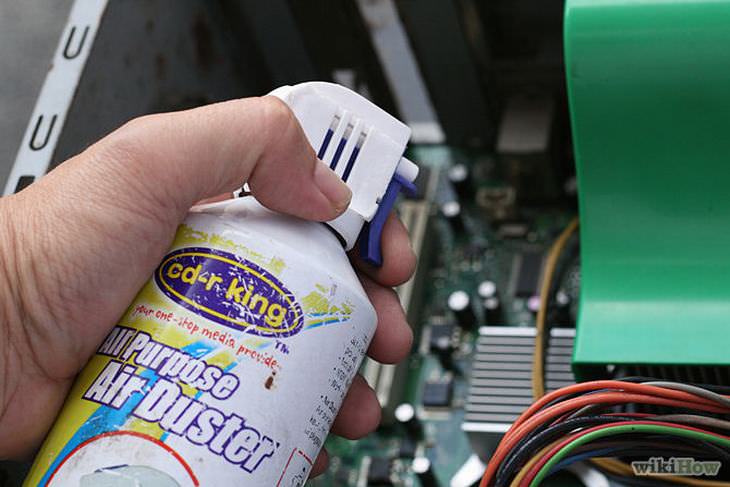
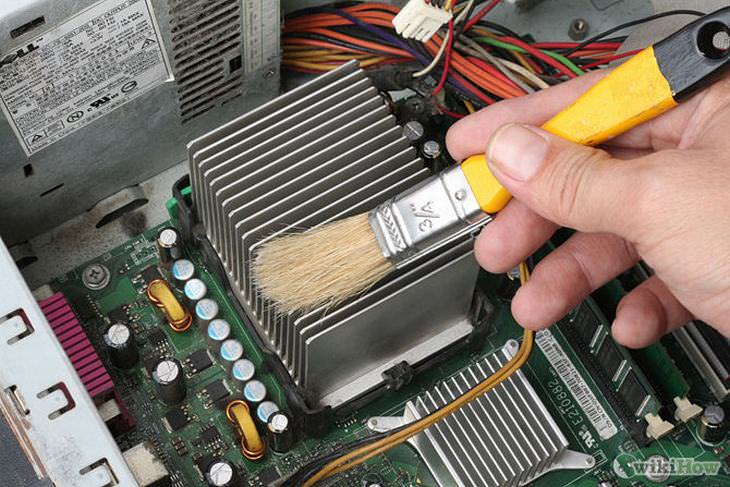
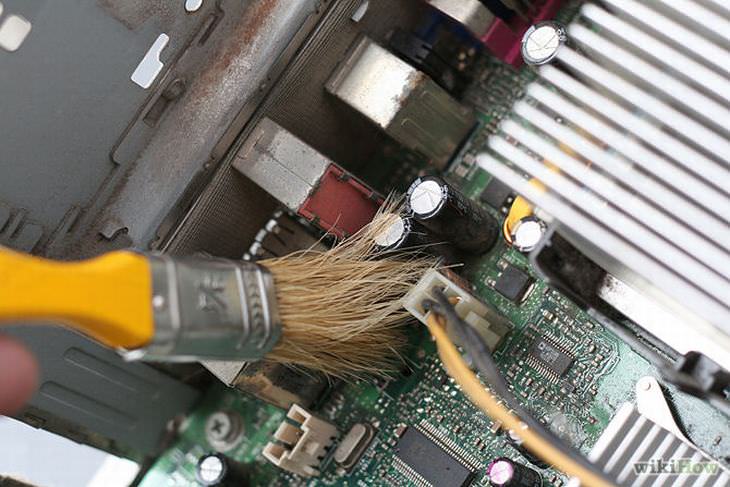
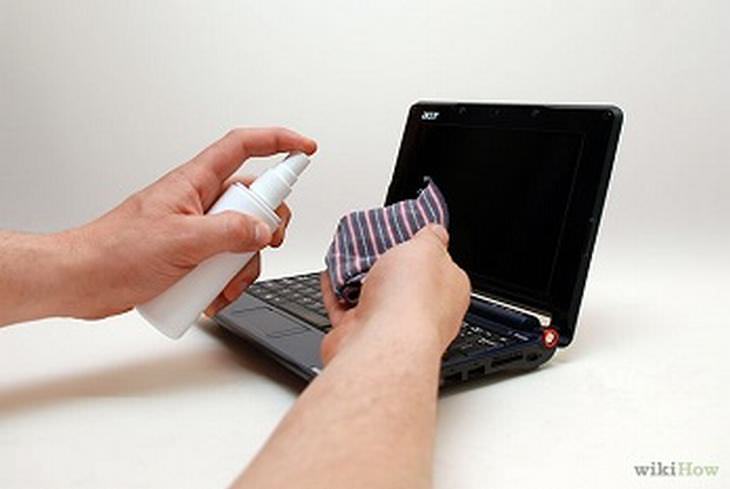
The basic tools you'll need are A can of compressed air, a screwdriver, a moist cloth and a new and clean paint brush.
Note: If you don't have a can of compressed air, you can use a hair dryer set on COLD. Do not use it on heat or it will destroy the most delicate parts of your computer. Do NOT blow on the dust yourself, as it is dangerous for your airways.
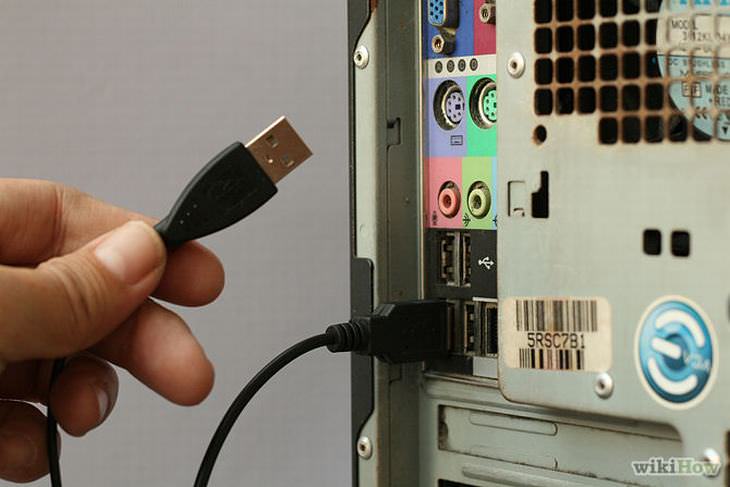
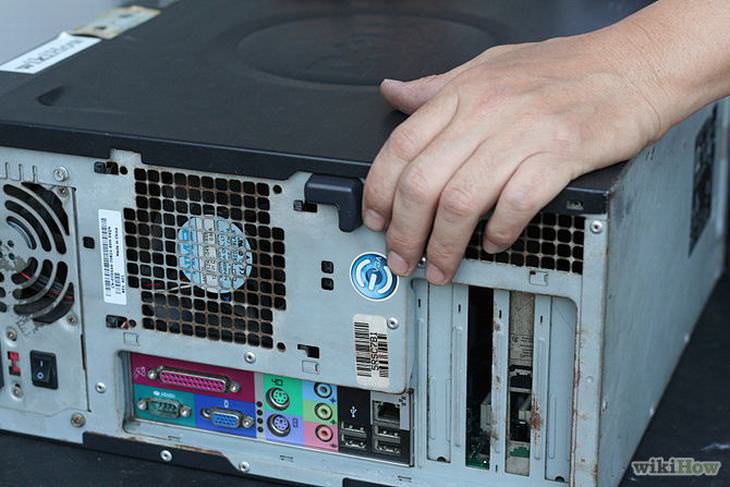
First, disconnect the computer's power cable and all its other cables, and take it outside, because you'll be getting a lot of dust out of it.


After you've cleaned the computer, go and clean the keyboard. Keyboards accumulate an astounding amount of dust, crumbs, and dirt, and it's important to clean them often.
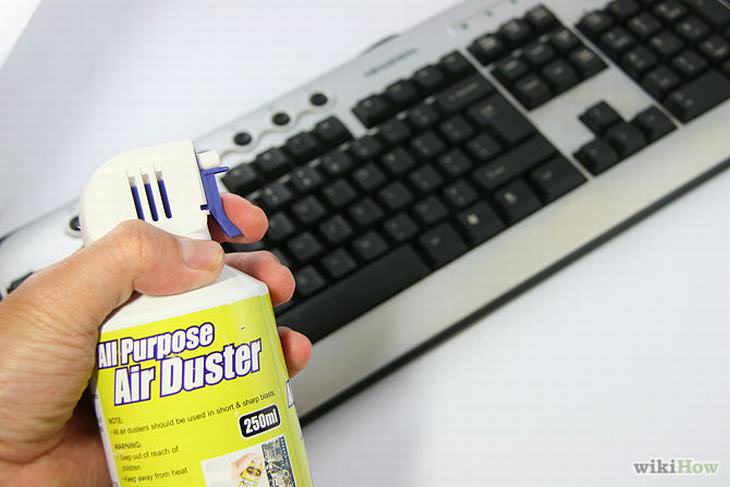
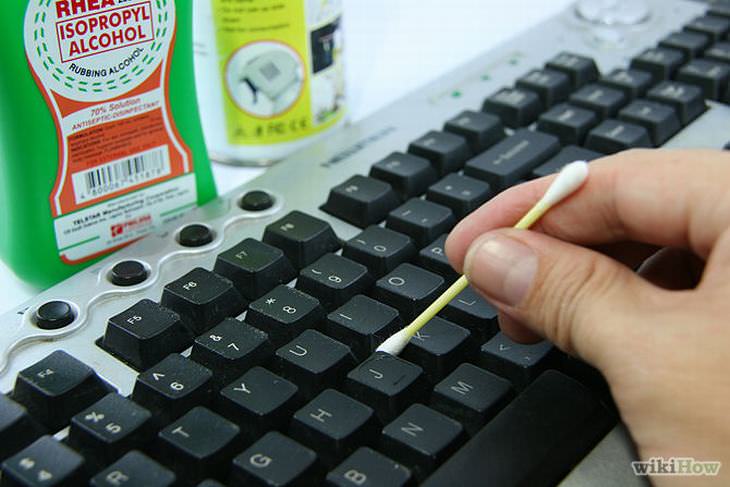
To clean the keyboard you'll need:
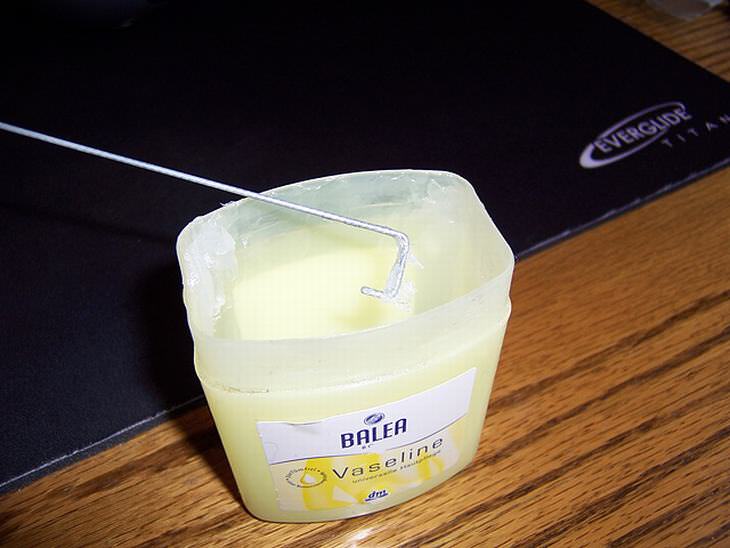
A compressed air spray, cloth, ear sticks, alcohol, Vaseline and a screwdriver.
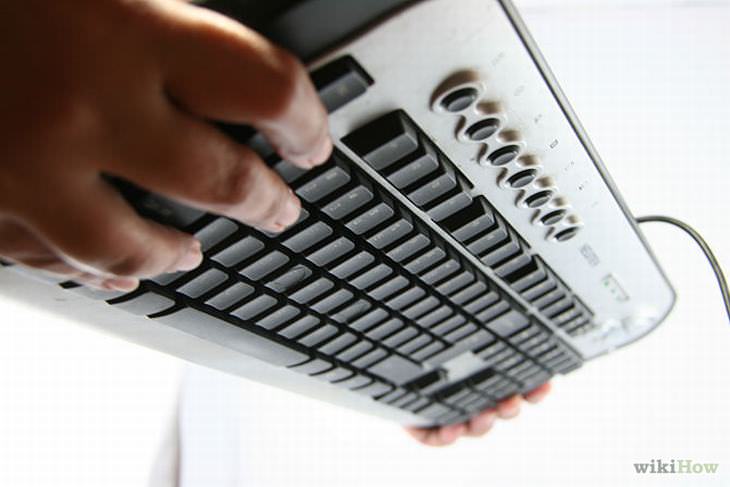
Turn the keyboard upside down and shake until all the crumbs fall out.


This Free Program Means You'll Never Lose a File Again
We all hate losing files and photos on our computers. Luckily, a free program called Recuva exists to help you get your deleted files back.
Here's How to Clean Hard-to-Reach Spots In Your Car & Home
It's not nice when you can't get something in your house or car as clean as you want it to be, but as you will see, where there's a will, there's a way...
Had Enough of Housework? Get Some Help from These Apps
Want to lighten up your house chore load? These apps will make cleaning your home all the more easier.
26 Handy Tips That'll Fit Any Kitchen
These tips will make you a master of the kitchen, full of little secrets and shortcuts...
5 Ways Experts Deal With Cat Hair in Their Home
Cat Owners Swear by These 5 Spring Cleaning Fixes for Shedding Season
Become a Windows Computer Wiz by Using These 11 Tricks
These simple tips and tricks for using a Windows PC will help you use your computer and turn you into a Windows PC master!
9:17
The Best and Worst Apps for Learning Languages
Choosing the right language learning app can make the difference between steady progress and quick burnout
7 Most Common Reasons the Phone Battery Deteriorates
The seven most common mistakes that quietly drain your battery and shorten its lifespan, along with simple ways to break each one.
5 Best Online Platforms for Couples' Counselling
We've researched the options and returned with the 5 best platforms for online couples' therapy.
2:38
How to Transfer Your Old VHS Tapes to a Computer
Do you have old family videos on VHS? It's time to make them digital so you can share them with all the family more easily! This video will show you how.
Take Your Computer Back to New with These Helpful Tips!
If your computer has become slow and is starting to lag, itโs probably about time you serviced it. Here's how to do it yourself, free of charge.
7:10
Computer Guide: How to Use Password Managers
Password managers help us by requiring us to remember just one password instead of many. Have a look at this video explaining all about it.
The 7 Most Common Online Scams in 2026
The seven most common online scams targeting people over 50 right now, and the simple habits that will keep your money and your peace of mind safe.
Don't Charge Your Phone Over 80%, Here's Why
There is truth to the no-overnight-charging rule, and there is also some science to back it up.
How to Set Up Your Phone to Call for Help If You Fall
This article teaches you to set up your iPhone or Android phone to be ready to summon help and speak for you when you need it most.
This One Computer Key Is Used for a Myriad of Shortcuts!
The 'Win' key is usally thought to only bring up the start menu. It actually does a whole lot more. Get a load of these dozens of shortcuts!
What To Do When Windows Will NOT Boot
There's nothing more frustrating than your computer refusing to boot. Here is what you can do to fix it when the system won't even initialize.
17:41
TikTok: Tips and Tricks for Beginners
Whether you are a total beginner or just looking to streamline your process to get more views, this tutorial covers everything you need to know to go from recording to posting.
What We Can Learn from ChatGPT About Being Human
What can we learn from ChatGPT about ourselves?
4:50
Guide: How to Remove Malware from Android Phones
In this video, weโll cut through the tech jargon to show you exactly how to spot the red flags of a compromised device.
There's a keyboard Shortcut for Nearly Everything Here!
These shortcuts will cut down the time you waste fiddling about on the computer, and make you into something of an expert.
5:28
WhatsApp Privacy Settings You Must Change for Safety
Want to take control of your WhatsApp privacy? In this tutorial, I'll walk you through the essential settings that protect your personal information and give you complete control over who sees what.
9:55
Windows 11: Super Helpful Tips and Tricks
Windows 11 has come a long way since its rocky launch, and if you haven't explored it lately, you're in for a surprise. ..
2:35
6 Simple Tips for Taking Screenshots on Windows
Taking screenshots on Windows is now super easy. Just note these tips.
2:19
Google Presents Genie: A New Way to Create Interactions
This is Project Genie. Where imagination meets interaction, and every prompt opens a new frontier in AI research.
5 DIY Solutions to Better Organize Your Cords and Cables
Computer cables have an annoying tendency to tangle and create an unseemly mess. Here are some easy ways to prevent that.
Learn All About the Different File Types on Your Computer
Computer extensions can have such confusing names and functions. If you're like me, you will appreciate this guide to 12 different file types!
How to Make Easy Videos with AI (No Film School Required)
This guide explains how AI video creation works, what it costs, which tools are easiest to start with, and how to use a regular chatbot to write the instructions for you when you don't know the filmmaking vocabulary.
3:32
The Easy Way to Clean Your Computer's Keyboard
Cleaning a dirty keyboard is quite a straightforward task, as you're about to find out.
7:00
How to Remove Malware From Your Android Device
. For anyone looking to secure their phone and get it running smoothly again, this guide has it covered
If You Arenโt Doing these Things, Your PC WILL Wear Out...
All the basics of computer maintenance.
20:27
Learn About Your Computer: Every Component Explained!
In just 3 minutes, you'll be much wiser about what your computer is made of.
7 Tips to Follow When a Computer Hangs or Freezes
Take note of these steps that will help you unfreeze a computer that freezes or hangs regularly.
These Settings Will Keep Your Eyes Safe While on the PC
Here's how you can protect your eyes from computer screens using blue light filters.
These 10 Keyboard Shortcuts Will Make Life Easy!
These keyboard shortcuts will help you learn the easiest ways to use your computer when your mouse is being less than cooperative!
12 Google Chrome Shortcuts Everyone Should Know
Keyboard shortcuts are immensely useful! If youโre using Google Chrome to browse the internet, we have a few neat shortcuts to share with you.
25 Keyboard Shortcuts for Windows PCs and Apple Computers
Here are the most useful, in plain language, for both Windows 11 computers and Apple Mac computers.
16:20
iPhone Duo: A Hands-On Look at the New Foldable
We'll compare all three iPhone folding phones, show you the upgrades, and help you figure out which one is worth your money.
Do You Know How to Act in a Medical Emergency?
Don't feel powerless in a medical emergency, learn what actions to take in these 10 serious medical emergencies and how to save lives
Handy Web Browser Shortcuts for Chrome, Edge, and Safari
Below are the most useful ones, written in plain language. They work in all the popular browsers, so whether you use Google Chrome, Microsoft Edge, or Apple's Safari, you are covered.
7 Handy Chrome Extensions That You Must Install Today
This article features some of the best and most useful Google Chrome extensions that will be handy to every user.
8 Benefits of Quitting Social Media (Even for a Week)
Learn about 8 benefits you can enjoy when quitting social media, even for a short period.
2026 Foldable Smartphones: The Complete Buyer's Guide
โThe foldable phone market in 2026 has reached unprecedented levels of sophistication and diversity. Here's a guide looking at the top foldable models.
11:22
10 Things You Should Turn Off in Your PC
Don't let Windows run the show - watch now to see exactly what to shut down first.
I Never Knew Repairing a Smartphone Was So Simple!
Having phone trouble? Here are 6 of the most common smartphone issues and exactly how you can fix them.
How to Solve Your Most Common Printer Trouble
Let's go through the most common printer problems one by one, why they happen, and the fixes that actually work.
Gemini 3: An AI Upgrade or a Warning of Things to Come?
A new AI version hitting the market is always the most successful, most surprising, and always overshadows its predecessors in every comparison metric - until the next version arrives and surpasses it.
To enable your Ad-Free Subscription, please fill the fields below
Your subscription was successful, now you can enjoy an ad-free experience!! Note: To make sure you get no ads, please make sure to log in to your account. If you are logged in already, then refresh the page. The subscription can be cancelled at any time.