Did you know that your computer’s operating system has a simple-yet-powerful photo manipulation tool called “Paint”? Since its introduction in 1992 as part of the then-new Windows 3.1, Paint has evolved into its modern-day version, allowing you to do quite a few actions that once required you to buy photo manipulating software. This guide will teach you how to make the best of Paint, turning you from a novice to a pro.
Where is Paint?
Windows 7 users – Click on the start button and in the search bar type in paint, then select the Paint icon.
Alternatively, you can click on Start > All Programs > Accessories > Paint.
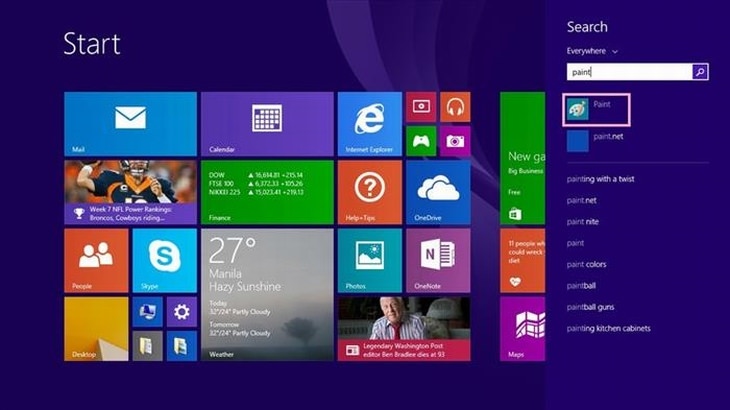
Windows 8/8.1 – In the main menu, scroll until you see the Paint icon and click on it.
Windows 10 – Type paint in the search box on taskbar, and click Paint in the result.
Getting to know Paint
This is the main screen.
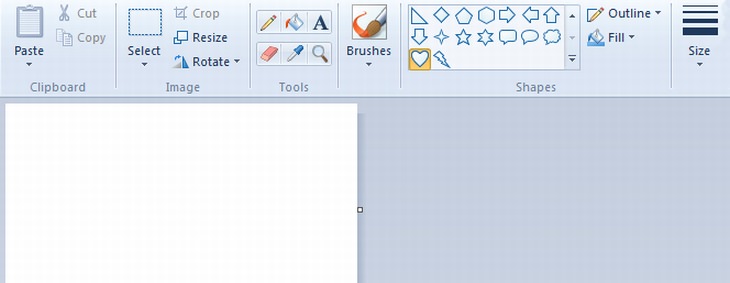
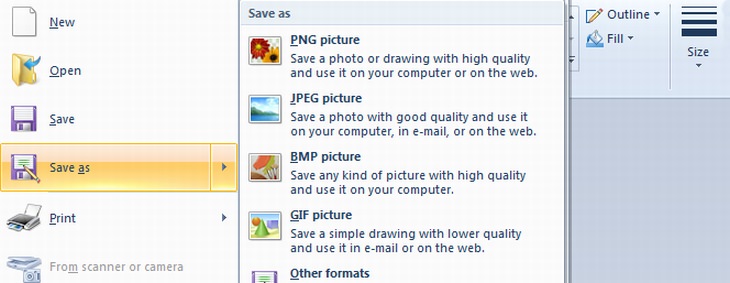

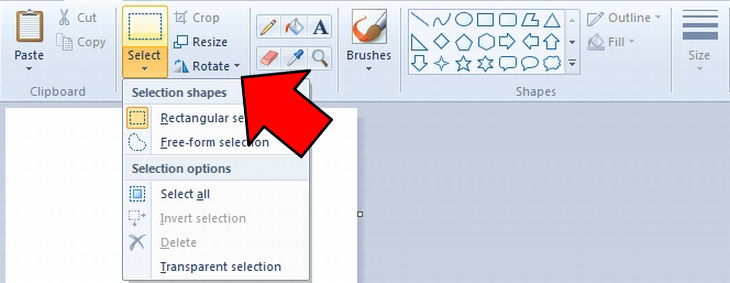
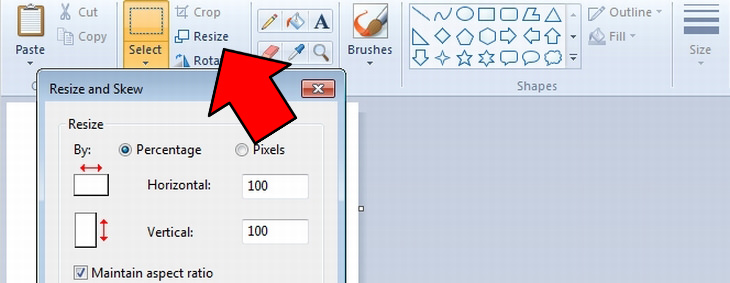
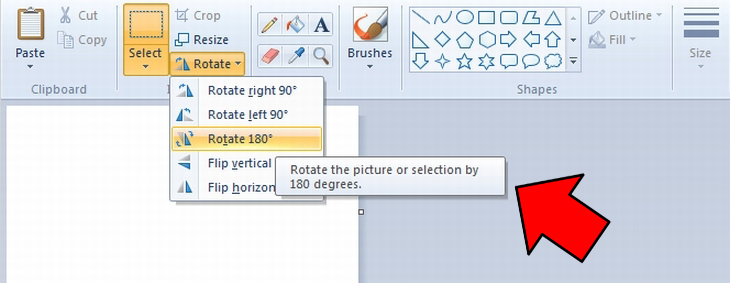
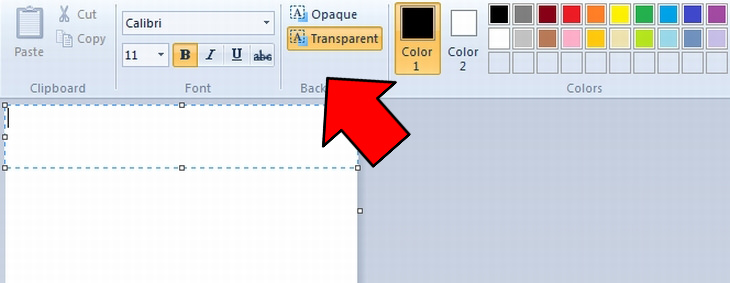
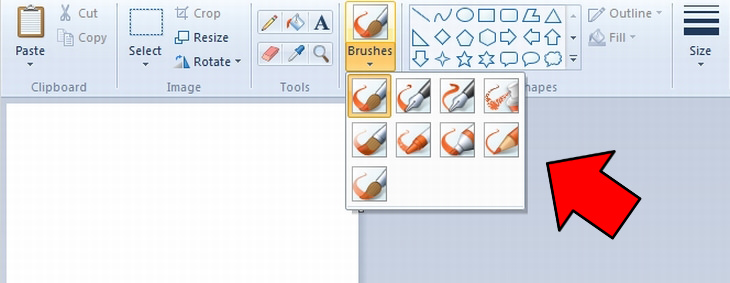
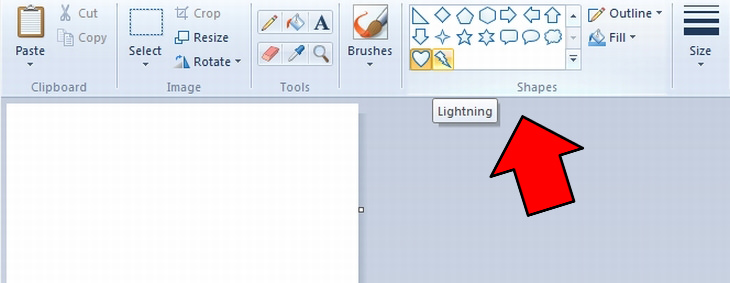
The side buttons to the right of the selection menu are the basic tools, top-down from left to right:

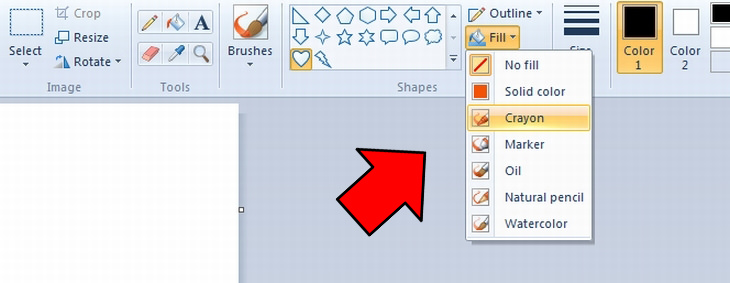
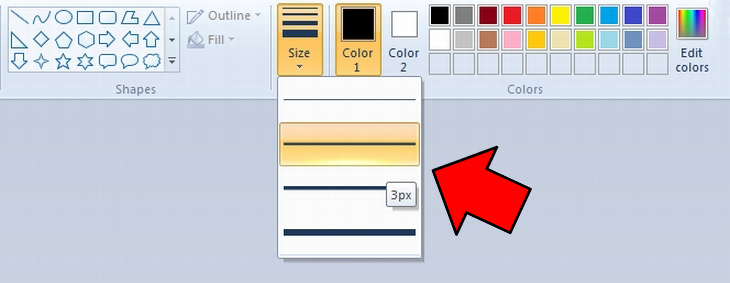
Next is the size menu, which lets you choose the thickness of your brush/pencil stroke.
To the right of the size menu, you have Color1 and Color2. Color1 relates to the outline and the default brush color while Color2 is the fill of a shape, or can be used by holding the right-mouse-button, rather than the left.
You now have the quick color pallet, as well as the extended color pallet, which lets you choose whatever color you want.
If you've performed an action that you’re not happy with, you can undo it by using the keyboard combination Ctrl+Z.
If you’ve mastered the use of paint, you can try a couple of free, more complex photo manipulation and editing programs:
Pixlr – a browser-based photo editing software. It only requires that you have an internet connection and a modern browser (such as Mozilla Firefox or Google Chrome).
Adobe Photoshop Express – Another free alternative that is browser-based. It is similar to the famous Photoshop software, but not as powerful.

3 Leisure Apps You Should Know About
With the constant stream of apps being released, itโs hard to keep track of it all. ย This short list contains three apps you may have missed and are worth checking out.
FYI: 7 Simple Ways to Avoid Hacking and Identity Theft
The internet is an amazing tool and a fun opportunity to add toย your knowledge, it's important to remember to have fun while keeping yourself secure and safe from identity theft. These are the basic habits you need to have to keep your online identit
What Do Those 12 'F' Keys on Your Keyboard Do?
Find out what those 12 curious F keys on your keyboard mean.
5:55
What is 5G, and Why Will it Change the World?
5G is just around the corner, what will it mean to the world?
10 Fun and Mind Boggling Facts About the Internet
Since its beginnings in the 1960s, the Internet itself has evolved beyond belief. These 10 fun, mind boggling facts teach you about the history and inner workings of the Internet.
Advocacy Groups Want the Messenger Kids App to Be Shelved
Despite Facebook's insistence that its Messenger Kids app is safe, child advocacy groups want it to be shelved. Find out more about their concerns.
5 Things to Never Store on Your Smartphone
Stop using your smartphone as a master repository for saving all kinds of information. It may be dangerous...
These Settings Will Keep Your Eyes Safe While on the PC
Here's how you can protect your eyes from computer screens using blue light filters.
5 Awesome Google Chrome Settings You Arenโt Using
Google Chromeโs advanced settings have many useful features that will make your browsing experience so much better.
25:19
S26 Ultra vs 17 Pro Max: A 2026 Flagship Phone Matchup!
In 2026, the smartphone crown is a toss-up between two absolute titans: the Samsung Galaxy S26 Ultra and the iPhone 17 Pro Max.
Do You Know How to Act in a Medical Emergency?
Don't feel powerless in a medical emergency, learn what actions to take in these 10 serious medical emergencies and how to save lives
Want Your PC to Run Longer? Then Avoid These Mistakes
Avoiding these silly mistakes will help you prevent damage to your computer and also extend its life.
This Free Website Will Let You Play the Most Fun Mazes!
Do you love mazes and navigation challenges? Look no further than this fun site!
You've Probably Been Using Your Keyboard Wrong...
There's a very specific reason why the F and J keys are raised on your keyboard. Read this guide to find out why computer keyboards are the way they are.
The 7 Backup Mistakes That Leave Your Files Vulnerable
Hereโs what most people get wrong about backups.
You Should Bookmark These Incredibly Useful Sites
Make sure that you bookmark these handy websites!
12 Google Chrome Shortcuts Everyone Should Know
Keyboard shortcuts are immensely useful! If youโre using Google Chrome to browse the internet, we have a few neat shortcuts to share with you.
9:45
iPhone vs. Android: What's the Difference?
Itโs one of the greatest rivalries in tech history: Android versus iPhone. But this battle is about much more than just smartphones...
This Incredible Map Will Let You to Fly Above Any Location
This amazing site allows you to watch drone videos by location - and boy are they beautiful.

5 Hidden Google Chrome Games (And a Bonus)
Tired of Backgammon online? Try Google Chrome's online in-browser collection of games for an easy-to-reach entertainment break. Tic-tac-toe, snake, and more!
Forget ChromeโZen Browser Is the Upgrade You Need
If youโre tired of slow load times, constant battery drain, or a cluttered interface, Zen might be the browser youโve been waiting for.
11:22
10 Things You Should Turn Off in Your PC
Don't let Windows run the show - watch now to see exactly what to shut down first.
8 Mistakes That Shorten the Life of Your Electronics
Your gadgets and household electronics wonโt last long if you keep repeating these common mistakes.
19:08
How to Solve the Top 30 Desktop Computer Issues
in this great and helpful video, we're touching on 30 common PC problems and how to prevent and fix them.
The 11 Best Meal Planning Apps to Help You Lose Weight
Fortunately, numerous apps can make meal planningโand potentially weight lossโmuch more achievable.
What We Can Learn from ChatGPT About Being Human
What can we learn from ChatGPT about ourselves?
7 Reasons Why Your Computer is Running Abnormally Slow
There are many things that could be slowing your computer down and you'll find 7 of them in this article. Take a look!
7:00
How to Remove Malware From Your Android Device
. For anyone looking to secure their phone and get it running smoothly again, this guide has it covered
What Do Those 12 'F' Keys on Your Keyboard Do?
Find out what those 12 curious F keys on your keyboard mean.
10 Practical Smartphone Tips and Features Few People Know
These practical tips and clever uses of smartphones will help you start using your phone at its full potential!
What To Do When Windows Will NOT Boot
There's nothing more frustrating than your computer refusing to boot. Here is what you can do to fix it when the system won't even initialize.
Skype Is Shutting Down โ Try These Alternatives Now
With Skype officially retiring, here are some handy alternatives you should try.
5 Most Common Mistakes People Make When Working With AIs
Here are the five biggest mistakes people make when working with AI, and exactly how to sidestep them.
STOP! You're Damaging Your Computer...
Computers are practically indispensable to us these days. The thing is, you could be damaging yours without even knowing it. Looking out for these 16 things.
10 Free Ancestry Sites for Tracing Your Family History
Here are 10 of the best free ancestry sites that can help you uncover your familyโs story.
Surround Yourself With the Forest Sounds of the World
Ready to be surrounded by the music of the worldโs forests and experience the restorative properties of being in nature?
The Most Reliable Cloud Storage Services for 2025
Hereโs a closer look at some of the best cloud storage services to consider in 2025.
Take Your Computer Back to New with These Helpful Tips!
If your computer has become slow and is starting to lag, itโs probably about time you serviced it. Here's how to do it yourself, free of charge.
2:38
How to Transfer Your Old VHS Tapes to a Computer
Do you have old family videos on VHS? It's time to make them digital so you can share them with all the family more easily! This video will show you how.
12 USEFUL Chrome Extensions That Save Time
Improve your browsing experience with these free Google Chrome extensions.
3:32
The Easy Way to Clean Your Computer's Keyboard
Cleaning a dirty keyboard is quite a straightforward task, as you're about to find out.
1:56
No More Clutter! Free Up WhatsApp Storage in Minutes
Running out of storage on your phone because of WhatsApp? Try these hacks now.
These Gmail Shortcuts Will Save You Time & Frustration
If you use Gmail, but you don't know how to use a single keyboard shortcut, then you well and truly are missing out. Here are the most useful ones...
7 Tips to Follow When a Computer Hangs or Freezes
Take note of these steps that will help you unfreeze a computer that freezes or hangs regularly.
Simplify Finances With These Budget Apps for Families
Try these money mangement tools to simplify your finances in 2025
USB Drives Can Do More Than You Think โ 10 Hacks You Need
Letโs explore some of the most practical yet overlooked ways to use USB drives.
All You Need to Know About Your Computer
It's that age of computers, and we should all educate ourselves so we all save ourselves time and anxiety when using a computer, a tablet or a phone. This collection of posts will give you insight into many computer-related issues.
To enable your Ad-Free Subscription, please fill the fields below
Your subscription was successful, now you can enjoy an ad-free experience!! Note: To make sure you get no ads, please make sure to log in to your account. If you are logged in already, then refresh the page. The subscription can be cancelled at any time.