

They Have Some Beautiful Items at the Metropolitan Museum...
These stunning pictures come to you straight out of one of the world's leading museums!
 6:30
If a Kid Could Paint It, Why Is It in a Museum?
Some art is so minimalistic it's hard to understand why it's in a museum. Some of them are just... a white canvas. it turns out there is more that meets the eye
 19:51
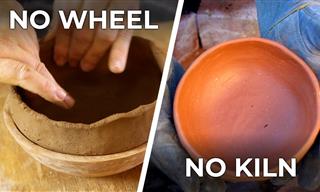
Make a Clay Pot at Home With No Special Equipment
What if we told you that you don't need ANY tools but your own two hands to start pottery? The rest can be found in your kitchen.

Delicate, Colorful, Magical: the Work of Stéphanie Kilgast
Explore the enticing worlds unfolding in Stéphanie Kilgast's works of art.
 9:46
10 Most Opulent Libraries in the World
Full of opulence but also knowledge, these are 10 of the most exquisite libraries in the world.
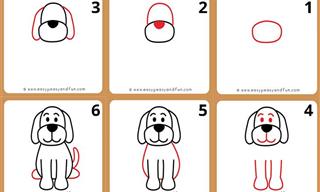
10 Easy and Fun Drawing Tutorials For Kids and Beginners
If you need a creative activity to keep the little ones engaged, look no further than these 10 fun and easy animal drawing tutorials!
 7:40
ChatGPT vs. Google Gemini: Which One is Better in 2026?
Which AI truly owns your devices in 2026? Let’s find out.
 4:44
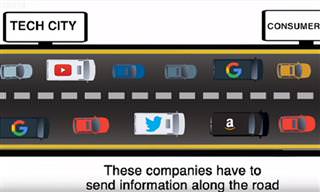
What Is Net Neutrality and How Does It Affect You?
What on Earth is net neutrality, and how does it effect you? Watch this informative video and find out!
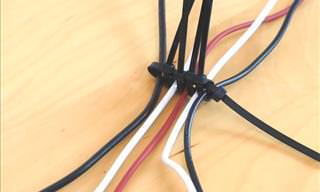
5 DIY Solutions to Better Organize Your Cords and Cables
Computer cables have an annoying tendency to tangle and create an unseemly mess. Here are some easy ways to prevent that.

The Rise of QR-Code Fraud and How to Spot It
hat sense of ease is exactly what a new wave of scammers is counting on. The crime even has a name: quishing, a blend of "QR code" and "phishing."
 8:56
Computer Guide: How to Clean Your Laptop Safely
We’ll blast the grime out of that filthy keyboard, de-streak the screen without scratching it, and sanitize the chassis.
 7:00
How to Remove Malware From Your Android Device
. For anyone looking to secure their phone and get it running smoothly again, this guide has it covered

These Password Tips Will Ensure You're Safe from Hackers
Cybercrime is increasing thanks to ever-improving technology. Therefore, it's very important that you have a strong password. These tips will ensure you do!
 2:19
Google Presents Genie: A New Way to Create Interactions
This is Project Genie. Where imagination meets interaction, and every prompt opens a new frontier in AI research.

The Only Guide You Need to Clean Your Computer
Computers collect dust and dirt, causing them to slow down and heat up. Here's how to clean them:

Do You Eat Out Often? These 7 Apps Will Save You Money!
If you’re struggling to keep up with your monthly food budget, you’re not alone. Here are 7 dinning apps that will save you money every time you eat.

If Your Computer Is Not Working, Here's What to Do
This troubleshooting guide is all you need if you're computer isn't turning on.

I Never Knew Repairing a Smartphone Was So Simple!
Having phone trouble? Here are 6 of the most common smartphone issues and exactly how you can fix them.

How to Solve Your Most Common Printer Trouble
Let's go through the most common printer problems one by one, why they happen, and the fixes that actually work.

Don't Charge Your Phone Over 80%, Here's Why
There is truth to the no-overnight-charging rule, and there is also some science to back it up.
Handy Web Browser Shortcuts for Chrome, Edge, and Safari
Below are the most useful ones, written in plain language. They work in all the popular browsers, so whether you use Google Chrome, Microsoft Edge, or Apple's Safari, you are covered.

8 Benefits of Quitting Social Media (Even for a Week)
Learn about 8 benefits you can enjoy when quitting social media, even for a short period.
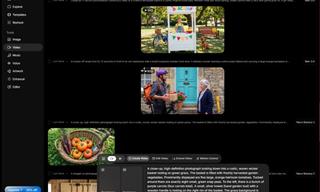
How to Make Easy Videos with AI (No Film School Required)
This guide explains how AI video creation works, what it costs, which tools are easiest to start with, and how to use a regular chatbot to write the instructions for you when you don't know the filmmaking vocabulary.

There's a keyboard Shortcut for Nearly Everything Here!
These shortcuts will cut down the time you waste fiddling about on the computer, and make you into something of an expert.
 43:39
AI News: What's Going On With AI This Week?
This week's AI news covers major releases and impressive demos.
 9:17
The Best and Worst Apps for Learning Languages
Choosing the right language learning app can make the difference between steady progress and quick burnout

2026 Foldable Smartphones: The Complete Buyer's Guide
The foldable phone market in 2026 has reached unprecedented levels of sophistication and diversity. Here's a guide looking at the top foldable models.

These 10 Keyboard Shortcuts Will Make Life Easy!
These keyboard shortcuts will help you learn the easiest ways to use your computer when your mouse is being less than cooperative!
 2:27
Tutorial: How to Uninstall Apps on Your Windows 11 PC
How to uninstall apps on your windows PC.

8 Mistakes That Shorten the Life of Your Electronics
Your gadgets and household electronics won’t last long if you keep repeating these common mistakes.

How to Set Up Your Phone to Call for Help If You Fall
This article teaches you to set up your iPhone or Android phone to be ready to summon help and speak for you when you need it most.
 12:58
25 iPhone Tips and Tricks Everyone Should Know
If you've never tried these before, prepare to be amazed by what your phone can actually do. Let's get started!

What is "AI Psychosis", and Should You Be Worried?
A new informal term has been making the rounds - "AI psychosis" - and while it may sound alarming, understanding what it means can help you stay grounded and use these tools wisely.

These Gmail Shortcuts Will Save You Time & Frustration
If you use Gmail, but you don't know how to use a single keyboard shortcut, then you well and truly are missing out. Here are the most useful ones...

Take Your Computer Back to New with These Helpful Tips!
If your computer has become slow and is starting to lag, it’s probably about time you serviced it. Here's how to do it yourself, free of charge.

Gemini 3: An AI Upgrade or a Warning of Things to Come?
A new AI version hitting the market is always the most successful, most surprising, and always overshadows its predecessors in every comparison metric - until the next version arrives and surpasses it.

Customize Your Computer to Your Own Needs
Let the computer adjust itself to you! Here are 7 tricks that focus on ease of access and readability you can use to alter your computer experience for the better.

You've Probably Been Using Your Keyboard Wrong...
There's a very specific reason why the F and J keys are raised on your keyboard. Read this guide to find out why computer keyboards are the way they are.
 5:15
How to Find Out if Your Computer Has a Virus
In this video, I'll show you the most telling signs that your machine may be infected, walk you through how to remove threats effectively, and share the best antivirus solutions to keep you protected for good.
 7:31
How to Edit Your Photos Using 3 Different AI Services
If you shoot weddings, portraits, or anything high-volume, and you’ve wondered if AI can really speed things up without cutting corners, this is the no-nonsense breakdown you need.

5 Useful Apps for Seniors You Probably Haven't Heard Of
We've selected five such apps for you. They are all completely free to download and allow you to enjoy their core features without paying a dime.

The Keyboard Shortcuts You Never Know Existed
These aren't shortcuts to save five seconds here and there. They're tricks that change how you interact with your computer once you start using them.

What We Can Learn from ChatGPT About Being Human
What can we learn from ChatGPT about ourselves?
 16:20
iPhone Duo: A Hands-On Look at the New Foldable
We'll compare all three iPhone folding phones, show you the upgrades, and help you figure out which one is worth your money.
 17:41
TikTok: Tips and Tricks for Beginners
Whether you are a total beginner or just looking to streamline your process to get more views, this tutorial covers everything you need to know to go from recording to posting.

Learn All About the Different File Types on Your Computer
Computer extensions can have such confusing names and functions. If you're like me, you will appreciate this guide to 12 different file types!

Computer Tips: All You Can Do With the CTRL/Control Key!
The control key has more uses than just copying and pasting. These are the 20 more useful keyboard shortcuts you can do with the control key.
To enable your Ad-Free Subscription, please fill the fields below
Your subscription was successful, now you can enjoy an ad-free experience!! Note: To make sure you get no ads, please make sure to log in to your account. If you are logged in already, then refresh the page. The subscription can be cancelled at any time.