
24:32
Guide: How to Use the Hot New Video Editing App!
By watching this detailed video guide, you can become familiar with the app and start using your newfound knowledge to produce high-quality videos!
WhatsApp Just Added Features, Here's What's New
Check out the latest updates and features WhatsApp is all set to roll out soon.
WATCH: These Apps Are Essential For Seniors & Mature Users
There are various apps out there, but only a few are suitable for seniors and mature users. This video guide will show you 8 essential apps for this demographic
Download These Essential Travel Apps Before Your Next Trip
These apps are essential for travel in 2024.
Discover Some Apps That Are Ideal For Use By Seniors
Things tend to get more difficult for people as they age, but luckily technology is on hand to make life easier. Take a look at these 7 apps.
7 Apps Everyone Should Install on Their Phone or Tablet
There are loads of apps out there to make your life that much easier, but these 7 apps in particular are really a cut above the rest. Find out more now.
Collective Effervescence: The Power of Shared Experiences
Collective effervescence helps explain why certain experiences stay with us long after they end. When we take part in a meaningful group activity, we often feel connected to something bigger than ourselves. That sense of connection is deeply nourishi
9:17
The Best and Worst Apps for Learning Languages
Choosing the right language learning app can make the difference between steady progress and quick burnout
What Do Those 12 'F' Keys on Your Keyboard Do?
Find out what those 12 curious F keys on your keyboard mean.
5 of the Best Apps for Anxiety in 2026
The Mind Ease App is our best overall because it's free and caters to anxiety in various ways for different people and symptoms.
Your Easy Guide to OpenAI's Amazing Video and Photo Tools
OpenAI has created tools that anyone can use to make videos and photos, even if you're not a computer expert. Let me walk you through them step by step.
5 Things to Never Store on Your Smartphone
Stop using your smartphone as a master repository for saving all kinds of information. It may be dangerous...
These Password Tips Will Ensure You're Safe from Hackers
Cybercrime is increasing thanks to ever-improving technology. Therefore, it's very important that you have a strong password. These tips will ensure you do!
Your Computer Mouse Can Do Much More Than You Think...
Knowing how to use your mouse can make computing so much easier than you ever realized. Here are some great tips on how to maximize the use of your mouse, which will increase your overall productivity on the computer.
These Shortcuts Make Using My PC SO Easy!
Shortcuts make life easier in many parts of life, and computing is no different. Here we'll show you how your keyboard can be used to speed things up.
The Rise of QR-Code Fraud and How to Spot It
hat sense of ease is exactly what a new wave of scammers is counting on. The crime even has a name: quishing, a blend of "QR code" and "phishing."
If You Do This, Then You Could Be Damaging Your Phone...
Many people end up damaging their phones without even realizing that they are doing so, and here are 9 of the most common ways this happens.
20:27
Learn About Your Computer: Every Component Explained!
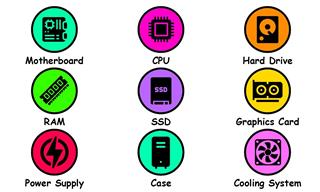
In just 3 minutes, you'll be much wiser about what your computer is made of.
3:32
The Easy Way to Clean Your Computer's Keyboard
Cleaning a dirty keyboard is quite a straightforward task, as you're about to find out.
Do You Eat Out Often? These 7 Apps Will Save You Money!
If youโre struggling to keep up with your monthly food budget, youโre not alone. Here are 7 dinning apps that will save you money every time you eat.
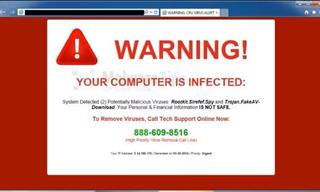
How to Spot a Fake "Your Computer Is Infected" Pop-Up
This article helps people to identify malware or hacking pop ups that promise fake virus removal and what to do if you click or call them.
12:58
25 iPhone Tips and Tricks Everyone Should Know
If you've never tried these before, prepare to be amazed by what your phone can actually do. Let's get started!
4:44
What Is Net Neutrality and How Does It Affect You?
What on Earth is net neutrality, and how does it effect you? Watch this informativeย video and find out!
If Your Computer Is Not Working, Here's What to Do
This troubleshooting guide is all you need if you're computer isn't turning on.
Handy Web Browser Shortcuts for Chrome, Edge, and Safari
Below are the most useful ones, written in plain language. They work in all the popular browsers, so whether you use Google Chrome, Microsoft Edge, or Apple's Safari, you are covered.
2:35
6 Simple Tips for Taking Screenshots on Windows
Taking screenshots on Windows is now super easy. Just note these tips.
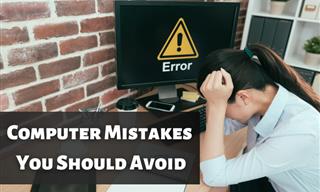
Want Your PC to Run Longer? Then Avoid These Mistakes
Avoiding these silly mistakes will help you prevent damage to your computer and also extend its life.
Losing Important Emails? Hereโs How to Tidy Up Your Gmail
A helpful guide to setting up Gmail filters to prevent emails from getting lost or spam overflowing your inbox.
7 Tips to Follow When a Computer Hangs or Freezes
Take note of these steps that will help you unfreeze a computer that freezes or hangs regularly.
43:39
AI News: What's Going On With AI This Week?
This week's AI news covers major releases and impressive demos.
How to Make Easy Videos with AI (No Film School Required)
This guide explains how AI video creation works, what it costs, which tools are easiest to start with, and how to use a regular chatbot to write the instructions for you when you don't know the filmmaking vocabulary.
8:31
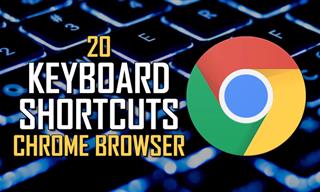
20 Terrifically Helpful Chrome Keyboard Shortcuts
Welcome to the ultimate guide to mastering 20 essential keyboard shortcuts for the Google Chrome browser!
7:31
How to Edit Your Photos Using 3 Different AI Services
If you shoot weddings, portraits, or anything high-volume, and youโve wondered if AI can really speed things up without cutting corners, this is the no-nonsense breakdown you need.
The Keyboard Shortcuts You Never Know Existed
These aren't shortcuts to save five seconds here and there. They're tricks that change how you interact with your computer once you start using them.
17:41
TikTok: Tips and Tricks for Beginners
Whether you are a total beginner or just looking to streamline your process to get more views, this tutorial covers everything you need to know to go from recording to posting.
WARNING: 25 Most Common Scams on the Internet in 2026
As we navigate the internet, there's a minefield of scams that we have to avoid that could potentially explode in our faces. Here are the 25 most common.
These Gmail Shortcuts Will Save You Time & Frustration
If you use Gmail, but you don't know how to use a single keyboard shortcut, then you well and truly are missing out. Here are the most useful ones...
What We Can Learn from ChatGPT About Being Human
What can we learn from ChatGPT about ourselves?
5 DIY Solutions to Better Organize Your Cords and Cables
Computer cables have an annoying tendency to tangle and create an unseemly mess. Here are some easy ways to prevent that.
16:20
iPhone Duo: A Hands-On Look at the New Foldable
We'll compare all three iPhone folding phones, show you the upgrades, and help you figure out which one is worth your money.
Thirsty For Knowledge? Check Out These YouTube Channels
If you love to learn new things with each passing day, then get ready to discover a gold mine full of educational tools!
Computer Tips: All You Can Do With the CTRL/Control Key!
The control key has more uses than just copying and pasting. These are the 20 more useful keyboard shortcuts you can do with the control key.
Learn How to Protect Yourself Using a Public Wi-Fi Network
Public Wi-Fi networks are incredibly convenient, but they're not always safe. Here are 10 ways of protecting yourself when using public Wi-Fi.
Don't Charge Your Phone Over 80%, Here's Why
There is truth to the no-overnight-charging rule, and there is also some science to back it up.
All You Need to Know About Your Computer
It's that age of computers, and we should all educate ourselves so we all save ourselves time and anxiety when using a computer, a tablet or a phone. This collection of posts will give you insight into many computer-related issues.
This One Computer Key Is Used for a Myriad of Shortcuts!
The 'Win' key is usally thought to only bring up the start menu. It actually does a whole lot more. Get a load of these dozens of shortcuts!
7:00
How to Remove Malware From Your Android Device
. For anyone looking to secure their phone and get it running smoothly again, this guide has it covered
2:38
How to Transfer Your Old VHS Tapes to a Computer
Do you have old family videos on VHS? It's time to make them digital so you can share them with all the family more easily! This video will show you how.
To enable your Ad-Free Subscription, please fill the fields below
Your subscription was successful, now you can enjoy an ad-free experience!! Note: To make sure you get no ads, please make sure to log in to your account. If you are logged in already, then refresh the page. The subscription can be cancelled at any time.


Instant Heart Rate Pro - ($1.99)


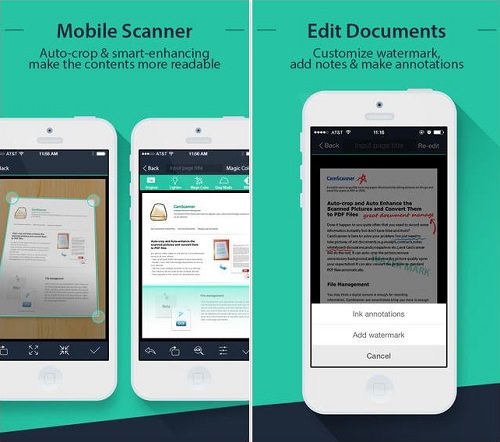
CamScanner HD (FREE) 
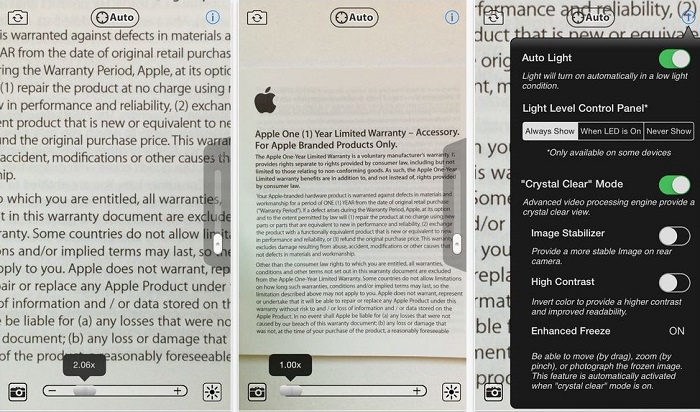
Magnifying Glass with Light (Free - $1.99)