I’ve always wondered whether my computer could make it possible for me to view what’s going on at home when I’m not there. I assumed that having that ability would entail installing a fancy and expensive CCTV system, but I realized that wasn’t necessary when I came across these three incredibly simple ways of harnessing the capabilities of computer and laptop in combination. Here they are:
What you need
1. Use Skype
- If you don’t have the video chat and voice calling application, Skype, installed on your computer, make sure you install it. If you have Windows 8 or newer as an operating system installed on your computer, then you will not need to install it.
- Log in to your primary Skype account. If you don’t have one, follow the simple steps to register.
- Press "Windows key- C," click "Settings" and then "Options." Select "Calls."
- Under the Calls option, you will see two sliders. These sliders are for instructing Skype to answer calls automatically and to turn on video automatically.
- Next, you’ll need a secondary Skype account. If you don’t have one, try creating one in your spouse’s name and using their email address.
- Add your spouse’s account as a Skype contact to your own account.
- Get your spouse to log in to his or her account from a remote smartphone or computer. Click the video camera icon to call your computer. It will respond automatically and begin to send you a video feed from your home.
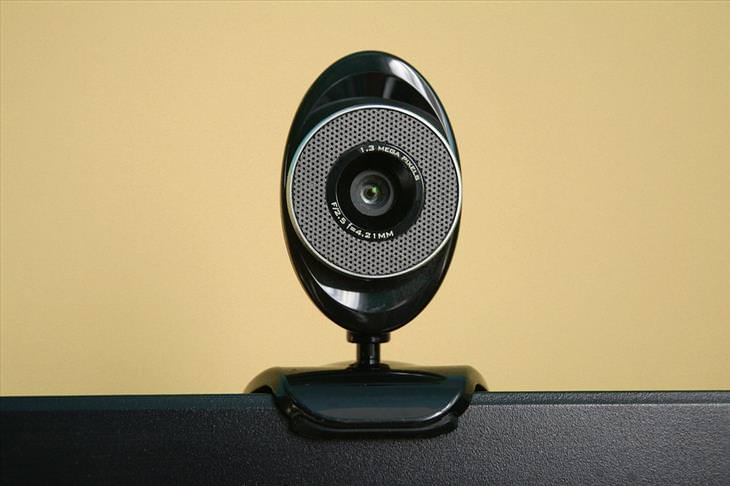
2. Use My Webcam Monitor
- My Webcam Monitor is a free piece of software that you can get here.
- Install it on your computer, open the software and click Register. Type in a username, password and email address and click Register once again.
- Next, click OK, followed by Sign In.
- Click Next and then enter the name you want to call your webcam broadcast.
- Click Next.
- Select your computer’s webcam from the drop-down menu, and click Next.
- Click Finish.
- Next, install My Webcam Monitor on the computer, smartphone or tablet you’re going to be using.
- Sign in to the remote computer, smartphone or tablet with your username and password to see your webcam. Select it and begin viewing a live stream.
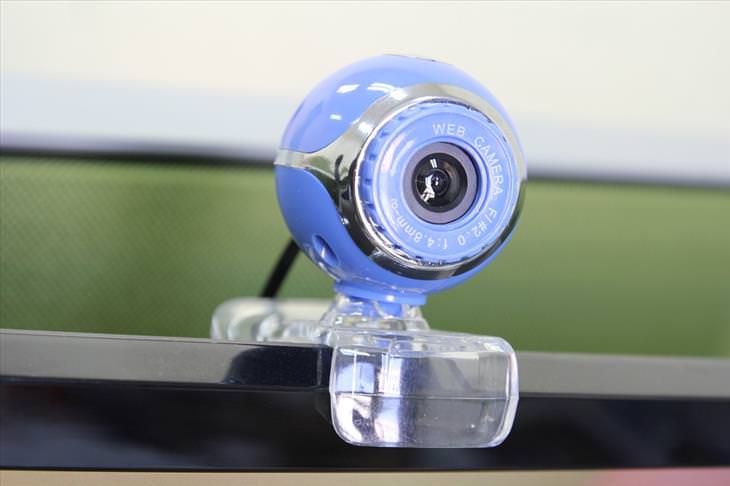
3. Use Google Chrome Remote Desktop App
- Open Google Chrome on your home computer.
- Navigate to the Chrome Remote Desktop App by clicking on Resources, then Free.
- After you’ve installed the app, click on Launch App. Sign in to your Google Mail account when prompted. Click Continue, followed by Accept.
- Click Get Started under My Computers.
- Click Enable Remote Connections.
- Enter your security PIN, then click OK.
- Install the app on the remote computer you will be using. Sign in with your Google username and password, just like you did at home.
- Click on the listing that represents your home computer, then enter your PIN to access Google Chrome on your home computer.
- Go to www.webcamtoy.com. Start your home computer’s webcam through the site, and choose to view a live stream to begin seeing what’s going on at home.
Tip
You can adjust the settings for My Webcam Monitor in the program to add a password, which will make it more secure.
Content Source: Our Everyday Life

7:17
What on Earth Is Quantum Computing? Find Out Here
This short video below explains everything you need to know about quantum computers.
7 Terrific Apps That Help You DIY Anything at Home!
You may have had a particular project in mind for months, possibly years, and these 7 great apps will help you achieve your goals.
5:55
What is 5G, and Why Will it Change the World?
5G is just around the corner, what will it mean to the world?
TECHNOLOGY: How the Next 10 Years Will Radically Change
The future is a weird place. You won't believe the things the techno experts foresee happening in the next 10 years. Prepare to be shocked and amazed!
Find Out More About China's Scary New Social System
The new social credit system that's about to be rolled out in China will leave you wondering whether something similar could come to your own country...
What We Can Learn from ChatGPT About Being Human
What can we learn from ChatGPT about ourselves?
2:27
Tutorial: How to Uninstall Apps on Your Windows 11 PC
How to uninstall apps on your windows PC.
You Didn’t Realize it, But AI Is Making Your Life Better!

Here are thirteen unique ways AI can simplify daily life.
We Found These Awesome Sites for Reading Short Stories!
These are the best places to read short stories online.
Best ChatGPT Prompts for 2024
Let's explore some great prompts you can start with on your AI adventure, either for fun or for productivity or knowledge.
Making These Email Mistakes Comes Off As Rude or Annoying
When sending an email, the last thing you want is to come off as impolite or annoying. Here are 5 common email mistakes to avoid.
How to Download Free Windows Software Securely – 7 Tools
Here’s how you can download free Windows software safely and securely.
ChatGPT's Got Competition: 7 Exciting AI Contenders
Looking for a ChatGPT alternative? Here are a few good ones.
Firefox Just Got Better: 10 Handy Extensions You’ll Love
With the right add-ons, Firefox can become an indispensable browser that you'll rely on every day.
These Apps Make Every Photo Look Amazing!
No satisfied with your smartphone photos? Try these super apps today!
Guide: How to Unlock Your Phone Without a Passcode
Forgot your phone passcode? Don't panic.Just follow these steps.
You Can Now Speak With ChatGPT on Your Whatsapp!
et’s explore what 1-800-ChatGPT offers, how to use it effectively, and why this innovation makes interacting with AI more seamless.
Is Your Browser Slowing Down? Fix It With These 10 Tips
Get Chrome running smoothly with these seven easy fixes.
10 Free Ancestry Sites for Tracing Your Family History
Here are 10 of the best free ancestry sites that can help you uncover your family’s story.
12 Amazing Internet Radio Stations to Spice Up Your Day!
Check out these 12 fantastic internet radio stations.
15:16
Get Smarter: How Do Hard Drives Work?
How do hard drives built and how do they work? All is explained in this video.
USB Drives Can Do More Than You Think – 10 Hacks You Need
Let’s explore some of the most practical yet overlooked ways to use USB drives.
Do This to Your Router to Increase Internet Speed
Want a faster and safer internet connection? Then do this to your router...
7 Reasons Why Your Computer is Running Abnormally Slow
There are many things that could be slowing your computer down and you'll find 7 of them in this article. Take a look!
Computer Tips: All You Can Do With the CTRL/Control Key!
The control key has more uses than just copying and pasting. These are the 20 more useful keyboard shortcuts you can do with the control key.
These 5 Free Tools Can Help You Save Money Today!
These free apps and sites make saving money a breeze.
Computer Guide: How to Clear Space on Your Google Account
How to easily free up storage space on your Google Drive without paying for more storage.
5 Things to Never Store on Your Smartphone
Stop using your smartphone as a master repository for saving all kinds of information. It may be dangerous...
9:16
Unlock iOS 18 Early: Your Installation Guide
Follow this guide to install iOS 18 Beta on your device easily.
5 Hidden Google Chrome Games (And a Bonus)
Tired of Backgammon online? Try Google Chrome's online in-browser collection of games for an easy-to-reach entertainment break. Tic-tac-toe, snake, and more!
2:09
Guide: Download Netflix Videos on Any Laptop & PC
Want to watch your favorite Netflix content offline? This easy guide has you covered.
23:04
ChatGPT: 30 Tips to Using and Working with the AI
In this video, we’re breaking down 30 practical tips to help you use ChatGPT more effectively
I Bet You Didn't Know You Could Do THIS on Google Maps
Here are all of the things you can do on Google Maps that you never knew you could.
11:12
The Windows Recycle Bin Isn’t Just for Trash—Here’s Why
Did you know about these cool features of the Windows Recycle Bin?
Did You Know These Cell Phone Facts Are All Totally False?
People just love to give you advice about smart phones, but it turns out that a lot of this information is false. Never believe these 9 smart phone myths.
7:09
Struggling with Slow iPhone Internet? Try These Tips
iPhone running slow again? Here’s how you boost your speed…
Top 5 Apps for Checking on Your Pet’s Health
These apps were selected based on their functionality, user reviews, and relevance to health monitoring, as highlighted by pet care and technology sources.
5 DIY Solutions to Better Organize Your Cords and Cables
Computer cables have an annoying tendency to tangle and create an unseemly mess. Here are some easy ways to prevent that.
7 Tips to Follow When a Computer Hangs or Freezes
Take note of these steps that will help you unfreeze a computer that freezes or hangs regularly.
14 Tips for Using the Computer More Easily
It’s very likely that in the following computer tips list you’ll find information that will surprise you!
The 7 Backup Mistakes That Leave Your Files Vulnerable
Here’s what most people get wrong about backups.
15:24
15 Tech Hacks That Will Make Your Life Way Easier

These practical tips are designed to improve your daily tech experience.

The Most Reliable Cloud Storage Services for 2025
Here’s a closer look at some of the best cloud storage services to consider in 2025.
Gboard Secrets: 7 Handy Features You're Not Using Yet
Make the most out of Gboard with these awesome tips and tricls.
8:31
20 Terrifically Helpful Chrome Keyboard Shortcuts
Welcome to the ultimate guide to mastering 20 essential keyboard shortcuts for the Google Chrome browser!
Replace Your Smartphone if It’s Showing Any of These Signs
Here are 7 major telltale signs that your smartphone is in need of an upgrade.
8 Smart Safari Customizations Every Mac User Should Know
Here are some of the most effective ways to fine-tune Safari on your Mac.
To enable your Ad-Free Subscription, please fill the fields below
Your subscription was successful, now you can enjoy an ad-free experience!! Note: To make sure you get no ads, please make sure to log in to your account. If you are logged in already, then refresh the page. The subscription can be cancelled at any time.