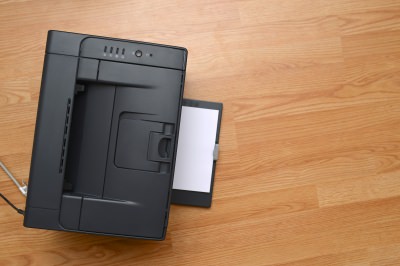
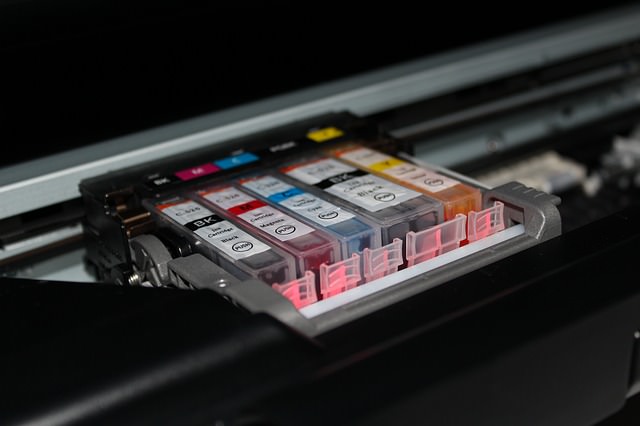
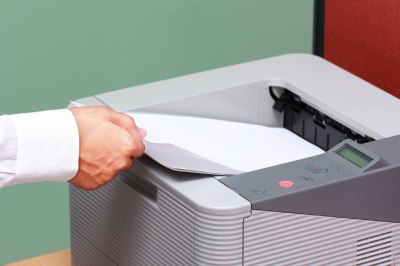
| It's a well-known joke in my family that we used to spend more money on ink cartridges than we did on the actual printer we got some time ago. The sad truth is that these little boxes cost a lot of money and tend to run dry faster than you expect. But I have learned over the years that this isn't how things have to be. By following these tips on the right way to use your printer you can save a lot of ink and money by using your printer in a smart way.
1) Be careful of cheap printers. There are a lot of cheap printers on the market today, from both known brands and knock-offs. It's important to be careful when buying them as the companies selling them might be looking to make their profit off of the ink cartridges rather than the printer itself. When buying a printer you should always look at the prices of the ink cartridges and their "life-span".
2) Use the right font. A few years ago, several American students shocked the world by showing that if their government switched to a thinner font, it could save about 400 million dollars a year. While you won't be able to save that kind of money yourself, using a simple and thin font (like Garamond) can improve your ink usage by about 20%. 3) Use the low-quality setting. Unless you are printing photos or really small items, there is no need to print in the higher printer settings. You can change this in the print setting after you send a document to the printer, usually under "print properties" or something similar. And unless you really have to use color, printing in black and white is recommended.
4) Use recycled cartridges. Many shops today offer none-original ink in recycled packs, while some even offer refills if you bring your own empty cartridges. Printer companies claim this might harm your printer, but there is no clear evidence to support that. 5) Try using a refill kit at home. Some ink cartridges can be refilled with a simple kit you can use at home and it's often very cheap to buy at stores. The big downside of this is the potential mess it might create and the work you will need to do each time you use it. However, if these things don't bother you, it's a pretty cheap way to do things. 6) Keep printing. Just like your car tells you it is out of gas even before the tank is empty, your printer will tell you it is out of ink even when there is still some left. This means that you can keep on printing, even with a low ink warning. It just means the writing might be a little grayer. It might also help if you just take out the cartridge and put it back in.
7) Save paper. Printing paper can be just as expensive as ink and you can save a lot of money by printing on both sides of each page. Most modern printers have an automatic option to do so, you just need to turn it on. Take a look at the printer manual to see how it is done. 8) Save room when printing presentations. If you are printing a PowerPoint presentation, you can put about 4 slides in a page and still read them with ease. This will save you both ink and paper. To do so, just look at the print menu on PowerPoint and change the settings to your liking. 9) Don't print the test paper. Many printers do a test printing when you turn them on with no real reason. Look at the printer manual to find out how to disable this and only use your ink and paper on what you really need. If you don't use your printer for a long time, the ink in the bottom of the cartridge can dry out and then the whole cartridge becomes useless. To prevent this just print out a single line of text once a week. I use the same sheet of paper for this every time, with each print just one line under the old one. 11) Wait before turning off your printer. After a print job is done, the cartridge is returned to a protected and closed part of the printer. If you force it to shut down before it can do that, you risk the ink drying up and maybe even leaking.
There is no bigger waste than printing something only to discover an error and then having to print it again. It is important to double-check spelling and page layout before you print a document to make sure you won't need to do it again.
|

7 Tips for Teaching Seniors How to Use Technology
These 7 tips will help seniors to really embrace helpful technologies.
Use Google Like a Pro With These Neat Hints and Tips
You can do so much more with Google than just hitting search. Make your life easier by employing some advanced knowledge in your next search.
FYI: 7 Simple Ways to Avoid Hacking and Identity Theft
The internet is an amazing tool and a fun opportunity to add to your knowledge, it's important to remember to have fun while keeping yourself secure and safe from identity theft. These are the basic habits you need to have to keep your online identit
Fix the Most Common Computer Problems With This Guide
Sometimes, our computers can drive us mad when things start going wrong with them, but luckily a lot of them can be fixed at home with ease. Read on for more.
The Only Guide You Need to Clean Your Computer
Computers collect dust and dirt, causing them to slow down and heat up. Here's how to clean them:
There's a keyboard Shortcut for Nearly Everything Here!
These shortcuts will cut down the time you waste fiddling about on the computer, and make you into something of an expert.
17:20
Discover a Feature of Windows That's Super Helpful
Learn how to use some advanced new features of Windows 10 that you probably weren't aware of.
Thirsty For Knowledge? Check Out These YouTube Channels
If you love to learn new things with each passing day, then get ready to discover a gold mine full of educational tools!
STOP! You're Damaging Your Computer...
Computers are practically indispensable to us these days. The thing is, you could be damaging yours without even knowing it. Looking out for these 16 things.
Secure Your Data: 5 Must-Have Privacy Apps
A look at five apps that help you take back control of your digital footprint, including their strengths, trade-offs, and where to download them safely.
7:10
Computer Guide: How to Use Password Managers
Password managers help us by requiring us to remember just one password instead of many. Have a look at this video explaining all about it.
5 Best Antiviruses in 2025 for Both PC and Mac
Below, we highlight five popular antivirus solutions for Windows PCs and five for Macs, featuring a mix of free and paid options.
Customize Your Computer to Your Own Needs
Let the computer adjust itself to you! Here are 7 tricks that focus on ease of access and readability you can use to alter your computer experience for the better.
Computer Guide: Comparing Skype and Microsoft Teams
This article will explain why Skype is going away, how Teams fills its shoes, and guide you through using Teams for your personal video calls, screen shares, and chats.
How to Solve Windows 11's Most Annoying Errors
In this article, we’ll explain the frequent problems people run into on Windows 11 and walk through easy, no-fuss fixes.
These 10 Keyboard Shortcuts Will Make Life Easy!
These keyboard shortcuts will help you learn the easiest ways to use your computer when your mouse is being less than cooperative!
8 Mistakes That Shorten the Life of Your Electronics
Your gadgets and household electronics won’t last long if you keep repeating these common mistakes.
Skype Is Shutting Down – Try These Alternatives Now
With Skype officially retiring, here are some handy alternatives you should try.
12 Google Chrome Shortcuts Everyone Should Know
Keyboard shortcuts are immensely useful! If you’re using Google Chrome to browse the internet, we have a few neat shortcuts to share with you.
5:23
Phone Security– The Fastest Way to Secure a Hacked Phone
This guide helps you in checking for hackers on your phone, removing them, and locking down your phone.
There's a keyboard Shortcut for Nearly Everything Here!
These shortcuts will cut down the time you waste fiddling about on the computer, and make you into something of an expert.
This Free Website Will Let You Play the Most Fun Mazes!
Do you love mazes and navigation challenges? Look no further than this fun site!
7:31
How to Edit Your Photos Using 3 Different AI Services
If you shoot weddings, portraits, or anything high-volume, and you’ve wondered if AI can really speed things up without cutting corners, this is the no-nonsense breakdown you need.
Don't Charge Your Phone Over 80%, Here's Why
There is truth to the no-overnight-charging rule, and there is also some science to back it up.
2:35
6 Simple Tips for Taking Screenshots on Windows
Taking screenshots on Windows is now super easy. Just note these tips.
3:32
The Easy Way to Clean Your Computer's Keyboard
Cleaning a dirty keyboard is quite a straightforward task, as you're about to find out.
Looking for an Instagram Alternative? Try These Platforms
If you’re ready to explore beyond Instagram, here are eight great alternatives.
9 Lesser Known Free Websites for Learning in 2025
A list of 9 great free learning websites that cover a variety of subjects, from coding and science to business and language learning.
What Do Those 12 'F' Keys on Your Keyboard Do?
Find out what those 12 curious F keys on your keyboard mean.
Do You Know How to Act in a Medical Emergency?
Don't feel powerless in a medical emergency, learn what actions to take in these 10 serious medical emergencies and how to save lives
25:19
S26 Ultra vs 17 Pro Max: A 2026 Flagship Phone Matchup!
In 2026, the smartphone crown is a toss-up between two absolute titans: the Samsung Galaxy S26 Ultra and the iPhone 17 Pro Max.
Gemini 3: An AI Upgrade or a Warning of Things to Come?
A new AI version hitting the market is always the most successful, most surprising, and always overshadows its predecessors in every comparison metric - until the next version arrives and surpasses it.
Do You Eat Out Often? These 7 Apps Will Save You Money!
If you’re struggling to keep up with your monthly food budget, you’re not alone. Here are 7 dinning apps that will save you money every time you eat.
Your Computer Mouse Can Do Much More Than You Think...
Knowing how to use your mouse can make computing so much easier than you ever realized. Here are some great tips on how to maximize the use of your mouse, which will increase your overall productivity on the computer.
9 Useful Blogs Created Specifically For Senior Citizens
Here’s a wonderful collection of blogs that seniors will find particularly helpful.
9:17
The Best and Worst Apps for Learning Languages
Choosing the right language learning app can make the difference between steady progress and quick burnout
You Can Now Speak With ChatGPT on Your Whatsapp!
et’s explore what 1-800-ChatGPT offers, how to use it effectively, and why this innovation makes interacting with AI more seamless.
How to Tell If a Virus Warning Is Real or Fake - 12 Tips
If you see a barrage of security alerts popping up on your computer, then it might be sign of a virus attack.
Do This to Your Router to Increase Internet Speed
Want a faster and safer internet connection? Then do this to your router...
All You Need to Know About Your Computer
It's that age of computers, and we should all educate ourselves so we all save ourselves time and anxiety when using a computer, a tablet or a phone. This collection of posts will give you insight into many computer-related issues.
8:31
20 Terrifically Helpful Chrome Keyboard Shortcuts
Welcome to the ultimate guide to mastering 20 essential keyboard shortcuts for the Google Chrome browser!
Learn How to Protect Yourself Using a Public Wi-Fi Network
Public Wi-Fi networks are incredibly convenient, but they're not always safe. Here are 10 ways of protecting yourself when using public Wi-Fi.
Is DeepSeek Worth the Hype? A Closer Look at Its Features
DeepSeek is the new AI chatbot in town. But is worth the hype?
7 Reasons Why Your Computer is Running Abnormally Slow
There are many things that could be slowing your computer down and you'll find 7 of them in this article. Take a look!
Making These Email Mistakes Comes Off As Rude or Annoying
When sending an email, the last thing you want is to come off as impolite or annoying. Here are 5 common email mistakes to avoid.
The Only Guide You Need to Clean Your Computer
Computers collect dust and dirt, causing them to slow down and heat up. Here's how to clean them:
Take Your Computer Back to New with These Helpful Tips!
If your computer has become slow and is starting to lag, it’s probably about time you serviced it. Here's how to do it yourself, free of charge.
To enable your Ad-Free Subscription, please fill the fields below
Your subscription was successful, now you can enjoy an ad-free experience!! Note: To make sure you get no ads, please make sure to log in to your account. If you are logged in already, then refresh the page. The subscription can be cancelled at any time.