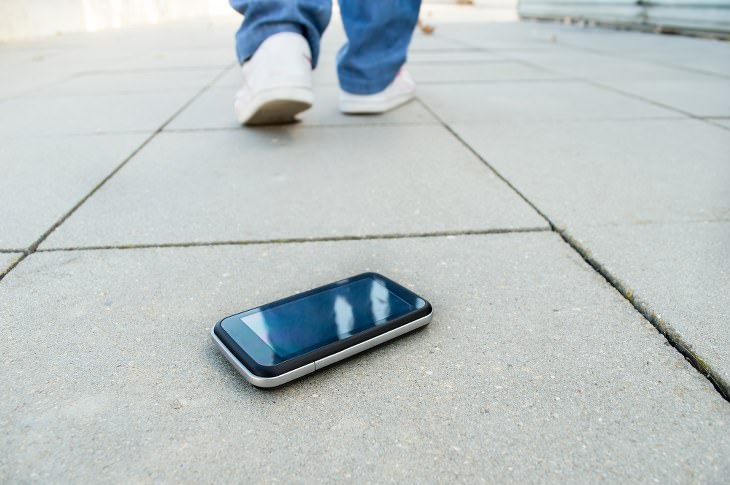
If you tend to lose your phone more often than you'd like to admit, then you might want to activate Android's built-in tracking system. To do so, go into Settings, tap Security & Location, and then tap Find My Device. Once that's done, if you ever lose your phone again, simply head to this page in any browser and log into your Google account. You'll then be shown a map, that will help you easily find your phone again.
2. Increase Font Size
If looking at your phone's screen is straining your eyes, then head straight to the Settings app. From there, tap Display, and then tap Font Size. Then, simply drag the slider to the left or right to get to your desired font size. You can even open a preview window to check what it'll look like before you save any changes.
3. Project Your Phone Onto a Larger Screen
Android products are now equipped with a casting feature, which will allow you to mirror your phone's screen on any TV that's got a Chromecast device set up. To do this, simply go into the Settings app. Then, go to Connected Devices and tap Cast.

If you want to check how much of your information a certain app has access to, simply go to Settings. Then, tap Apps & Notifications, and select which app's permissions you'd like to view. Then, simply tap Permissions to view and edit that app's access. For example, you might be fine with an app having access to your contact list, but not your personal photos.
5. Adjust Lock Screen Timing
By reducing the time it takes for your phone to lock its screen, you'll save your battery life, and make it less likely that someone will snatch your phone and use it while it's still unlocked. To pick a time-out period that works for you, go to Settings, tap Display, then Tap advance, and finally tap Sleep.
6. Show Emergency Info
If you ever get into a serious accident, having your key medical information easily accessible on your phone could mean the difference between life and death. To get it to show up on your lock screen, go to Settings, tap Users & Accounts, and then tap Emergency Information. From here, you can add details like emergency contacts, organ donor status, and allergies.
To save yourself time, you can set your smartphone to automatically connect to strong and trusted Wi-Fi networks that you've used in the past, even when your WiFi is turned off. To do this, go to Settings. Then, tap Network & Internet, then WiFi, and then tap WiFi Preferences. Finally, tap on the 'Turn on WiFi Automatically' switch, and you're good to go.
8. Automatically Free Up Storage Space
If your device is running low on storage space, you can take advantage of Android's Smart Storage, which will automatically delete copies of videos and photos which have already been safely transferred to Google Photos. To turn this feature on, go to Settings, tap Storage, and then tap on the Smart Storage toggle switch to activate it.
9. Activate Your Phone With Your Voice
If your phone has access to Google Assistant, then there's no need to even touch your phone to use this feature. To set up touchless features, open up the Google app, tap the menu button (the three horizontal lines on the bottom right), then tap Settings. Next, tap Voice, and finally select Voice Match. Now, you'll be able to use the phrase "OK Google" to communicate with your phone, even if it's locked.
10. Reduce Data Usage
Most Android devices contain a system that can place a limit on how much data background apps are allowed to use when you're not connected to WiFi, which can save you a lot of money in the long-run. To turn this feature on, go to Settings, tap Network & Internet, then Data Usage, and then on Data Saver.
Source: popsci
Images: depositphotos, pixabay

These Overlooked Apps Really Deserve Your Attention!
It's a shame that certain apps get overlooked, because most of them are available for free. Check out 5 Android + 5 iOS apps you should take notice of.
How to Turn Your Phone Into a Wifi Hotspot!
If you've ever dreamt of sharing your smartphone's cellular connection with other Wi-Fi-only devices, such as a tablet or a laptop, then you're in luck!
8 Genius Ways to Save Your Phoneโs Battery While Traveling
Save your phone battery while traveling with these smart tips.
Want to Buy a Smart Speaker? This Guide Will Help You!
Are you interested in buying some smart speakers but not sure what ones to purchase? This is where this guide comes in handy!
Read Our Comprehensive Guide to Using Google Translate
Of the many Google tricks out there, Google translate is by far one of the most useful. Read this free guide to learn exactly how to make use of it.
5 Things to Never Store on Your Smartphone
Stop using your smartphone as a master repository for saving all kinds of information. It may be dangerous...

How to Tell If a Virus Warning Is Real or Fake - 12 Tips
If you see a barrage of security alerts popping up on your computer, then it might be sign of a virus attack.

What Do Those 12 'F' Keys on Your Keyboard Do?
Find out what those 12 curious F keys on your keyboard mean.
Replace Your Smartphone if Itโs Showing Any of These Signs
Here are 7 major telltale signs that your smartphone is in need of an upgrade.
Laptop Won't Power Up? Try These 11 Effective Solutions
Laptop not starting? Try these essential steps to troubleshoot it.
7:09
Struggling with Slow iPhone Internet? Try These Tips
iPhone running slow again? Hereโs how you boost your speedโฆ
3:35
Want to Increase Your iPad Keyboard Size? Watch This Guide
Want to increase the size of your iPad? Watch this tutorial nowโฆ
9:16
Unlock iOS 18 Early: Your Installation Guide
Follow this guide to install iOS 18 Beta on your device easily.
Master AliExpress Shopping with These Expert Tips
Hereโs how to shop smart and save on AliExpress.
How to Identify an Online Scam Email
Phishing emails are a common way of stealing information, but you can avoid them if you follow these tips that'll help you identify them
Learn Any New Language with These Awesome Apps!
Learn new languages faster with these AI-powered apps.
2:35
6 Simple Tips for Taking Screenshots on Windows
Taking screenshots on Windows is now super easy. Just note these tips.
Privacy Settings You Should Change in Chrome Right Now
These Chrome settings should always be disabled.
7 Reasons Why Your Computer is Running Abnormally Slow
There are many things that could be slowing your computer down and you'll find 7 of them in this article. Take a look!
17:20
Discover a Feature of Windows That's Super Helpful
Learn how to use some advanced new features of Windows 10 that you probably weren't aware of.
Do This to Your Router to Increase Internet Speed
Want a faster and safer internet connection? Then do this to your router...
Top 5 Apps for Checking on Your Petโs Health
These apps were selected based on their functionality, user reviews, and relevance to health monitoring, as highlighted by pet care and technology sources.
Is Your Browser Slowing Down? Fix It With These 10 Tips
Get Chrome running smoothly with these seven easy fixes.
5:23
Phone Securityโ The Fastest Way to Secure a Hacked Phone
This guide helps you in checking for hackers on your phone, removing them, and locking down your phone.
Computer Guide: How to Clear Space on Your Google Account
How to easily free up storage space on your Google Drive without paying for more storage.
5 Best Antiviruses in 2025 for Both PC and Mac
Below, we highlight five popular antivirus solutions for Windows PCs and five for Macs, featuring a mix of free and paid options.
Gboard Secrets: 7 Handy Features You're Not Using Yet
Make the most out of Gboard with these awesome tips and tricls.
Watch Classic Cinema for Free with These Sites!
Here's where you can watch hundreds of classic movies online for free.
Do You Know How to Act in a Medical Emergency?
Don't feel powerless in a medical emergency, learn what actions to take in these 10 serious medical emergencies and how to save lives
USB Drives Can Do More Than You Think โ 10 Hacks You Need
Letโs explore some of the most practical yet overlooked ways to use USB drives.
Skype Is Shutting Down โ Try These Alternatives Now
With Skype officially retiring, here are some handy alternatives you should try.
Hereโs Where You Can Watch Classic Movies for Free!
Want to watch free classic movies? Check out these sites and apps.
Who Traces Your Emails? Learn How to Detect Email-Tracking
40% of emails are being tracked by somebody without people's consent or notification, which means you'd better learn how to protect your privacy...
Is DeepSeek Worth the Hype? A Closer Look at Its Features
DeepSeek is the new AI chatbot in town. But is worth the hype?
These Apps Make Every Photo Look Amazing!
No satisfied with your smartphone photos? Try these super apps today!
5 Best Online Platforms for Couples' Counselling
We've researched the options and returned with the 5 best platforms for online couples' therapy.
Firefox Just Got Better: 10 Handy Extensions Youโll Love
With the right add-ons, Firefox can become an indispensable browser that you'll rely on every day.
How to Download Free Windows Software Securely โ 7 Tools
Hereโs how you can download free Windows software safely and securely.
5:02
How to Transfer Data From Your Old iPhone to The New One
Got a new iPhone? Here's how you can move all your data from your old iPhone to the new one.
Don't Charge Your Phone Over 80%, Here's Why
There is truth to the no-overnight-charging rule, and there is also some science to back it up.
12:38
Skype is Dead: 9 Features of Microsoft Teams
These nine lesser-known tools are a must for any Microsoft Teams user.
If You Arenโt Doing these Things, Your PC WILL Wear Out...
All the basics of computer maintenance.
9 Useful Blogs Created Specifically For Senior Citizens
Hereโs a wonderful collection of blogs that seniors will find particularly helpful.
Selling Used Stuff? Try These Amazing Apps
You can now sell your used household clothes and other items through some amazing apps.
10 Practical Smartphone Tips and Features Few People Know
These practical tips and clever uses of smartphones will help you start using your phone at its full potential!
Computer Tips: All You Can Do With the CTRL/Control Key!
The control key has more uses than just copying and pasting. These are the 20 more useful keyboard shortcuts you can do with the control key.
Looking for an Instagram Alternative? Try These Platforms
If youโre ready to explore beyond Instagram, here are eight great alternatives.
To enable your Ad-Free Subscription, please fill the fields below
Your subscription was successful, now you can enjoy an ad-free experience!! Note: To make sure you get no ads, please make sure to log in to your account. If you are logged in already, then refresh the page. The subscription can be cancelled at any time.