|
The internet is a big, often confusing, place. Hackers and scammers are abundant and getting more clever every day. These people take advantage of your lack of knowledge by “hijacking” you from your desired site and sending you into theirs, allowing them to do many illegal things, from a simple collection of data to credit and identity fraud. This easy guide will help you make sure the site you’re using is real and not a clever trap for the unwary surfer. |
|
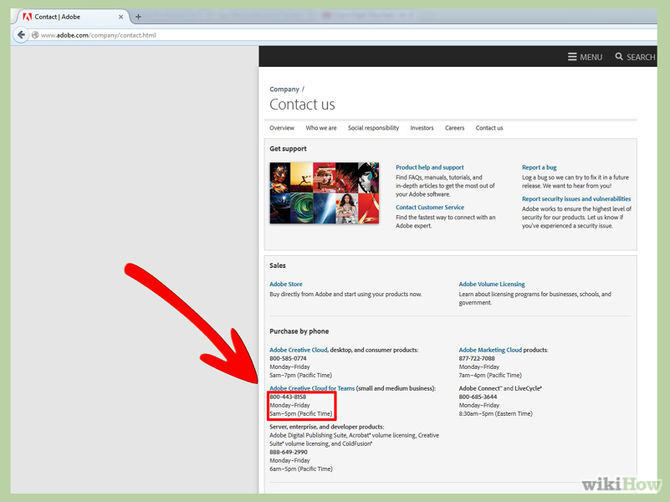
1. Contact the site: Find the site’s contact information and call, write or e-mail them. If you call them and get an automated reply, find out that the line’s disconnected or they don’t work during regular business hours, you can reasonably assume that the site may not be legit. |
![]() |
|
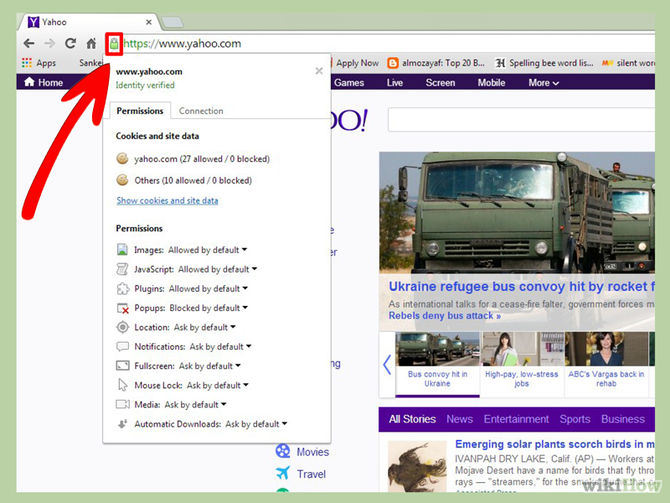
2. Is the site verified by Google? Look for the green lock sign by the address, click on it and you’ll see the site’s safety verification and identity verification. |
![]() |
|
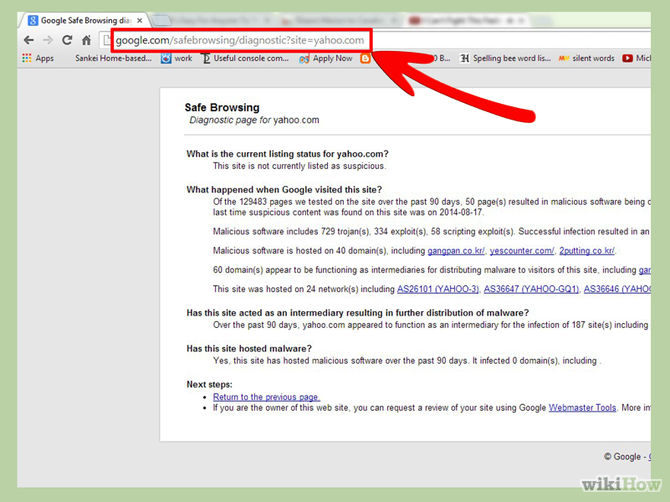
3. Check Google’s SafeBrowse report: If you can’t find the green lock, simply write ‘https://www.google.com/safebrowsing/diagnostic?site=’ and the site’s address after the “=” sign, and Google will check the site for you. |
![]() |
|
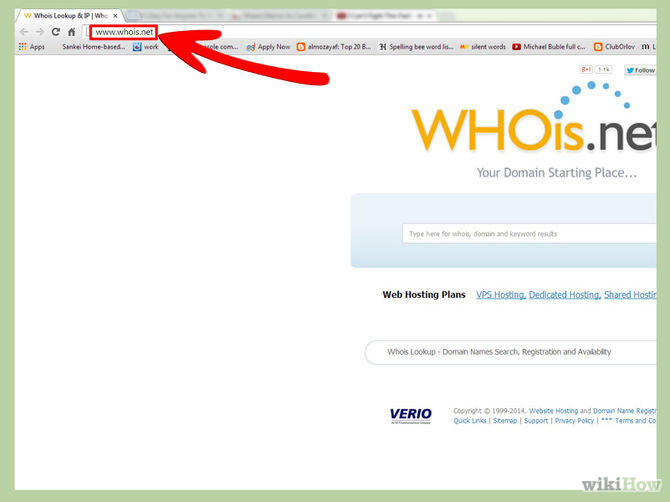
4. Use WHOis.com to verify the site: In the website, type the suspicious site’s address in the “Lookup” box and let them validate and asses the site. Look for where the site is located, it’s official contact information and how long has it been owned. (sites located in dubious countries or that have been owned for a short time may be unsafe) |
![]() |
|
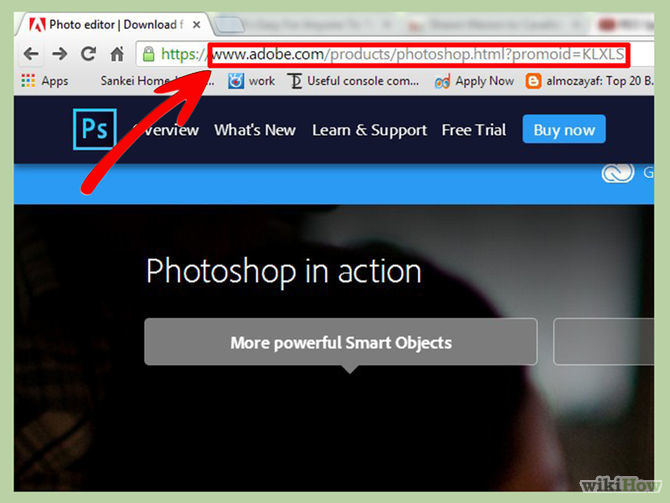
5. Check the site’s address: If you meant to go to “www.sitename.com” but the address now shows something completely different, there’s a good chance you were redirected and “hijacked” into another site, with a less-than-benevolent intent. |
![]() |
|
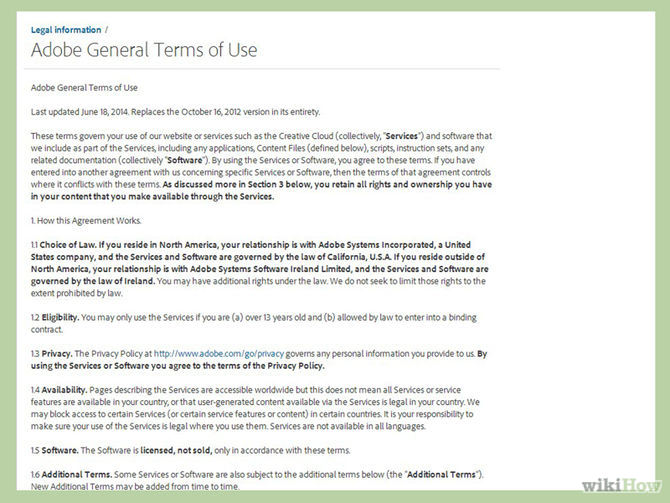
6. Read the terms and conditions: Before you decide to do business with a site, make sure you read the terms and conditions. If the conditions don’t make sense (for example: the site doesn’t commit to send you the desired merchandise or that they say they can share your information with a 3rd–party) – reconsider giving them your business. |
![]() |
|
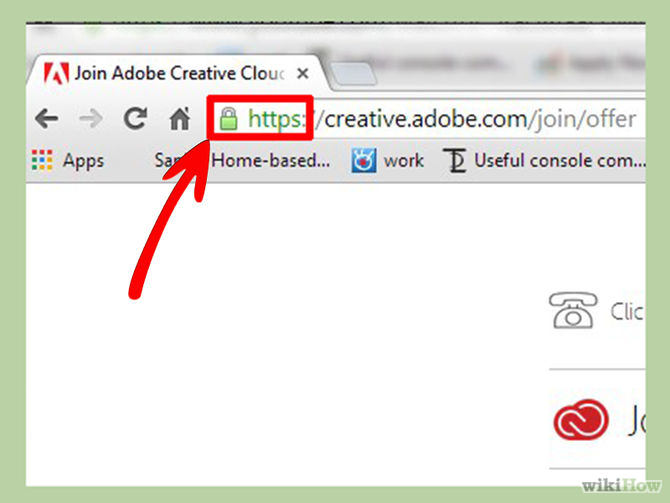
7. Is the site’s payment system secure?: So far, everything seems legit, and you're at the payment page. Check that the site is secure and uses SSL (Secure Socket Layer) encryption before typing in any sensitive information like credit card numbers, etc. (A good indicator is if the address starts with “https” and not “http”) |
![]() |
|
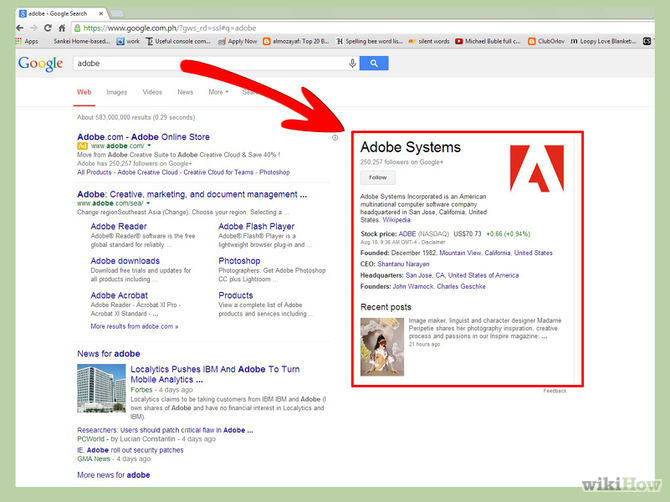
8. Search the company on major search-engines: See if they’re mentioned anywhere else, look for reviews about the company via multiple sources. Even if the site passed all the previous tests, it’s worth to see if other people have had any kind of negative interaction with it and what the customer feedback looks like. |
![]() |
| Source: WikiHow.com |

How to Tell Your Children You Have Cancer
What's the right way to tell your children you have cancer, and are there situations where you shouldn't?
Google Is Watching You - Here's How to Stop It
Stories about Google watching you aren't really that far removed from the truth as you imagine. Here's how to use Google's My Activity page.
12 New Things You Can Learn For Free From YouTube
Looking to learn something new? Learn some useful new skills with YouTube.
5 Programs You Should Remove from Your Computer
This article specifies 5 programs that most people don't need on their computers and how to get rid of them.
PHONE GUIDE: How to Make Your Phone Use Less Data!
It's never a nice thing when your mobile data runs out before the end of the month, but there are many things you can do to make it last. Check out this guide.
Computer Guide: How to Format Your Computer - PC & Mac
how do we create a new computer from the old, formatting it and making it work like new? This guide will show you!
The 4 Stages and Progression of Rheumatoid Arthritis
Rheumatoid arthritis (RA) is a progressive autoimmune condition that can advance through four distinct stages, from early inflammation to severe joint damage.
Four Great Tips for Hosting Guests With Food Allergies
The holiday season is a time for friends, family, and loved ones to come together under one roof and share meals. With so many gatherings during this festive period, there's a good chance you'll be hosting someone with food allergies at your table.
10 Practical Smartphone Tips and Features Few People Know
These practical tips and clever uses of smartphones will help you start using your phone at its full potential!
7 UNDISCOVERED Apps That are NOT on the Google Play Store!
I can’t believe I never knew about these handy Android apps.
8 Mistakes That Shorten the Life of Your Electronics
Your gadgets and household electronics won’t last long if you keep repeating these common mistakes.
These Apps Make Every Photo Look Amazing!
No satisfied with your smartphone photos? Try these super apps today!
These 5 Free Tools Can Help You Save Money Today!
These free apps and sites make saving money a breeze.
21:27
It's Finally Here! iOS 18's Game-Changing New Features
Here's what's new and exciting in iOS 18!
Did You Know These Cell Phone Facts Are All Totally False?
People just love to give you advice about smart phones, but it turns out that a lot of this information is false. Never believe these 9 smart phone myths.
This Free Website Will Let You Play the Most Fun Mazes!
Do you love mazes and navigation challenges? Look no further than this fun site!
5 Things to Never Store on Your Smartphone
Stop using your smartphone as a master repository for saving all kinds of information. It may be dangerous...
Why Fake Info is Best for These 6 Types of Sites
Always avoid giving your real information on these kinds of websites.
5 Awesome Google Chrome Settings You Aren’t Using
Google Chrome’s advanced settings have many useful features that will make your browsing experience so much better.
Make Google Maps Better with These Handy Tools
These add-ons make Google Maps so much better!
PowerToys: The Best Free Microsoft App for Windows Users
In this article, we'll introduce you to this toolbox and show you which 23 useful tools are waiting for you there.
2:09
Guide: Download Netflix Videos on Any Laptop & PC
Want to watch your favorite Netflix content offline? This easy guide has you covered.
Selling Used Stuff? Try These Amazing Apps
You can now sell your used household clothes and other items through some amazing apps.
How to Spot Fake Online Reviews: A Shopper’s Guide
Here are practical tips to help you spot fake Amazon reviews.
3:28
Easy Tips for Connecting Your Laptop to an External Screen
Watch this helpful tutorial to learn how to connect your laptop to a monitor.
7:38
Most People Don’t Know About These Google Maps Features
Google Maps has a ton of new features that most people don’t know about.
Best ChatGPT Prompts for 2024
Let's explore some great prompts you can start with on your AI adventure, either for fun or for productivity or knowledge.
Is Your Browser Slowing Down? Fix It With These 10 Tips
Get Chrome running smoothly with these seven easy fixes.
Stop Paying For Software: 8 Free Productivity Options
Here are eight free open-source alternatives that can take the place of paid productivity apps without sacrificing quality or functionality.
2:35
6 Simple Tips for Taking Screenshots on Windows
Taking screenshots on Windows is now super easy. Just note these tips.
The Most Reliable Cloud Storage Services for 2025
Here’s a closer look at some of the best cloud storage services to consider in 2025.
7:09
Struggling with Slow iPhone Internet? Try These Tips
iPhone running slow again? Here’s how you boost your speed…
2025's Online Threats Will Be More Sophisticated Than Ever
A look at the cyber scams that you need to be wary of this year.
Simplify Finances With These Budget Apps for Families
Try these money mangement tools to simplify your finances in 2025
1:56
No More Clutter! Free Up WhatsApp Storage in Minutes
Running out of storage on your phone because of WhatsApp? Try these hacks now.
Do You Know How to Act in a Medical Emergency?
Don't feel powerless in a medical emergency, learn what actions to take in these 10 serious medical emergencies and how to save lives
There's a keyboard Shortcut for Nearly Everything Here!
These shortcuts will cut down the time you waste fiddling about on the computer, and make you into something of an expert.
Computer Guide: How to Keep Your Computer Up-to-Date!
Follow this simple guide to update drives and resolve common issues on your Windows computer.
10 Popular Tech Myths You Need To Stop Believing Now
Here we bust some popular and common myths about everyday tech that people still believe in.
5 Best Antiviruses in 2025 for Both PC and Mac
Below, we highlight five popular antivirus solutions for Windows PCs and five for Macs, featuring a mix of free and paid options.
You Didn’t Realize it, But AI Is Making Your Life Better!
Here are thirteen unique ways AI can simplify daily life.
Do You Eat Out Often? These 7 Apps Will Save You Money!
If you’re struggling to keep up with your monthly food budget, you’re not alone. Here are 7 dinning apps that will save you money every time you eat.
ChatGPT's Got Competition: 7 Exciting AI Contenders
Looking for a ChatGPT alternative? Here are a few good ones.
15:16
Get Smarter: How Do Hard Drives Work?
How do hard drives built and how do they work? All is explained in this video.
14 Tips for Using the Computer More Easily
It’s very likely that in the following computer tips list you’ll find information that will surprise you!
1:55
Never Lose Your WhatsApp Chats Again with These Hacks!
Protect your WhatsApp chats with these tips.
Not Sure What to Watch Next? Try These 8 Helpful Sites
Not sure what to watch next? Try these helpful sites.
Watch Classic Cinema for Free with These Sites!
Here's where you can watch hundreds of classic movies online for free.
8 Smart Safari Customizations Every Mac User Should Know
Here are some of the most effective ways to fine-tune Safari on your Mac.
To enable your Ad-Free Subscription, please fill the fields below
Your subscription was successful, now you can enjoy an ad-free experience!! Note: To make sure you get no ads, please make sure to log in to your account. If you are logged in already, then refresh the page. The subscription can be cancelled at any time.