|
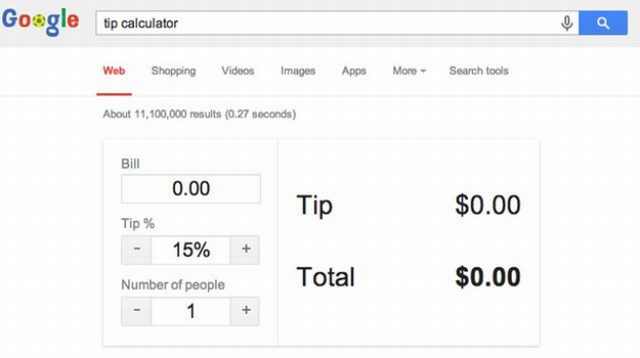
Google is an extremely popular search engine that most of us use in order to find information and sites around the internet. But the vast amounts of data that Google has access to also give it some other amazing "powers" to help us do things faster than ever before, even things you didn’t know you wanted to do! Here are some of my favorite "Google tricks", essential for anyone who wants to use the site to its full potential: Google can calculate your tip: |
![]() |
|
If you are at a restaurant and you are not sure about the right amount to tip just ask Google! Take out your smartphone and search for “tip calculator” in Google. The tip calculator will appear and help you work out your tip. Look up Holidays and "special days": |
![]() |
|
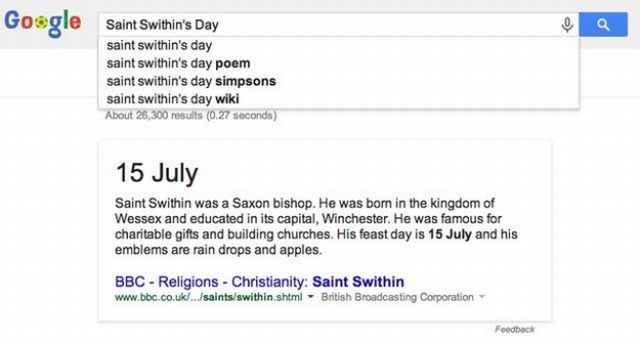
Type in an important day or date and Google will automatically tell you when it is occurring and give you a brief description of what it’s all about. Find out when a movie is coming out: |
![]() |
|
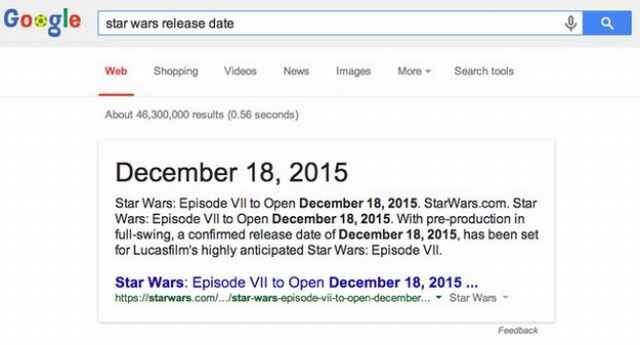
Just search for the name of the movie and the words "release date". Google will have the answer in a second, plus some information about the movie. Get the full schedule of your favorite show: |
![]() |
|
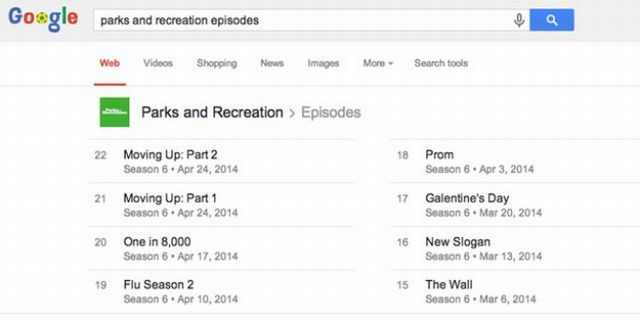
Just type the shows name and "episodes". Find more things done by your favorite artists: |
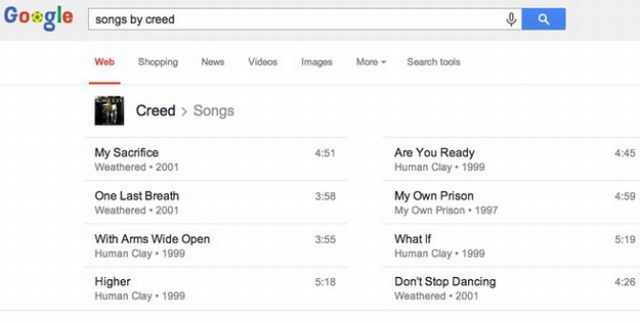
![]() |
|
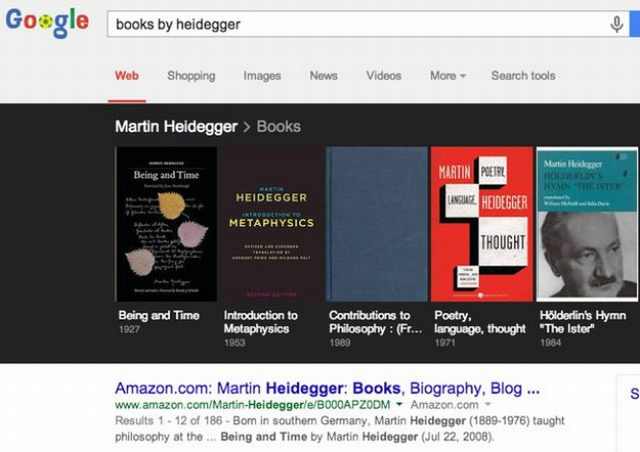
Search for "songs by: (artist name)". And if you are in the mood for something more relaxing this will also work with books by your favorite authors: |
![]() |
|
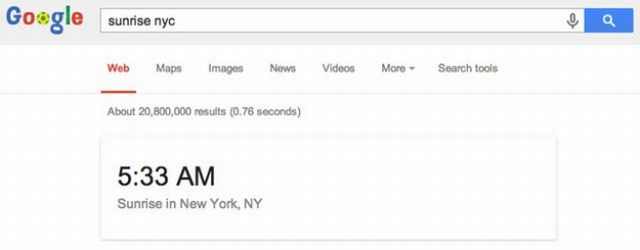
Use it to plan a romantic date with the sun: |
![]() |
|
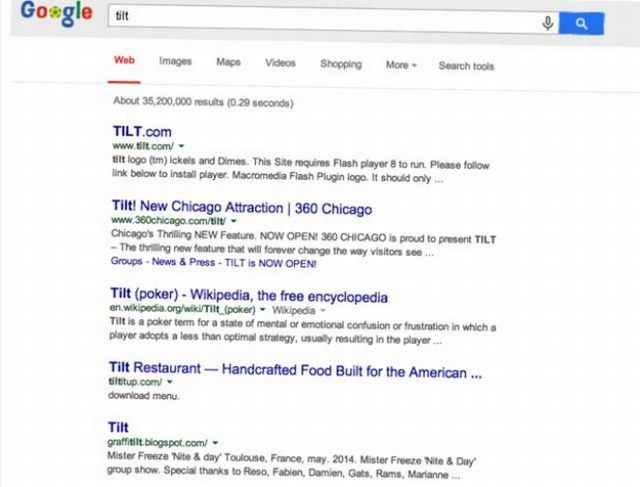
Google can give you the exact time of sunrise and sunset in your city by searching its name and the words "sunrise" or "sunset". Make Google tilt: |
![]() |
|
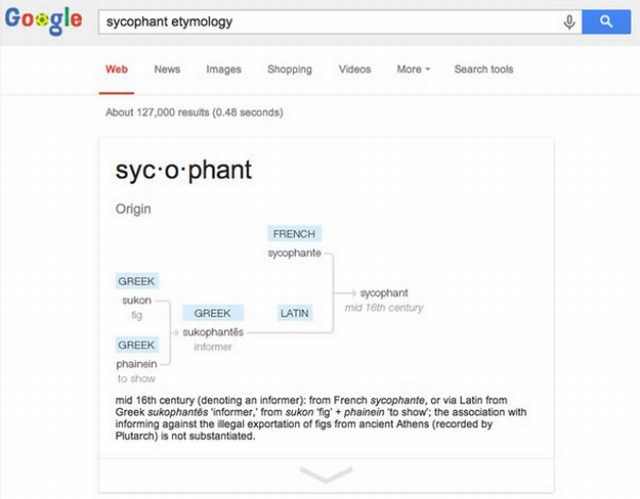
As a cute little practical joke you can make Google tilt by searching for that word. Google can show you the etymology of words: |
![]() |
|
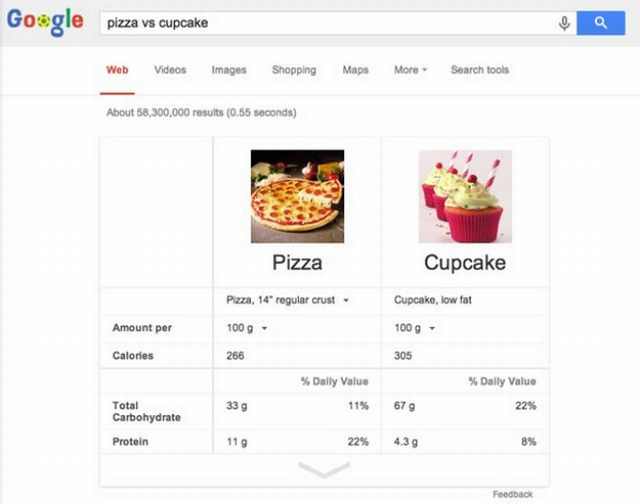
Etymology is the study of the origin of words and the way in which their meanings have changed throughout history. It’s a handy little tool if you want to find out more about the meaning and the souse of a word. Just search the word you're interested in and "etymology". Google can help you eat right: |
![]() |
|
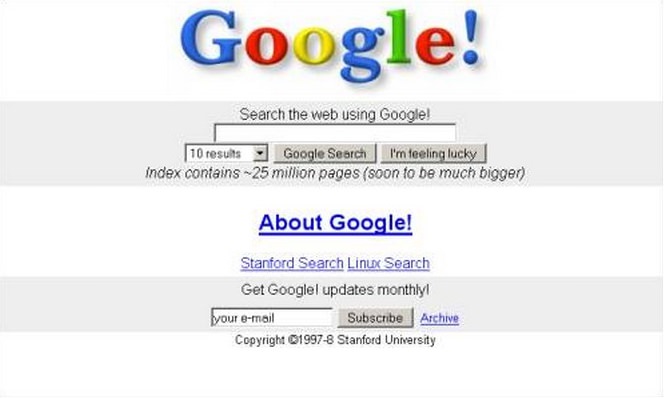
Typing "food A" vs "food B" will give you a calorie comparison of the two. The "Google Time Machine": |
![]() |
|
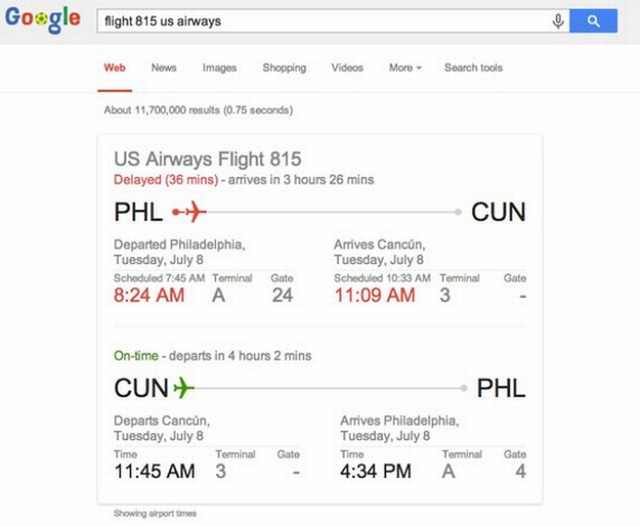
Just type “Google in 1998” in the search bar and your back to the glorious ’90s. Look up your flight: |
![]() |
|
A great and fast way to look up a flight status, just enter its name in Google. |

Google is Not Just a Search Engine: Look at These Tricks!
Google is amazing, but to know how amazing you have to appreciate these cool little known tricks. As it happens, Google can do much more than we thought.
16 Things You Didn't Know Google Can Do For You
We bet you didn't know about this brilliant Google tricks which will make your searches quicker and more accurate!
These 10 Keyboard Shortcuts Will Make Life Easy!
These keyboard shortcuts will help you learn the easiest ways to use your computer when your mouse is being less than cooperative!
5 Things YouTube Can Do That No One Told You About!
Five Things that YouTube can do but no one told you about...
These Are the Major Online Scams You Should Be Aware Of
The online world can be a pretty dangerous place, which is why you really need to become familiar with some of the most common online scams going.
3 Leisure Apps You Should Know About
With the constant stream of apps being released, it’s hard to keep track of it all. This short list contains three apps you may have missed and are worth checking out.
8:11
11 Do's and Don’ts for Using a Smartphone Better
Find out some useful do's and don'ts of smartphones that you might not have known earlier.
10 Free Ancestry Sites for Tracing Your Family History
Here are 10 of the best free ancestry sites that can help you uncover your family’s story.
These 10 Keyboard Shortcuts Will Make Life Easy!
These keyboard shortcuts will help you learn the easiest ways to use your computer when your mouse is being less than cooperative!
1:56
No More Clutter! Free Up WhatsApp Storage in Minutes
Running out of storage on your phone because of WhatsApp? Try these hacks now.
2:35
6 Simple Tips for Taking Screenshots on Windows
Taking screenshots on Windows is now super easy. Just note these tips.
What We Can Learn from ChatGPT About Being Human
What can we learn from ChatGPT about ourselves?
What Do Those 12 'F' Keys on Your Keyboard Do?
Find out what those 12 curious F keys on your keyboard mean.
Privacy Settings You Should Change in Chrome Right Now
These Chrome settings should always be disabled.
Skype Is Shutting Down – Try These Alternatives Now
With Skype officially retiring, here are some handy alternatives you should try.
Top 5 Apps for Checking on Your Pet’s Health
These apps were selected based on their functionality, user reviews, and relevance to health monitoring, as highlighted by pet care and technology sources.
Replace Your Smartphone if It’s Showing Any of These Signs
Here are 7 major telltale signs that your smartphone is in need of an upgrade.
Don't Charge Your Phone Over 80%, Here's Why
There is truth to the no-overnight-charging rule, and there is also some science to back it up.
Stop Paying For Software: 8 Free Productivity Options
Here are eight free open-source alternatives that can take the place of paid productivity apps without sacrificing quality or functionality.
23:04
ChatGPT: 30 Tips to Using and Working with the AI
In this video, we’re breaking down 30 practical tips to help you use ChatGPT more effectively
You Should Bookmark These Incredibly Useful Sites
Make sure that you bookmark these handy websites!
Customize Your Computer to Your Own Needs
Let the computer adjust itself to you! Here are 7 tricks that focus on ease of access and readability you can use to alter your computer experience for the better.
STOP! You're Damaging Your Computer...
Computers are practically indispensable to us these days. The thing is, you could be damaging yours without even knowing it. Looking out for these 16 things.
Overpaying for Streaming? Here’s How to Fix That!
Save big on your streaming bills with these simple tips.
It’s Almost a Crime Not to Use These Free Nifty Websites
Check out 15 really useful websites. They are completely free to use!
15:24
15 Tech Hacks That Will Make Your Life Way Easier
These practical tips are designed to improve your daily tech experience.
I Bet You Didn't Know You Could Do THIS on Google Maps
Here are all of the things you can do on Google Maps that you never knew you could.
7:31
How to Edit Your Photos Using 3 Different AI Services
If you shoot weddings, portraits, or anything high-volume, and you’ve wondered if AI can really speed things up without cutting corners, this is the no-nonsense breakdown you need.
Exploring the Web Beyond Google: 7 Handy Alternatives
Try some of these non-conventional search engines that you didn't know existed.
17:20
Discover a Feature of Windows That's Super Helpful
Learn how to use some advanced new features of Windows 10 that you probably weren't aware of.
Secure Your Data: 5 Must-Have Privacy Apps
A look at five apps that help you take back control of your digital footprint, including their strengths, trade-offs, and where to download them safely.
9:43
Tired of Google Photos Storage Limits? Try These Solutions
Get more space in your Google Photos account with these useful hacks.
If You Do This, Then You Could Be Damaging Your Phone...
Many people end up damaging their phones without even realizing that they are doing so, and here are 9 of the most common ways this happens.
5 Hidden Google Chrome Games (And a Bonus)
Tired of Backgammon online? Try Google Chrome's online in-browser collection of games for an easy-to-reach entertainment break. Tic-tac-toe, snake, and more!
Thirsty For Knowledge? Check Out These YouTube Channels
If you love to learn new things with each passing day, then get ready to discover a gold mine full of educational tools!
2025's Online Threats Will Be More Sophisticated Than Ever
A look at the cyber scams that you need to be wary of this year.
Is DeepSeek Worth the Hype? A Closer Look at Its Features
DeepSeek is the new AI chatbot in town. But is worth the hype?
The Only Guide You Need to Clean Your Computer
Computers collect dust and dirt, causing them to slow down and heat up. Here's how to clean them:
5 Awesome Google Chrome Settings You Aren’t Using
Google Chrome’s advanced settings have many useful features that will make your browsing experience so much better.
12:38
Skype is Dead: 9 Features of Microsoft Teams
These nine lesser-known tools are a must for any Microsoft Teams user.
9 Lesser Known Free Websites for Learning in 2025
A list of 9 great free learning websites that cover a variety of subjects, from coding and science to business and language learning.
Do This to Your Router to Increase Internet Speed
Want a faster and safer internet connection? Then do this to your router...
What To Do When Windows Will NOT Boot
There's nothing more frustrating than your computer refusing to boot. Here is what you can do to fix it when the system won't even initialize.
Turn Off These 9 Android Settings. They Pose a Risk
Here are some Android settings that you should consider turning off to enhance your device’s performance.
5 Best Antiviruses in 2025 for Both PC and Mac
Below, we highlight five popular antivirus solutions for Windows PCs and five for Macs, featuring a mix of free and paid options.
This One Computer Key Is Used for a Myriad of Shortcuts!
The 'Win' key is usally thought to only bring up the start menu. It actually does a whole lot more. Get a load of these dozens of shortcuts!
5:28
WhatsApp Privacy Settings You Must Change for Safety
Want to take control of your WhatsApp privacy? In this tutorial, I'll walk you through the essential settings that protect your personal information and give you complete control over who sees what.
To enable your Ad-Free Subscription, please fill the fields below
Your subscription was successful, now you can enjoy an ad-free experience!! Note: To make sure you get no ads, please make sure to log in to your account. If you are logged in already, then refresh the page. The subscription can be cancelled at any time.