Google Chrome is one of the most popular browsers today, and for good reason. It’s easy to use and super smooth, and it offers a variety of features. Don’t you agree that Chrome’s wide array of useful extensions, for example, have made browsing that much more fun?
So you may have been using Chrome for a while, but have you ever accessed its advanced settings? Not many people seem to realize its hidden benefits, apparently. It’s a gold mine of useful features that will make your browsing experience even better.
If you've never browsed Chrome's advanced settings before, all you have to do is click on the three dots, select Settings from the menu, and then choose the Advanced option on the left sidebar. Once you do so, Chrome’s Advanced settings page will open.
Read on to find out some of the most useful settings in this section.
1. Accessibility
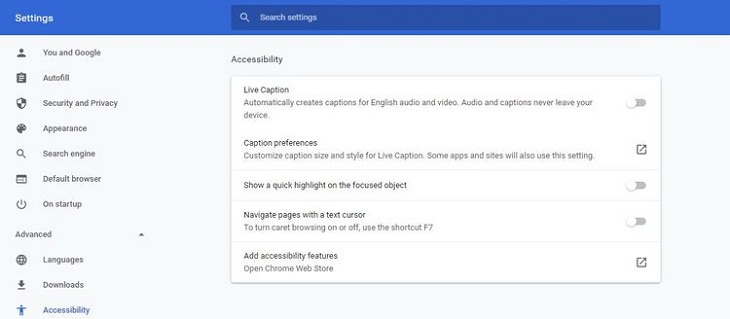
The Accessibility feature in Google Chrome has been designed to make things easier for readers with visual impairments and disabilities.
For starters, there’s a live caption feature here, which will create automatic audio and video captions for you each time you browse the web. Say you’re watching a video or listening to some audio on the web; the live caption feature will automatically play captions in English to make you understand what’s being said. What’s more, you can customize the caption size, color, style, and more.
You can also add several accessibility features from the Chrome Web Store through this section.
2. Reset and Clean Up
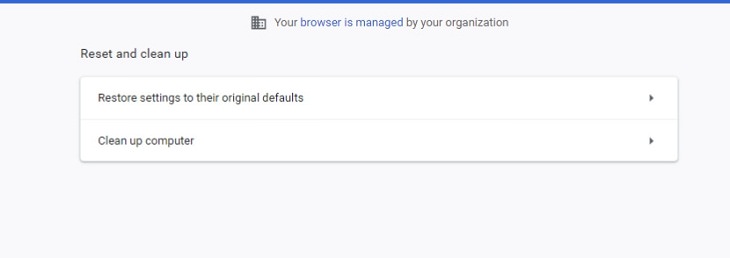
Reset and Clean Up will restore all settings to their default version. This option can be of great use if you feel that your browser has been infected by some malicious software.
You will also find a feature named Find harmful software in this section by clicking the Clean up computer button. After you click on it, Chrome can help you find harmful software on your computer and remove it.
3. System
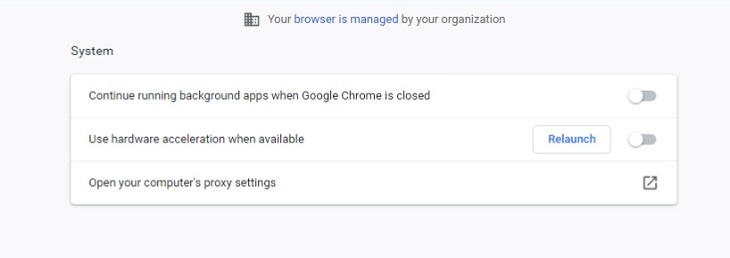
In System, you will find three features: continue running background apps when Google Chrome is closed, use hardware acceleration when available, and open your computer's proxy settings.
Using hardware acceleration will allow the browser to load results faster and work a lot more smoothly. Proxy settings, meanwhile, will set up a firewall and web filter, making your browsing private and secure. As for the running background apps option, you should ideally leave it disabled, as it can impact battery life on a laptop and reduce memory usage on any computer.
4. Downloads
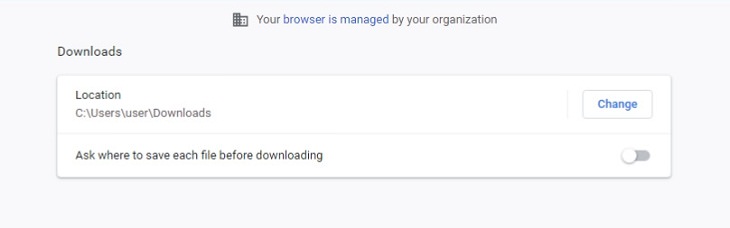
Did you know you can change the default location of your Chrome downloads under advanced settings? This is handy if your default downloads folder has become cramped for space. Also, if you wish to keep your downloads private or save them in different folders each time, simply enable Ask where to save each file before downloading.
5. Languages
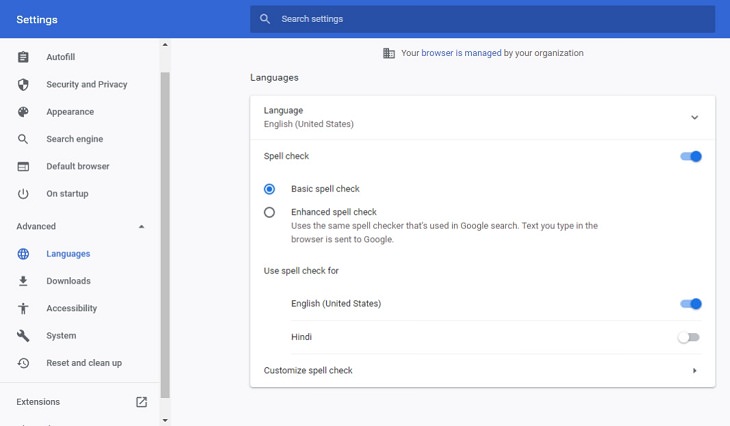
Apart from choosing a language to display Google Chrome's User Interface, there's also a feature that allows you to translate pages. To choose another language, select Add languages and choose the one you want. This feature allows you to add languages and order languages based on your preference.
You should also turn on the option to translate pages that aren't in languages you read (click on Languages to access it). With this enabled, when you visit a page written in a language that's not on your list, Chrome will offer to translate it for you, saving you the trouble of manually translating it.
Lastly, the Basic Spellcheck or Enhanced Spellcheck options will check the text you type in the browser. You can also customize this feature by adding words to Google's default dictionary. This will be handy for names or words that Chrome's spell check doesn't recognize.
Share this post with friends and family...