A few years ago, when my accountant sent me a PDF file to sign, I started looking for a friend with a printer so I could print the file, sign it, and then take a photo of it with a document scanning app and send it by email. Recently, I discovered that all these steps were completely unnecessary because there's a free software that allows you to do all this and more directly on your computer. Meet Foxit PDF Reader – a software for reading and editing PDF files that will save you a lot of time and effort, and it's highly recommended to have it on your computer so you can quickly sign forms you receive without needing to print them and do it manually. The following guide will help you do this easily.
How to sign PDF files using Foxit
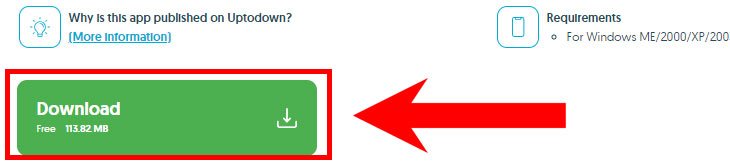
1. Click here to open the download page for Foxit on your computer. Scroll down the page and click the green button labeled "Download."
2. Install the software on your computer, and it will automatically open upon completion of the installation.
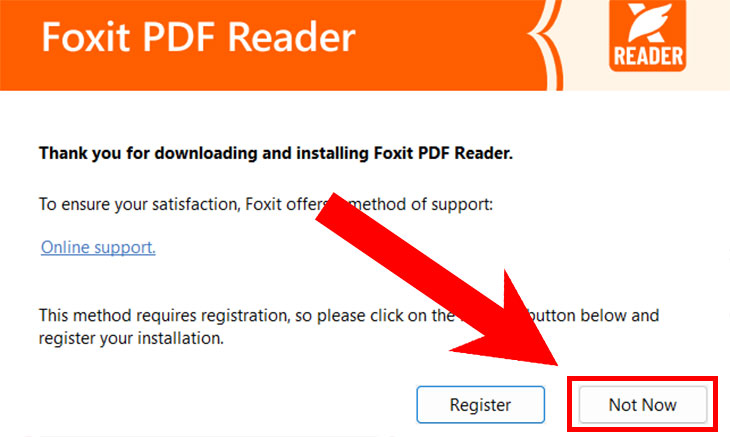
3. When you open the software for the first time, you will be asked to register it with the company to receive support services. This is not mandatory, and if you are not interested in doing so, you can click "Not Now."
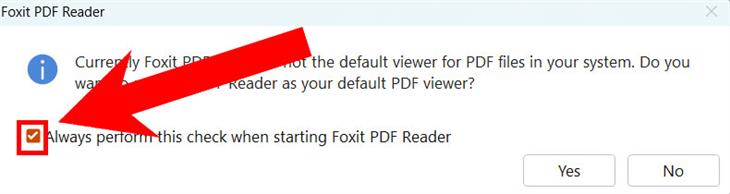
4. Afterward, the software will ask you if you want to set it as the default program for reading PDF files. To avoid being asked this each time you open it, uncheck the box at the bottom of the window, and then choose "Yes" to set it as the default program, or "No" to decline.
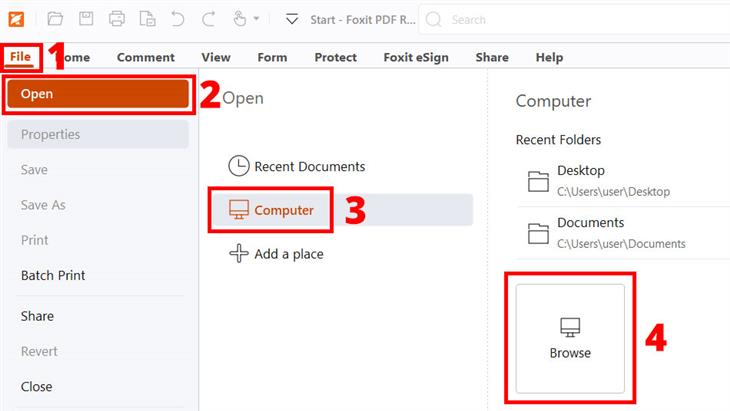
5. Now you can start using the software. To upload a file for signing, click on "File" --> "Open" --> "Computer" --> "Browse," and then select the file from its location on your computer. Alternatively, you can simply drag the file from its folder directly into the software window, and it will open in it.
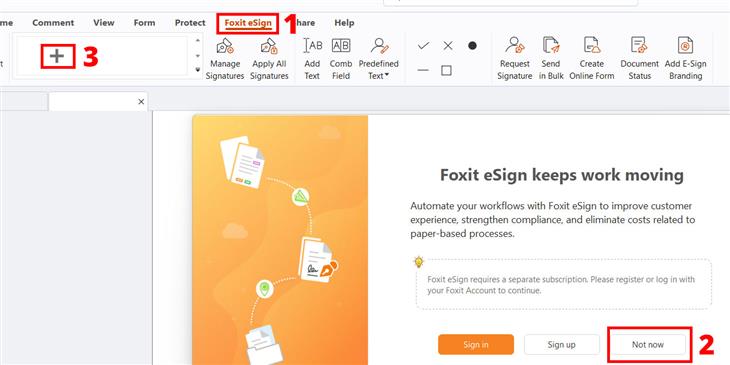
6. Now click on "Foxit eSign" at the top, and in the window that opens, click "Not now." Then click the plus sign at the top left of the screen to add a signature to your signature library – you will only need to do this once, and then your signature will be saved in the software.
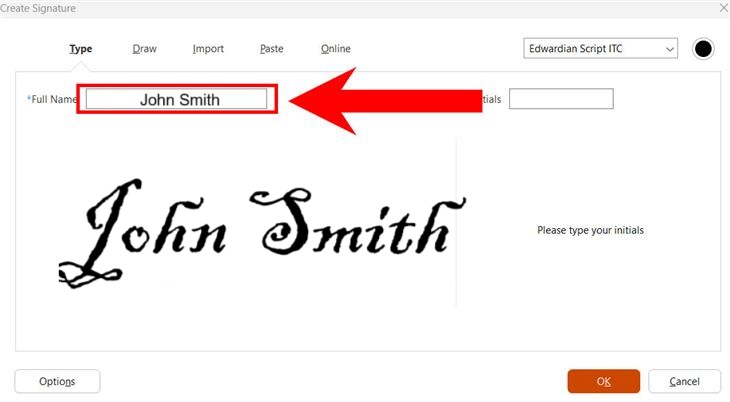
In the window that opens, type your full name in the text box next to "Full Name," and the software will generate a signature for you.
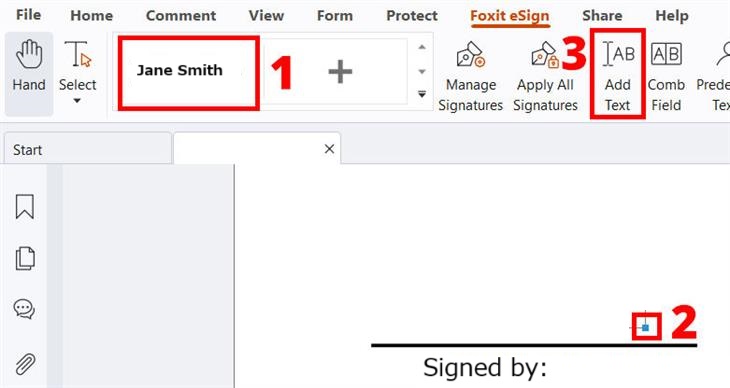
Alternatively, you can click on "Draw" to create your own signature – simply draw it under "Full Name." If you need several attempts to get your signature just right, click "Clear" to erase what you’ve drawn and start over. When finished, click "OK" at the bottom of the window.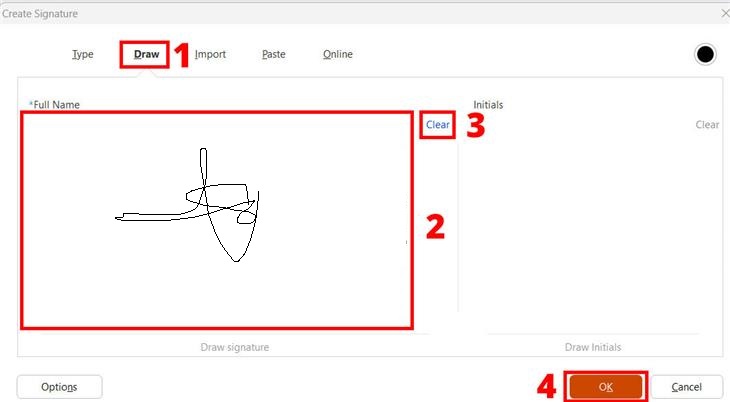 Now you can click on the signature you created at the top of the screen next to the plus sign [1], and simply paste it in the required place in the document. After pasting, you can click it again at the top of the screen to release the mouse pointer from it, and then click on the blue square at the bottom of the signature [2] on the document to drag it and resize the signature. If you need to add additional text, such as a date, you can click "Add Text" [3] at the top of the screen, and then click the area where you want to type.
To save the file, click on "File" and then "Save," and once you’re done, you can send the signed file by email, WhatsApp, or any other method.
Now you know how to sign PDF files without printing them, and you’ll be pleased to discover that there are more useful features in Foxit that you may find helpful, such as highlighting sentences with a highlighter by clicking "Highlight," adding text anywhere in the file by clicking "Typewriter," and even sending the file by email by clicking "Share" and then "Mail." If this software has helped you and saved you a lot of effort, share this guide with your friends so they too can discover it and use it for their needs.