We all hear unnerving stories about how internet giants keep masses of data on all of us, but they aren’t as far removed from the reality of the situation as you might think. Google, for instance, knows quite a lot more about you than you realize.
With that being said, it does offer a number of ways to limit how much you are tracked, as well as control over the ads you see. These can be accessed via the search engine’s “My Activity” page, which is a digital dashboard that gives you a snapshot of all the data that it has gathered on you.
Click here to get started:
When You First Log In
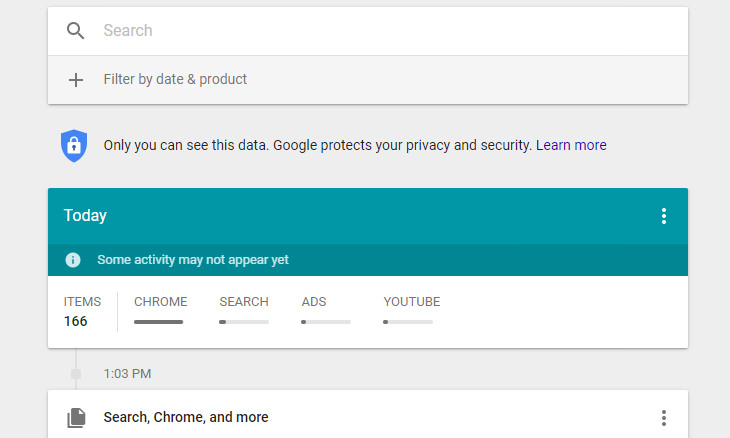
The first thing you’ll be presented with when you log in is a timeline of your activity using Google’s various products such as the search engine itself, your Google Chrome web browsing history or Google Maps. The privacy settings that you currently have enabled on Google determine what is displayed on the timeline.
How to See the Full Picture
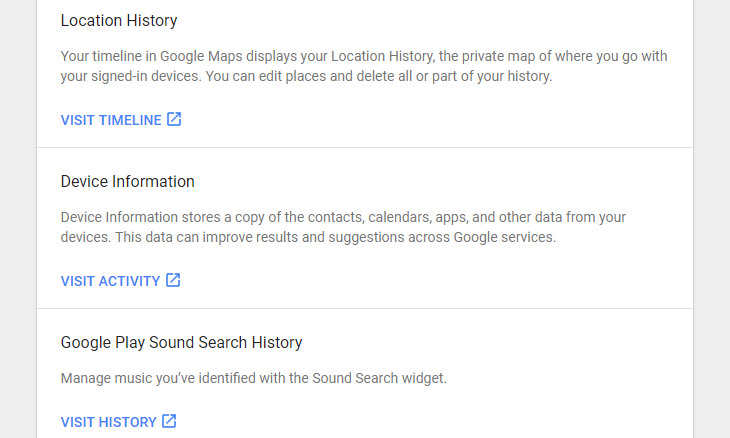
Seeing as the full picture of what Google knows about you might be obscured due to your privacy settings, you’ll need to point to the Menu icon in the upper left-hand corner of your screen and select Other Google Activity to find any additional data that Google has been gathering.
An example of this is your location history. All of the places that you’ve visited while being signed in to Google Maps (this will most likely happen when you’ve been using your smartphone to find your way around somewhere) will appear here.
Deleting Your Activity
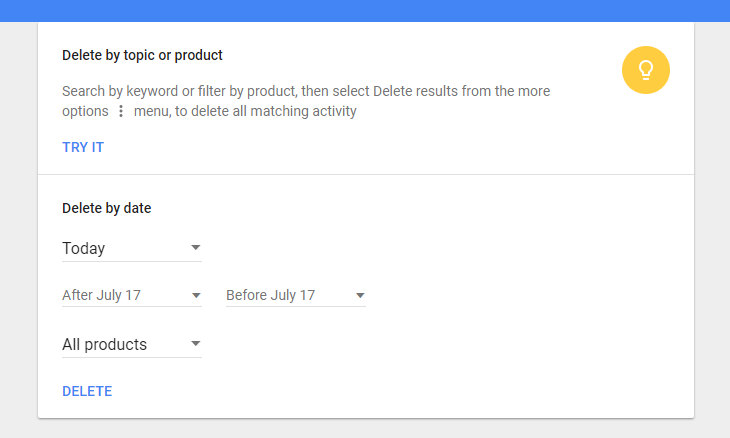
There are several methods that you can employ to delete your data from your My Activity page. You’ll find three vertical dots next to each individual item in the Other Google Activity page. All you need to do to begin deleting your data is to click on them. A menu will appear giving you the option to delete an individual item from your Google history permanently.
You can also search by product or topic using the search bar, and delete it via the three dots once you’ve found it.
Last but not least, you can also delete by date. Simply click the three vertical dots at the top of your screen and selected Delete Activity By. This option also allows you to delete data from “all time”.
Limit Your Data from Being Saved
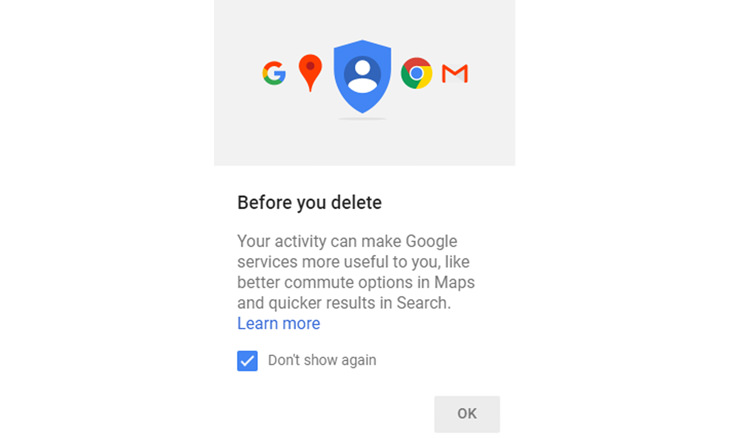
So you’ve deleted the activity you wished to, and now you’re probably wondering how to stop Google from collecting your data in the future.
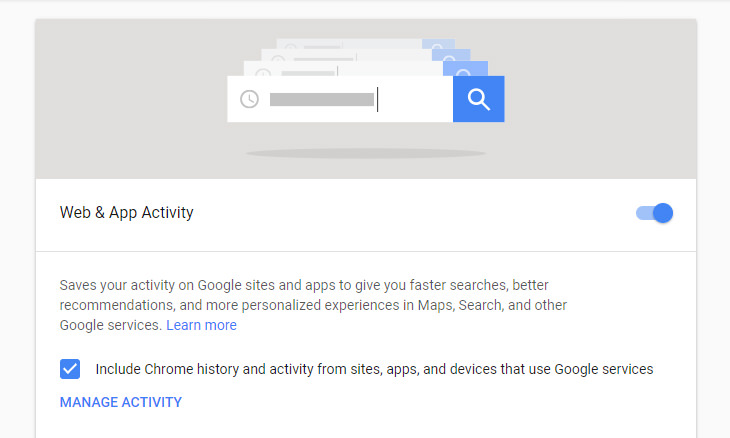
All you need to do is click on the menu icon in the upper left-hand corner and select Activity Controls to edit your preferences for the following:
• Web & app activity
• Location history
• Device information
• Voice & audio activity
• YouTube search history
• YouTube watch history
At this point, it’s also a good idea to run Google’s Privacy Checkup tool to review your privacy settings and just them to how you want them. And there you have it!

Losing Important Emails? Here’s How to Tidy Up Your Gmail
A helpful guide to setting up Gmail filters to prevent emails from getting lost or spam overflowing your inbox.
PHONE GUIDE: How to Make Your Phone Use Less Data!
It's never a nice thing when your mobile data runs out before the end of the month, but there are many things you can do to make it last. Check out this guide.
Get the Most Out of Facebook with These Useful Tips
Want to get more out of your Facebook account? Then check out these brilliant Facebook tips, tricks and facts!
Malware Is Harmful to Your Computer. Here's How to Stop It
Is your computer slow, getting weird messages or even threats? It's likely that you have malware. Don't fret, however - here's all you need to know about it.
24:12
All The Secrets to Solving a Rubik’s Cube Revealed
Always wanted to solve a Rubik's cube quickly like a pro? This video will show you how it'd done
FYI: 7 Simple Ways to Avoid Hacking and Identity Theft
The internet is an amazing tool and a fun opportunity to add to your knowledge, it's important to remember to have fun while keeping yourself secure and safe from identity theft. These are the basic habits you need to have to keep your online identit
Research Shows: Just 2 Spoons of This to Lose Weight
Cider Apple vinegar is making headlines again following a study that found two tablespoons of it per day may greatly help with weight loss and improving blood sugar. Even more than expensive medications and treatments with many side effects.
Who Traces Your Emails? Learn How to Detect Email-Tracking
40% of emails are being tracked by somebody without people's consent or notification, which means you'd better learn how to protect your privacy...
Not Sure What to Watch Next? Try These 8 Helpful Sites
Not sure what to watch next? Try these helpful sites.
7 Reasons Why Your Computer is Running Abnormally Slow
There are many things that could be slowing your computer down and you'll find 7 of them in this article. Take a look!
10 Practical Smartphone Tips and Features Few People Know
These practical tips and clever uses of smartphones will help you start using your phone at its full potential!
Surround Yourself With the Forest Sounds of the World
Ready to be surrounded by the music of the world’s forests and experience the restorative properties of being in nature?
Overpaying for Streaming? Here’s How to Fix That!

Save big on your streaming bills with these simple tips.
These Websites ONLY Share Positivity and Good Stories!

Say goodbye to negativity with these positive news platforms.
12 USEFUL Chrome Extensions That Save Time
Improve your browsing experience with these free Google Chrome extensions.
This Free Website Will Let You Play the Most Fun Mazes!
Do you love mazes and navigation challenges? Look no further than this fun site!
9 Lesser Known Free Websites for Learning in 2025
A list of 9 great free learning websites that cover a variety of subjects, from coding and science to business and language learning.
Forget Chrome—Zen Browser Is the Upgrade You Need
If you’re tired of slow load times, constant battery drain, or a cluttered interface, Zen might be the browser you’ve been waiting for.
Here’s Where You Can Watch Classic Movies for Free!
Want to watch free classic movies? Check out these sites and apps.
Looking for an Instagram Alternative? Try These Platforms
If you’re ready to explore beyond Instagram, here are eight great alternatives.
3:32
The Easy Way to Clean Your Computer's Keyboard
Cleaning a dirty keyboard is quite a straightforward task, as you're about to find out.
Busting 12 Password Myths to Safeguard Your Online Life
Don’t fall for these common password myths.
Computer Guide: How to Clear Space on Your Google Account
How to easily free up storage space on your Google Drive without paying for more storage.
Firefox Just Got Better: 10 Handy Extensions You’ll Love
With the right add-ons, Firefox can become an indispensable browser that you'll rely on every day.
Turn Off These 9 Android Settings. They Pose a Risk
Here are some Android settings that you should consider turning off to enhance your device’s performance.
Fed Up With Spotify? Try These Alternatives for Free Music
Here are eight of the best platforms where you can listen to music online without spending a dime.
11 Free AI Tools That Actually Help You Get Stuff Done
Have you tried any of these useful free AI apps?
Computer Tips: All You Can Do With the CTRL/Control Key!
The control key has more uses than just copying and pasting. These are the 20 more useful keyboard shortcuts you can do with the control key.
3:28
Easy Tips for Connecting Your Laptop to an External Screen
Watch this helpful tutorial to learn how to connect your laptop to a monitor.
6 Reliable Ways to Save YouTube Videos in 2024
Want to download your favorite YouTube videos for offline viewing? Read this now!
There's a keyboard Shortcut for Nearly Everything Here!
These shortcuts will cut down the time you waste fiddling about on the computer, and make you into something of an expert.
7:09
Struggling with Slow iPhone Internet? Try These Tips
iPhone running slow again? Here’s how you boost your speed…
These 10 Keyboard Shortcuts Will Make Life Easy!
These keyboard shortcuts will help you learn the easiest ways to use your computer when your mouse is being less than cooperative!
It’s Almost a Crime Not to Use These Free Nifty Websites
Check out 15 really useful websites. They are completely free to use!
You Should Bookmark These Incredibly Useful Sites
Make sure that you bookmark these handy websites!
9 Warning Signs You're Dealing with a Social Media Scam
Don’t fall for these common social media scam ads.
We Found These Awesome Sites for Reading Short Stories!
These are the best places to read short stories online.
11:12
The Windows Recycle Bin Isn’t Just for Trash—Here’s Why
Did you know about these cool features of the Windows Recycle Bin?
7 Clear Indicators Your Home Router Needs to Be Changed
Is your router in need of an upgrade? Watch out for these signs.
10 Popular Tech Myths You Need To Stop Believing Now
Here we bust some popular and common myths about everyday tech that people still believe in.
Did You Know These Cell Phone Facts Are All Totally False?
People just love to give you advice about smart phones, but it turns out that a lot of this information is false. Never believe these 9 smart phone myths.
1:56
No More Clutter! Free Up WhatsApp Storage in Minutes
Running out of storage on your phone because of WhatsApp? Try these hacks now.
3:35
Want to Increase Your iPad Keyboard Size? Watch This Guide
Want to increase the size of your iPad? Watch this tutorial now…
Best ChatGPT Prompts for 2024
Let's explore some great prompts you can start with on your AI adventure, either for fun or for productivity or knowledge.
How to Tell If a Virus Warning Is Real or Fake - 12 Tips
If you see a barrage of security alerts popping up on your computer, then it might be sign of a virus attack.
4:28
Update Now or Wait? Comparing iOS 17.7 and iOS 18
If you are wary of updating to iOS 18, watch this video.
Guide: How to Unlock Your Phone Without a Passcode
Forgot your phone passcode? Don't panic.Just follow these steps.
All You Need to Know About Your Computer
It's that age of computers, and we should all educate ourselves so we all save ourselves time and anxiety when using a computer, a tablet or a phone. This collection of posts will give you insight into many computer-related issues.
To enable your Ad-Free Subscription, please fill the fields below
Your subscription was successful, now you can enjoy an ad-free experience!! Note: To make sure you get no ads, please make sure to log in to your account. If you are logged in already, then refresh the page. The subscription can be cancelled at any time.