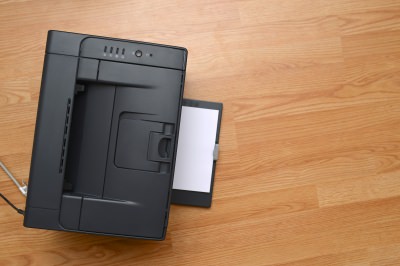
| It's a well-known joke in my family that we used to spend more money on ink cartridges than we did on the actual printer we got some time ago. The sad truth is that these little boxes cost a lot of money and tend to run dry faster than you expect. But I have learned over the years that this isn't how things have to be. By following these tips on the right way to use your printer you can save a lot of ink and money by using your printer in a smart way.
1) Be careful of cheap printers. There are a lot of cheap printers on the market today, from both known brands and knock-offs. It's important to be careful when buying them as the companies selling them might be looking to make their profit off of the ink cartridges rather than the printer itself. When buying a printer you should always look at the prices of the ink cartridges and their "life-span".
2) Use the right font. A few years ago, several American students shocked the world by showing that if their government switched to a thinner font, it could save about 400 million dollars a year. While you won't be able to save that kind of money yourself, using a simple and thin font (like Garamond) can improve your ink usage by about 20%. 3) Use the low-quality setting. Unless you are printing photos or really small items, there is no need to print in the higher printer settings. You can change this in the print setting after you send a document to the printer, usually under "print properties" or something similar. And unless you really have to use color, printing in black and white is recommended.
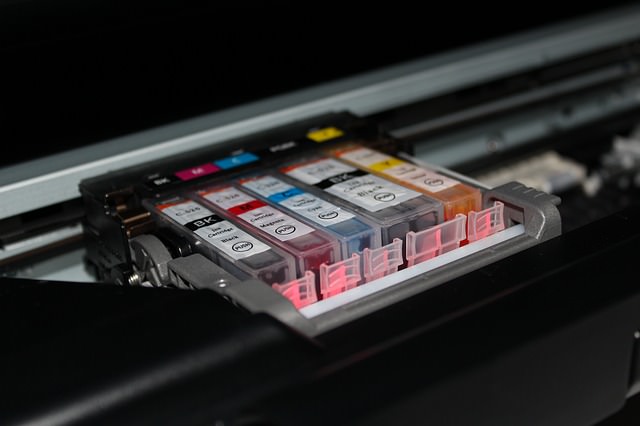
4) Use recycled cartridges. Many shops today offer none-original ink in recycled packs, while some even offer refills if you bring your own empty cartridges. Printer companies claim this might harm your printer, but there is no clear evidence to support that. 5) Try using a refill kit at home. Some ink cartridges can be refilled with a simple kit you can use at home and it's often very cheap to buy at stores. The big downside of this is the potential mess it might create and the work you will need to do each time you use it. However, if these things don't bother you, it's a pretty cheap way to do things. 6) Keep printing. Just like your car tells you it is out of gas even before the tank is empty, your printer will tell you it is out of ink even when there is still some left. This means that you can keep on printing, even with a low ink warning. It just means the writing might be a little grayer. It might also help if you just take out the cartridge and put it back in.
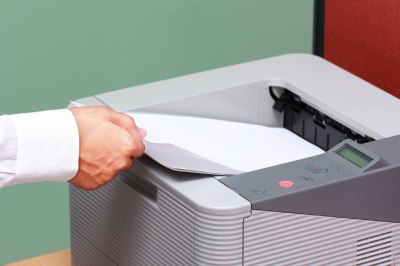
7) Save paper. Printing paper can be just as expensive as ink and you can save a lot of money by printing on both sides of each page. Most modern printers have an automatic option to do so, you just need to turn it on. Take a look at the printer manual to see how it is done. 8) Save room when printing presentations. If you are printing a PowerPoint presentation, you can put about 4 slides in a page and still read them with ease. This will save you both ink and paper. To do so, just look at the print menu on PowerPoint and change the settings to your liking. 9) Don't print the test paper. Many printers do a test printing when you turn them on with no real reason. Look at the printer manual to find out how to disable this and only use your ink and paper on what you really need. If you don't use your printer for a long time, the ink in the bottom of the cartridge can dry out and then the whole cartridge becomes useless. To prevent this just print out a single line of text once a week. I use the same sheet of paper for this every time, with each print just one line under the old one. 11) Wait before turning off your printer. After a print job is done, the cartridge is returned to a protected and closed part of the printer. If you force it to shut down before it can do that, you risk the ink drying up and maybe even leaking.
There is no bigger waste than printing something only to discover an error and then having to print it again. It is important to double-check spelling and page layout before you print a document to make sure you won't need to do it again.
|

iPhone Cluttered by Screenshots? Remove Them Automatically
Tired of endless screenshots on your iPhone? Here's how to delete them.
Make the Most of Your Music Streaming Services
In this post, we'll be focusing on two music streaming services: Apple Music and Spotify.
These Shortcuts Make Using My PC SO Easy!
Shortcuts make life easier in many parts of life, and computing is no different. Here we'll show you how your keyboard can be used to speed things up.
Use Google Like a Pro With These Neat Hints and Tips
You can do so much more with Google than just hitting search. Make your life easier by employing some advanced knowledge in your next search.
5 Things YouTube Can Do That No One Told You About!
Five Things that YouTube can do but no one told you about...
These Apps Are All You Need on Your Next Vacation
Having these handy apps on your phone will see you taking your next trip abroad to the next level. Learn about these 6 essential travel apps.
Computer Guide: Comparing Skype and Microsoft Teams
This article will explain why Skype is going away, how Teams fills its shoes, and guide you through using Teams for your personal video calls, screen shares, and chats.
4:44
What Is Net Neutrality and How Does It Affect You?
What on Earth is net neutrality, and how does it effect you? Watch this informative video and find out!
7:40
ChatGPT vs. Google Gemini: Which One is Better in 2026?
Which AI truly owns your devices in 2026? Let’s find out.
10 Practical Smartphone Tips and Features Few People Know
These practical tips and clever uses of smartphones will help you start using your phone at its full potential!
8 Benefits of Quitting Social Media (Even for a Week)
Learn about 8 benefits you can enjoy when quitting social media, even for a short period.
12 USEFUL Chrome Extensions That Save Time
Improve your browsing experience with these free Google Chrome extensions.
Computer Guide: How to Keep Your Computer Up-to-Date!
Follow this simple guide to update drives and resolve common issues on your Windows computer.
Do You Eat Out Often? These 7 Apps Will Save You Money!
If you’re struggling to keep up with your monthly food budget, you’re not alone. Here are 7 dinning apps that will save you money every time you eat.
What We Can Learn from ChatGPT About Being Human
What can we learn from ChatGPT about ourselves?
43:39
AI News: What's Going On With AI This Week?
This week's AI news covers major releases and impressive demos.
Top 5 Apps for Checking on Your Pet’s Health
These apps were selected based on their functionality, user reviews, and relevance to health monitoring, as highlighted by pet care and technology sources.
5:28
WhatsApp Privacy Settings You Must Change for Safety
Want to take control of your WhatsApp privacy? In this tutorial, I'll walk you through the essential settings that protect your personal information and give you complete control over who sees what.
What Do Those 12 'F' Keys on Your Keyboard Do?
Find out what those 12 curious F keys on your keyboard mean.
Gemini 3: An AI Upgrade or a Warning of Things to Come?
A new AI version hitting the market is always the most successful, most surprising, and always overshadows its predecessors in every comparison metric - until the next version arrives and surpasses it.
The Rise of QR-Code Fraud and How to Spot It
hat sense of ease is exactly what a new wave of scammers is counting on. The crime even has a name: quishing, a blend of "QR code" and "phishing."
I Bet You Didn't Know You Could Do THIS on Google Maps
Here are all of the things you can do on Google Maps that you never knew you could.
Handy Web Browser Shortcuts for Chrome, Edge, and Safari
Below are the most useful ones, written in plain language. They work in all the popular browsers, so whether you use Google Chrome, Microsoft Edge, or Apple's Safari, you are covered.
2:35
6 Simple Tips for Taking Screenshots on Windows
Taking screenshots on Windows is now super easy. Just note these tips.
9:45
iPhone vs. Android: What's the Difference?
It’s one of the greatest rivalries in tech history: Android versus iPhone. But this battle is about much more than just smartphones...
20:27
Learn About Your Computer: Every Component Explained!
In just 3 minutes, you'll be much wiser about what your computer is made of.
10 Helpful Apps Every Senior Can Use
Ten of the best free apps out there for seniors, with easy links for both iPhone and Android phones.
How to Free Up Phone Storage Without Deleting Photos
Let's walk through feeing space on your phone, with instructions for both iPhone and Android.
Computer Guide: Windows 11 Shortcut Keys!
Learn the best shortcuts for Windows 11 using your keyboard. From taskbar to screenshots, learn it all.
9:17
The Best and Worst Apps for Learning Languages
Choosing the right language learning app can make the difference between steady progress and quick burnout
17:41
TikTok: Tips and Tricks for Beginners
Whether you are a total beginner or just looking to streamline your process to get more views, this tutorial covers everything you need to know to go from recording to posting.
How to Solve Your Most Common Printer Trouble
Let's go through the most common printer problems one by one, why they happen, and the fixes that actually work.
5:15
How to Find Out if Your Computer Has a Virus
In this video, I'll show you the most telling signs that your machine may be infected, walk you through how to remove threats effectively, and share the best antivirus solutions to keep you protected for good.
If Your Computer Is Not Working, Here's What to Do
This troubleshooting guide is all you need if you're computer isn't turning on.
Surround Yourself With the Forest Sounds of the World
Ready to be surrounded by the music of the world’s forests and experience the restorative properties of being in nature?
5:02
How to Transfer Data From Your Old iPhone to The New One
Got a new iPhone? Here's how you can move all your data from your old iPhone to the new one.
The 11 Best Meal Planning Apps to Help You Lose Weight
Fortunately, numerous apps can make meal planning—and potentially weight loss—much more achievable.
Who Traces Your Emails? Learn How to Detect Email-Tracking
40% of emails are being tracked by somebody without people's consent or notification, which means you'd better learn how to protect your privacy...
8:31
20 Terrifically Helpful Chrome Keyboard Shortcuts
Welcome to the ultimate guide to mastering 20 essential keyboard shortcuts for the Google Chrome browser!
STOP! You're Damaging Your Computer...
Computers are practically indispensable to us these days. The thing is, you could be damaging yours without even knowing it. Looking out for these 16 things.
12:38
Skype is Dead: 9 Features of Microsoft Teams
These nine lesser-known tools are a must for any Microsoft Teams user.
This One Computer Key Is Used for a Myriad of Shortcuts!
The 'Win' key is usally thought to only bring up the start menu. It actually does a whole lot more. Get a load of these dozens of shortcuts!
You've Probably Been Using Your Keyboard Wrong...
There's a very specific reason why the F and J keys are raised on your keyboard. Read this guide to find out why computer keyboards are the way they are.
The Truth Behind Misleading Phone Charging Myths
We're putting down these rumors once and for all! These cellphone battery charge myths are untrue.
Your Computer Mouse Can Do Much More Than You Think...
Knowing how to use your mouse can make computing so much easier than you ever realized. Here are some great tips on how to maximize the use of your mouse, which will increase your overall productivity on the computer.
2:38
How to Transfer Your Old VHS Tapes to a Computer
Do you have old family videos on VHS? It's time to make them digital so you can share them with all the family more easily! This video will show you how.
7:00
How to Remove Malware From Your Android Device
. For anyone looking to secure their phone and get it running smoothly again, this guide has it covered
To enable your Ad-Free Subscription, please fill the fields below
Your subscription was successful, now you can enjoy an ad-free experience!! Note: To make sure you get no ads, please make sure to log in to your account. If you are logged in already, then refresh the page. The subscription can be cancelled at any time.