Meal planning is one of the most effective ways to kickstart and maintain your weight loss goals. However, finding the time and energy to plan healthy meals tailored to your tastes and nutritional needs can be challenging.
Fortunately, numerous apps can make meal planning - and potentially weight loss - much more achievable.
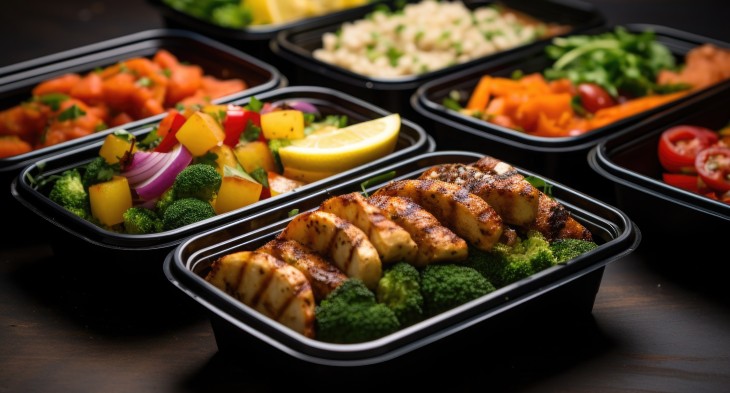
Here are 11 of the best meal planning apps available today.
Price: $
Grocery list: Yes
Recipe database: Yes
Nutritional data: Yes (paid version only)
Mealime offers customizable meal plans tailored to your dietary preferences while excluding foods you don't like. It stands out as the best budget option due to its comprehensive free features.
The app creates meal plans based on your diet preferences and food allergies entered during setup, making it ideal for those with dietary restrictions. You'll receive recipe suggestions with full-color photos, simple instructions, and organized grocery lists. All recipes take under 40 minutes to prepare.
The app also lets you filter recipes based on ingredients you already have at home. The meal prepping feature allows you to adjust portion sizes for advance preparation.
However, some recipes are only available in the pro version. The free version doesn't allow you to add your own recipes, set calorie preferences, view nutrition information, or save previously used meal plans.
The basic version is free, while the pro version costs $2.99/month. Available on iOS and Android.
Pros:
Cons:
Download for iOS
Download for Android
Price: $$
Grocery list: Yes
Recipe database: No (user-added)
Nutritional data: Yes (if provided in original recipe)
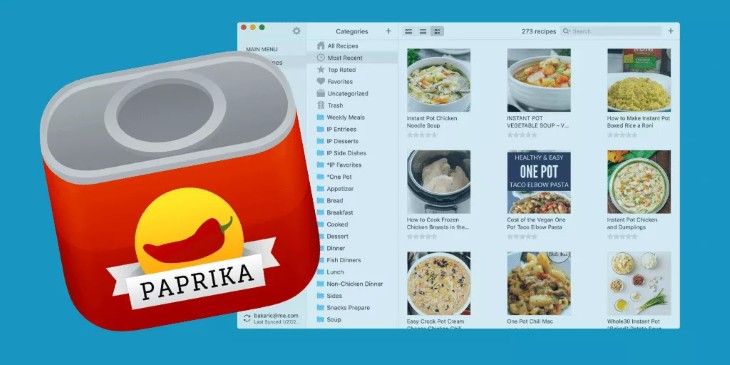
Paprika functions primarily as a recipe manager with menu planning features. It's the best choice for organizing recipes thanks to its browser extension that simplifies saving your favorite recipes.
With Paprika, you're responsible for saving and entering recipes to build meal plans - there are no preset recipes. This makes it ideal for people who can structure their own meal plans with minimal guidance.
The app creates customized grocery lists and allows you to save recipes directly from websites. When multiple recipes need the same ingredient, Paprika consolidates the grocery lists automatically.
The app keeps your screen on while cooking and detects timer instructions within recipes, allowing you to set cooking timers directly from the app.
The user interface may be less intuitive than some other apps, and getting started with browser integrations might be challenging for some users. Additionally, nutrition information is only available if included in the original recipe or entered manually.
Paprika offers an unlimited free trial (limited to 50 recipes without cloud sync). The full version costs $4.99 and is available on Mac, Windows, iOS, and Android.
Pros:
Cons:
Download for iOS
Download for Android
Price: $$$
Grocery list: Yes
Recipe database: Yes
Nutritional data: Yes
PlateJoy creates customized meal plans for you and your household based on dietary preferences and weight loss goals.
This user-friendly app features beautiful full-color photos and extensive customization options. Complete nutrition information is available for each recipe, and you can sync it with Fitbit or Apple Health to track health goals.
The app's Balanced Plate badge highlights nutritious options, making it easy to choose healthy meals - which is why it's our top pick for guiding healthy eating choices.
PlateJoy creates customized grocery lists and helps prevent food waste by letting you log food already in your fridge or pantry. You can also send your grocery list to Instacart for delivery, depending on your location.
The main drawback is the cost: $12.99 per month, $69 for six months, or $99 for an annual subscription. Available on Android and iOS.
Pros:
Cons:
Download for iOS
Download for Android
Price: $$
Grocery list: Yes
Recipe database: Yes (limited to cooking challenges)
Nutritional data: Yes (if provided in original recipe)
Plan to Eat lets you organize favorite recipes and create meal plans in one convenient app. It's available on iOS, Android, and desktop browsers.
You can enter recipes manually or input URLs from online recipes. The app's preset recipes are limited to Cooking Challenges, which are free to access. This makes it better suited for those with existing recipe collections or who enjoy discovering new recipes online.
When recipes include nutrition information, Plan to Eat imports the data automatically. You can also manually enter nutritional details. The app tallies daily nutrients in its calendar-style weekly planner.
Adding recipes automatically creates an organized grocery list. The app merges similar ingredients and lets you create categories within the list for easier shopping.
A unique feature is the ability to share recipes and meal plans with friends and family, making it easier to stay on track together. Cooking challenges provide helpful recipe inspiration.
Plan to Eat costs $4.95/month or $39/year, with a 30-day free trial.
Pros:
Cons:
Download for iOS
Download for Android
Price: $$
Grocery list: Yes
Recipe database: Yes
Nutritional data: Yes (paid version only)

Yummly's virtual pantry feature makes it the top choice for avoiding food waste by helping you track purchased food and prevent duplicate purchases.
The paid version lets you filter recipes by video availability, which is helpful for developing cooking skills and learning new techniques.
In the paid version, complete nutrition information calculated using the USDA nutrient database is available for each recipe. Meal planning functionality, including a calendar to organize recipes, is also included.
When saving recipes, you can organize them into categories like breakfast, lunch, dinner, and snacks. You can also manually enter and save your own recipes.
The main drawback is overall usability - while visually appealing, it's more complicated and difficult to use compared to similar apps. Less tech-savvy users may find it challenging.
Yummly costs $4.99 per month or $29.99 per year with a 30-day free trial. Available on iOS, Android, and via the Yummly website.
Pros:
Cons:
Download for iOS
Download for Android
Price: $$$
Grocery list: Yes
Recipe database: Yes
Nutritional data: Yes
MealPrepPro is a meal planning and prepping app available on iOS (currently being tested for Android).
You start by choosing from multiple meal plans including High Protein, Flexible, Pantry Staples, Mediterranean, Low-Carb, Keto, Vegan, Vegetarian, or Pescatarian.
Next, you enter details to set a calorie range based on health goals and activity level. The app allows customization of dietary preferences including allergies and dislikes.
Meal planning features include choosing your preferred prep level and number of weekly meals. You can also add a partner with customized calorie needs.
MealPrepPro provides original recipes with complete nutrition information, tallied to display daily nutrient intake.
The meal prep feature shows what to prep and when based on your weekly meal plan. Integrated grocery list functionality is included.
The main drawback is no free version beyond the 7-day trial. After that, it costs $8.99 per month or $47.99 per year.
Pros:
Cons:
Price: $
Grocery list: Yes
Recipe database: No
Nutritional data: No
Pepperplate is a meal planning app and website requiring manual recipe additions. It functions like a virtual recipe box, consolidating favorite recipes into customizable categories.
You start by importing recipes manually or copying URLs from supported websites, then organize them into your preferred categories.
After adding recipes, you can create personalized menus and meal plans in a calendar-style planner with grocery lists.
However, grocery lists can't differentiate between sub-recipes (like seasoning blends) and single ingredients, requiring extra work to add sub-recipe ingredients.
Pepperplate is ideal for experienced cooks with solid recipe collections who understand their nutritional needs - especially those trying to lose weight.
The app lacks a calorie tracking component and doesn't draw from its own food database. You must enter recipes and menus via the website, not directly through the app.
The website is less user-friendly than others and may be cumbersome. The app offers a 14-day free trial, after which it costs $2.99 per month or $32.99 per year.
Pros:
Cons:
Download for iOS
Download for Android
Price: $$$
Grocery list: Yes
Recipe database: Yes
Nutritional data: Yes
Prepear offers a preset recipe database alongside manual or online input options.
After creating an account, browse recipes in Prepear's database. Recipes display ingredients, but preparation instructions must be viewed on the original website, which may be inconvenient.
Otherwise, the app is user-friendly, allowing you to filter recipes by taste preferences, allergies, cook time, and global cuisine. You can build your own meal plan or purchase plans from food bloggers.
Each recipe includes a complete nutrition breakdown. Customizable shopping lists are available after completing your meal plan.
The social media component lets you share photos of your culinary creations with friends and family.
Many recipes in the database are kid-friendly, making it ideal for family meal planning.
The main drawback is limited recipe variety when using multiple filters. However, adding your own recipes offsets this limitation.
Prepear has a free option with limited features or a $119 annual Prepear Gold membership for unlimited access to meal plans, cook mode, and an ad-free experience.
Pros:
Cons:
Download for iOS
Download for Android
Price: $$$
Grocery list: Yes
Recipe database: Yes
Nutritional data: Yes
Eat This Much perfectly combines calorie counting with meal planning.
After signing up, you enter personal data including height, weight, and health goals. The app calculates a macronutrient range you can adjust as desired. You can also choose your preferred diet and list food allergies.
It includes a database of recipes, basic foods, and popular restaurant menu items with complete nutrition information. You can manually enter your own recipes and foods if they're not in the preset index.
You can create a meal plan yourself or let the app generate one based on your meal preferences. The ability to generate meal plans, even in the free version, makes this our top choice for easy meal planning.
A unique feature is the barcode scanner for scanning food items directly into your account.
However, the premium option is required to generate meal plans beyond a single day. Grocery lists and grocery delivery are also unavailable on the free plan.
Available for iOS and Android. Premium costs $4.99 per month (billed annually) or $8.99 per month (monthly billing).
Pros:
Cons:
Download for iOS
Download for Android
Price: $$
Grocery list: No
Recipe database: Yes
Nutritional data: Yes

Lose It! is primarily a calorie and macronutrient tracker, though the premium version includes meal planning features.
You begin by entering anthropometric data and activity level to calculate a target calorie range. The app estimates the time needed to reach your weight goal based on your chosen calorie level.
The timeline feature may motivate those who like seeing progress over time through regular check-ins.
The free version lets you input your own recipes to create meal plans. You can also scan food barcodes to add them to the database. More meal planning features require upgrading to premium.
While the app excels at monitoring eating behaviors and weight loss, its main focus is tracking. A major downside is the lack of automatic, customizable grocery lists.
Available for iOS and Android devices, free to start. Premium features cost $39.99 per year.
Pros:
Cons:
Download for iOS
Download for Android
Price: $
Grocery list: No
Recipe database: No
Nutritional data: Yes
Start Simple with MyPlate is a free app from the United States Department of Agriculture (USDA).
The app aligns with the Dietary Guidelines for Americans and uses the visual MyPlate to guide daily food choices.
To start, download the app and register or continue as a guest. You can take a short quiz about current dietary habits, after which recommendations are added to your daily plan.
Track goal progress by checking off met goals each day.
The app is simple to use with appealing visuals, making it suitable for those seeking basic guidance on improving overall diet patterns. However, the lack of recipes may be challenging for some.
Major drawbacks include the absence of a calendar-style meal plan and grocery shopping integration.
This free app is available for iOS and Android.
Pros:
Cons: