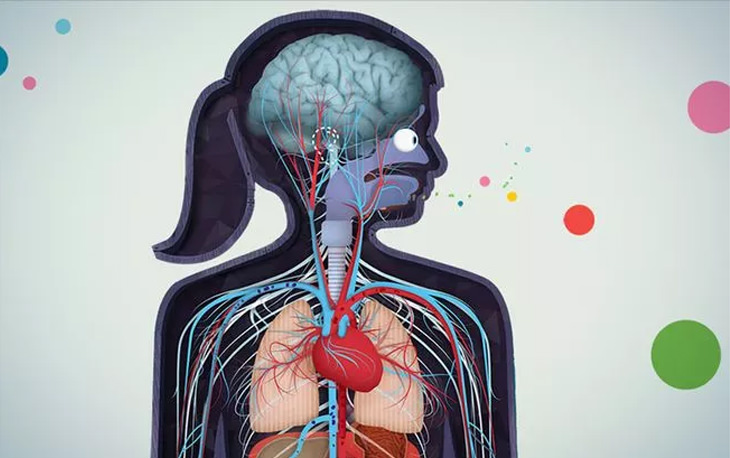
Whoa! Who Would've Guessed the Human Body Was So Bizarre?
These 10 facts give you just a little taste of all the strange things that make up our absolutely bizarre bodies and physiology
10 Things Scientifically Proven to Make Children Smarter
10 scientifically proven ways to make your children smarter. All easily done at home.
Gmail Has Received An Awesome Update - Take a Closer Look
Gmail is used by millions of people around the world, and Google is always attempting to refine its product. Here's a closer look at the latest Gmail update.
Ever Wonder Why Numbers Are the Shape They Are?
Do you know WHY the numbers look the way they do? If not, then here's why.
This Joke Starts With a 6th Grade Human Anatomy Lesson
A teacher is asking her sixth-graders about the part of the human anatomy that enlarges itself by 10 times when stimulated. Little Mary chimes in...
5:48
Soon You Might be Traveling in This Autonomous Flying Taxi
Volocopter’s flying taxi prototype took its very first US flight at CES 2018 thanks to a new partnership with Intel. Check it out here in this short video.
Is it a Fake AI Video or the Real Thing? 13 Telling Signs
Have you ever been scrolling through TikTok or Facebook and felt that something about the person on your screen just did not add up? 13 ways to identify a fake AI video.
Computer Guide: Windows 11 Shortcut Keys!
Learn the best shortcuts for Windows 11 using your keyboard. From taskbar to screenshots, learn it all.
How to Set Up Your Phone to Call for Help If You Fall
This article teaches you to set up your iPhone or Android phone to be ready to summon help and speak for you when you need it most.
The Keyboard Shortcuts You Never Know Existed
These aren't shortcuts to save five seconds here and there. They're tricks that change how you interact with your computer once you start using them.
8:11
11 Do's and Don’ts for Using a Smartphone Better
Find out some useful do's and don'ts of smartphones that you might not have known earlier.
I Never Knew Repairing a Smartphone Was So Simple!
Having phone trouble? Here are 6 of the most common smartphone issues and exactly how you can fix them.
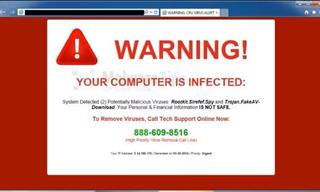
How to Spot a Fake "Your Computer Is Infected" Pop-Up
This article helps people to identify malware or hacking pop ups that promise fake virus removal and what to do if you click or call them.
This Incredible Map Will Let You to Fly Above Any Location
This amazing site allows you to watch drone videos by location - and boy are they beautiful.
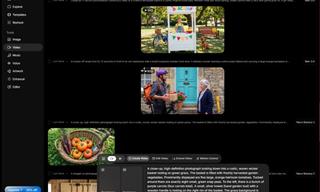
How to Make Easy Videos with AI (No Film School Required)
This guide explains how AI video creation works, what it costs, which tools are easiest to start with, and how to use a regular chatbot to write the instructions for you when you don't know the filmmaking vocabulary.
Don't Charge Your Phone Over 80%, Here's Why
There is truth to the no-overnight-charging rule, and there is also some science to back it up.
What Do Those 12 'F' Keys on Your Keyboard Do?
Find out what those 12 curious F keys on your keyboard mean.
9:45
iPhone vs. Android: What's the Difference?
It’s one of the greatest rivalries in tech history: Android versus iPhone. But this battle is about much more than just smartphones...
Learn All About the Different File Types on Your Computer
Computer extensions can have such confusing names and functions. If you're like me, you will appreciate this guide to 12 different file types!
How to Safely Remove Programs You No Longer Use
Here is a friendly guide to removing programs from your computer the right way, on both Windows and Apple computers.
9:17
The Best and Worst Apps for Learning Languages
Choosing the right language learning app can make the difference between steady progress and quick burnout
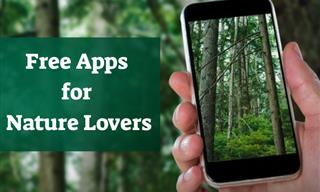
Get Closer to Nature with These Wonderful Free Apps
Install these free nature apps on your phone and understand nature a little better from the comfort of your home.
2:19
Google Presents Genie: A New Way to Create Interactions
This is Project Genie. Where imagination meets interaction, and every prompt opens a new frontier in AI research.
Gemini 3: An AI Upgrade or a Warning of Things to Come?
A new AI version hitting the market is always the most successful, most surprising, and always overshadows its predecessors in every comparison metric - until the next version arrives and surpasses it.
2:27
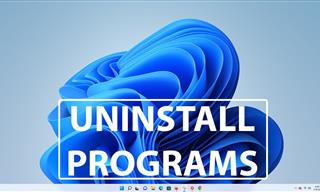
Tutorial: How to Uninstall Apps on Your Windows 11 PC
How to uninstall apps on your windows PC.
20:27
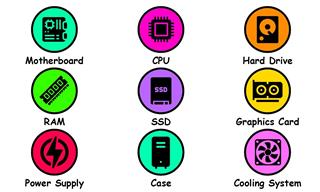
Learn About Your Computer: Every Component Explained!
In just 3 minutes, you'll be much wiser about what your computer is made of.
It’s Almost a Crime Not to Use These Free Nifty Websites
Check out 15 really useful websites. They are completely free to use!

7 Most Common Reasons the Phone Battery Deteriorates
The seven most common mistakes that quietly drain your battery and shorten its lifespan, along with simple ways to break each one.
If Your Computer Is Not Working, Here's What to Do
This troubleshooting guide is all you need if you're computer isn't turning on.
Take Your Computer Back to New with These Helpful Tips!
If your computer has become slow and is starting to lag, it’s probably about time you serviced it. Here's how to do it yourself, free of charge.
Learn How to Protect Yourself Using a Public Wi-Fi Network
Public Wi-Fi networks are incredibly convenient, but they're not always safe. Here are 10 ways of protecting yourself when using public Wi-Fi.
8 Benefits of Quitting Social Media (Even for a Week)
Learn about 8 benefits you can enjoy when quitting social media, even for a short period.
If You Do This, Then You Could Be Damaging Your Phone...
Many people end up damaging their phones without even realizing that they are doing so, and here are 9 of the most common ways this happens.
2:35
6 Simple Tips for Taking Screenshots on Windows
Taking screenshots on Windows is now super easy. Just note these tips.

These Settings Will Keep Your Eyes Safe While on the PC
Here's how you can protect your eyes from computer screens using blue light filters.
17:41
TikTok: Tips and Tricks for Beginners
Whether you are a total beginner or just looking to streamline your process to get more views, this tutorial covers everything you need to know to go from recording to posting.
Do You Eat Out Often? These 7 Apps Will Save You Money!
If you’re struggling to keep up with your monthly food budget, you’re not alone. Here are 7 dinning apps that will save you money every time you eat.
If You Aren’t Doing these Things, Your PC WILL Wear Out...
All the basics of computer maintenance.
12:58
25 iPhone Tips and Tricks Everyone Should Know
If you've never tried these before, prepare to be amazed by what your phone can actually do. Let's get started!
5 Most Common Mistakes People Make When Working With AIs
Here are the five biggest mistakes people make when working with AI, and exactly how to sidestep them.
The 11 Best Meal Planning Apps to Help You Lose Weight
Fortunately, numerous apps can make meal planning—and potentially weight loss—much more achievable.
These Gmail Shortcuts Will Save You Time & Frustration
If you use Gmail, but you don't know how to use a single keyboard shortcut, then you well and truly are missing out. Here are the most useful ones...
11:22
10 Things You Should Turn Off in Your PC
Don't let Windows run the show - watch now to see exactly what to shut down first.
10 Helpful Apps Every Senior Can Use
Ten of the best free apps out there for seniors, with easy links for both iPhone and Android phones.
These Shortcuts Make Using My PC SO Easy!
Shortcuts make life easier in many parts of life, and computing is no different. Here we'll show you how your keyboard can be used to speed things up.
5:15
How to Find Out if Your Computer Has a Virus
In this video, I'll show you the most telling signs that your machine may be infected, walk you through how to remove threats effectively, and share the best antivirus solutions to keep you protected for good.
2026 Foldable Smartphones: The Complete Buyer's Guide
The foldable phone market in 2026 has reached unprecedented levels of sophistication and diversity. Here's a guide looking at the top foldable models.
To enable your Ad-Free Subscription, please fill the fields below
Your subscription was successful, now you can enjoy an ad-free experience!! Note: To make sure you get no ads, please make sure to log in to your account. If you are logged in already, then refresh the page. The subscription can be cancelled at any time.