|
Is your old computer feeling slow and being louder than you recall? Does getting a shiny new computer seems more and more appealing? Hold on to your money because you may not need to upgrade just yet, and here’s why: 1. Your old computer still works fine |
![]() |
|
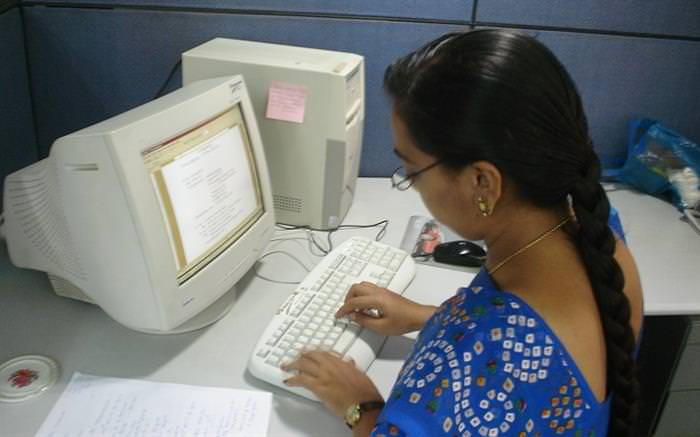
Unless you play the newest computer games or engage in ultra-high definition (4K) video editing, you don’t need more power. Any computer bought in the last 5 years can handle playing full high definition video (1080p), browse the internet, and run an Office suite without any problems. In the past, a new computer would mean leap and bounds in performance increase, but currently, the difference is barely noticeable, ranging from the 5%-10% range at best. You can keep your old computer for up to 7 years before you may need to upgrade, as long as you take care of its maintenances. |
|
2. Give your old computer a boost |
![]() |
|
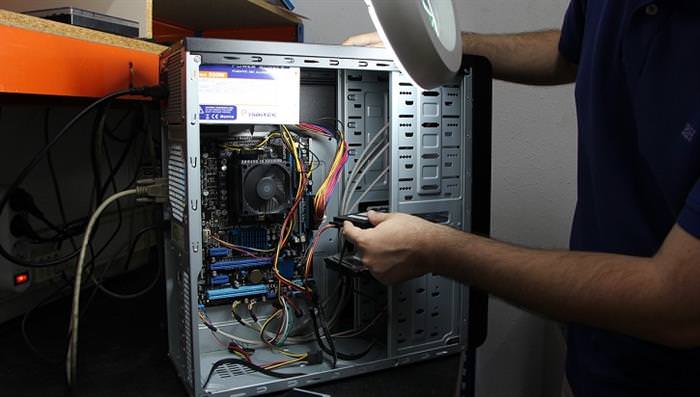
In many cases, old computers work slowly not because of older hardware, but because of junk software and files that clog the system, or overheating because of dust accumulation inside the computer. In such cases, you should first clean the insides of your computer, using our handy computer cleanup guide, and then give it an overhaul by clearing any viruses or malware. If this doesn’t help, you may want to consider backing up your important files and formatting the computer. A format is a process that erases any and all data from your hard drive, letting you start over in an almost new state. If you do not know how to format your computer, talk to a professional and make sure you have an operating system installation disc available. |
|
3. Install a Solid State Drive (SSD) |

![]() |
|
Solid State Drives are a new generation of hard drives with a huge performance boost compared to regular hard disk drives. These new drives are smaller, faster, silent, and require less power to work. Buying a 128Gb SSD drive would cost you about $50-$75, and using it to run your operating system will boost your computer’s performance considerably. |
|
4. You can do almost anything online |

![]() |
|
The world is moving towards cloud computing, meaning that there are plenty of online alternatives for programs like Office, Photoshop, video chats, and more. All you need is a fast internet connection and a web browser, and you’re good to go. |
|
5. Setting up a new computer can be a hassle |
![]() |
|
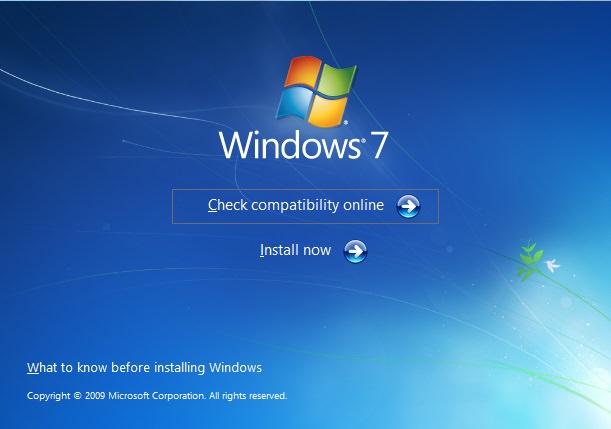
Installing all of your favorite software, suddenly realizing you didn’t install an add-on you needed, adjusting the new computer to your liking – these all take time. If you have a few hours (or in rare cases – days) to spare, go ahead. Otherwise, wait until you really need it. |
|
6. Windows 10 |
![]() |
|
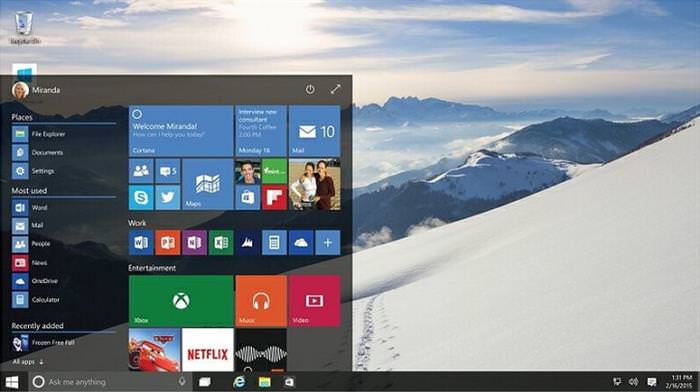
Microsoft is about to release Windows 10, the newest version of Windows, which is supposed to be very user friendly, easy on older computers, and if you own a copy of Windows 7, 8, or 8.1 – Microsoft said they’ll allow you to upgrade to Windows 10 for free. |
|
7. Save your money |

![]() |
|
A new computer can set you back anywhere from $400 and upwards. You can save that money or use it for something you really want. So unless your old computer is a real piece of junk, and you’ve cleaned the dust, cleared the unneeded programs and it’s still not working faster, there’s simply no point in buying a new computer. If you’ve made up your mind and still want to buy a new computer, consult with our guide to buying a new computer. |
Save Money On Your Printer With These Great Tips
These tips will help you save a lot of ink and money whenever you print something.
8 Ways Your Home is Sneakily Draining Your Bank Account
Since your house cannot talk to you, here are some tips that will reveal the hidden ways in which your house could be costing you more money than it should.
Here's How You Can Save Time and Money When Shopping
We’re paying more nowadays not only at the gas pump but also at the grocery store. These fantastic tips below can help you slash your grocery costs.
11 Superb Solutions to Turn an Old Looking Item into New
With these secrets, your old-looking items will look brand new once again!
These Apps Are All You Need on Your Next Vacation
Having these handy apps on your phone will see you taking your next trip abroad to the next level. Learn about these 6 essential travel apps.
These Shortcuts Make Using My PC SO Easy!
Shortcuts make life easier in many parts of life, and computing is no different. Here we'll show you how your keyboard can be used to speed things up.
USB Drives Can Do More Than You Think – 10 Hacks You Need
Let’s explore some of the most practical yet overlooked ways to use USB drives.
17:41
TikTok: Tips and Tricks for Beginners
Whether you are a total beginner or just looking to streamline your process to get more views, this tutorial covers everything you need to know to go from recording to posting.
Do This to Your Router to Increase Internet Speed
Want a faster and safer internet connection? Then do this to your router...
Top 5 Apps for Checking on Your Pet’s Health
These apps were selected based on their functionality, user reviews, and relevance to health monitoring, as highlighted by pet care and technology sources.
This Free Website Will Let You Play the Most Fun Mazes!
Do you love mazes and navigation challenges? Look no further than this fun site!
The Most Amazing Websites for Learning Languages for Free
Learn any language for free with these amazing websites!
Learn How to Protect Yourself Using a Public Wi-Fi Network
Public Wi-Fi networks are incredibly convenient, but they're not always safe. Here are 10 ways of protecting yourself when using public Wi-Fi.
Making These Email Mistakes Comes Off As Rude or Annoying
When sending an email, the last thing you want is to come off as impolite or annoying. Here are 5 common email mistakes to avoid.
Who Traces Your Emails? Learn How to Detect Email-Tracking
40% of emails are being tracked by somebody without people's consent or notification, which means you'd better learn how to protect your privacy...
Busting 12 Password Myths to Safeguard Your Online Life
Don’t fall for these common password myths.
9 Lesser Known Free Websites for Learning in 2025
A list of 9 great free learning websites that cover a variety of subjects, from coding and science to business and language learning.
These Websites ONLY Share Positivity and Good Stories!
Say goodbye to negativity with these positive news platforms.
Stop Paying For Software: 8 Free Productivity Options
Here are eight free open-source alternatives that can take the place of paid productivity apps without sacrificing quality or functionality.
Don't Charge Your Phone Over 80%, Here's Why
There is truth to the no-overnight-charging rule, and there is also some science to back it up.
8:11
11 Do's and Don’ts for Using a Smartphone Better
Find out some useful do's and don'ts of smartphones that you might not have known earlier.
9 Useful Blogs Created Specifically For Senior Citizens
Here’s a wonderful collection of blogs that seniors will find particularly helpful.
Thirsty For Knowledge? Check Out These YouTube Channels
If you love to learn new things with each passing day, then get ready to discover a gold mine full of educational tools!
What We Can Learn from ChatGPT About Being Human
What can we learn from ChatGPT about ourselves?
Do You Know How to Act in a Medical Emergency?
Don't feel powerless in a medical emergency, learn what actions to take in these 10 serious medical emergencies and how to save lives
10 Popular Tech Myths You Need To Stop Believing Now
Here we bust some popular and common myths about everyday tech that people still believe in.
7:31
How to Edit Your Photos Using 3 Different AI Services
If you shoot weddings, portraits, or anything high-volume, and you’ve wondered if AI can really speed things up without cutting corners, this is the no-nonsense breakdown you need.
There's a keyboard Shortcut for Nearly Everything Here!
These shortcuts will cut down the time you waste fiddling about on the computer, and make you into something of an expert.
12:58
25 iPhone Tips and Tricks Everyone Should Know
If you've never tried these before, prepare to be amazed by what your phone can actually do. Let's get started!
Looking for an Instagram Alternative? Try These Platforms
If you’re ready to explore beyond Instagram, here are eight great alternatives.
Skype Is Shutting Down – Try These Alternatives Now
With Skype officially retiring, here are some handy alternatives you should try.
You Can Now Speak With ChatGPT on Your Whatsapp!
et’s explore what 1-800-ChatGPT offers, how to use it effectively, and why this innovation makes interacting with AI more seamless.
5 Hidden Google Chrome Games (And a Bonus)
Tired of Backgammon online? Try Google Chrome's online in-browser collection of games for an easy-to-reach entertainment break. Tic-tac-toe, snake, and more!
Do You Eat Out Often? These 7 Apps Will Save You Money!
If you’re struggling to keep up with your monthly food budget, you’re not alone. Here are 7 dinning apps that will save you money every time you eat.
Turn Off These 9 Android Settings. They Pose a Risk
Here are some Android settings that you should consider turning off to enhance your device’s performance.
Computer Guide: How to Keep Your Computer Up-to-Date!
Follow this simple guide to update drives and resolve common issues on your Windows computer.
5 Best Online Platforms for Couples' Counselling
We've researched the options and returned with the 5 best platforms for online couples' therapy.
What Causes Laptop Batteries to Bulge Over Time?
These early warning signs can save your laptop's battery and prevent potentially dangerous situations.
Boost Your Brain With These 8 Brainy Mobile Games!
We’ve gathered 8 recommended games to keep your brain active, challenge your logical thinking, and help you pass the time enjoyably.
12 Amazing Internet Radio Stations to Spice Up Your Day!
Check out these 12 fantastic internet radio stations.
The Only Guide You Need to Clean Your Computer
Computers collect dust and dirt, causing them to slow down and heat up. Here's how to clean them:
You Didn’t Realize it, But AI Is Making Your Life Better!
Here are thirteen unique ways AI can simplify daily life.
These 10 Keyboard Shortcuts Will Make Life Easy!
These keyboard shortcuts will help you learn the easiest ways to use your computer when your mouse is being less than cooperative!
5 DIY Solutions to Better Organize Your Cords and Cables
Computer cables have an annoying tendency to tangle and create an unseemly mess. Here are some easy ways to prevent that.
Surround Yourself With the Forest Sounds of the World
Ready to be surrounded by the music of the world’s forests and experience the restorative properties of being in nature?
3:35
Want to Increase Your iPad Keyboard Size? Watch This Guide
Want to increase the size of your iPad? Watch this tutorial now…
How to Spot Fake Online Reviews: A Shopper’s Guide
Here are practical tips to help you spot fake Amazon reviews.
To enable your Ad-Free Subscription, please fill the fields below
Your subscription was successful, now you can enjoy an ad-free experience!! Note: To make sure you get no ads, please make sure to log in to your account. If you are logged in already, then refresh the page. The subscription can be cancelled at any time.