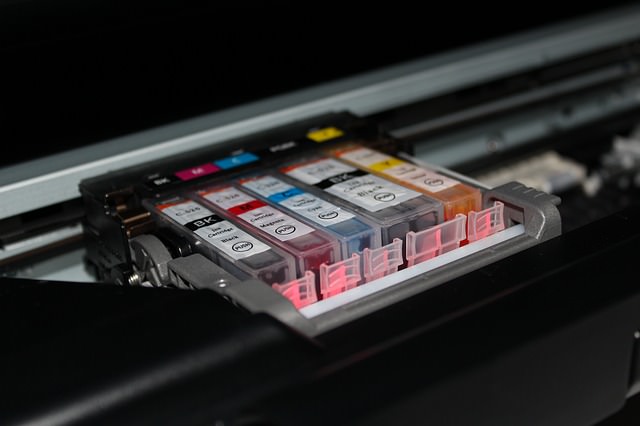
| It's a well-known joke in my family that we used to spend more money on ink cartridges than we did on the actual printer we got some time ago. The sad truth is that these little boxes cost a lot of money and tend to run dry faster than you expect. But I have learned over the years that this isn't how things have to be. By following these tips on the right way to use your printer you can save a lot of ink and money by using your printer in a smart way.
1) Be careful of cheap printers. There are a lot of cheap printers on the market today, from both known brands and knock-offs. It's important to be careful when buying them as the companies selling them might be looking to make their profit off of the ink cartridges rather than the printer itself. When buying a printer you should always look at the prices of the ink cartridges and their "life-span".
2) Use the right font. A few years ago, several American students shocked the world by showing that if their government switched to a thinner font, it could save about 400 million dollars a year. While you won't be able to save that kind of money yourself, using a simple and thin font (like Garamond) can improve your ink usage by about 20%. 3) Use the low-quality setting. Unless you are printing photos or really small items, there is no need to print in the higher printer settings. You can change this in the print setting after you send a document to the printer, usually under "print properties" or something similar. And unless you really have to use color, printing in black and white is recommended.
4) Use recycled cartridges. Many shops today offer none-original ink in recycled packs, while some even offer refills if you bring your own empty cartridges. Printer companies claim this might harm your printer, but there is no clear evidence to support that. 5) Try using a refill kit at home. Some ink cartridges can be refilled with a simple kit you can use at home and it's often very cheap to buy at stores. The big downside of this is the potential mess it might create and the work you will need to do each time you use it. However, if these things don't bother you, it's a pretty cheap way to do things. 6) Keep printing. Just like your car tells you it is out of gas even before the tank is empty, your printer will tell you it is out of ink even when there is still some left. This means that you can keep on printing, even with a low ink warning. It just means the writing might be a little grayer. It might also help if you just take out the cartridge and put it back in.
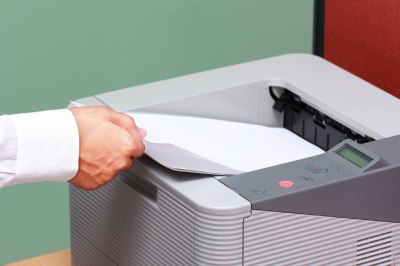
7) Save paper. Printing paper can be just as expensive as ink and you can save a lot of money by printing on both sides of each page. Most modern printers have an automatic option to do so, you just need to turn it on. Take a look at the printer manual to see how it is done. 8) Save room when printing presentations. If you are printing a PowerPoint presentation, you can put about 4 slides in a page and still read them with ease. This will save you both ink and paper. To do so, just look at the print menu on PowerPoint and change the settings to your liking. 9) Don't print the test paper. Many printers do a test printing when you turn them on with no real reason. Look at the printer manual to find out how to disable this and only use your ink and paper on what you really need. If you don't use your printer for a long time, the ink in the bottom of the cartridge can dry out and then the whole cartridge becomes useless. To prevent this just print out a single line of text once a week. I use the same sheet of paper for this every time, with each print just one line under the old one. 11) Wait before turning off your printer. After a print job is done, the cartridge is returned to a protected and closed part of the printer. If you force it to shut down before it can do that, you risk the ink drying up and maybe even leaking.
There is no bigger waste than printing something only to discover an error and then having to print it again. It is important to double-check spelling and page layout before you print a document to make sure you won't need to do it again.
|

These Shortcuts Make Using My PC SO Easy!
Shortcuts make life easier in many parts of life, and computing is no different. Here we'll show you how your keyboard can be used to speed things up.
This Free Program Means You'll Never Lose a File Again
We all hate losing files and photos on our computers. Luckily, a free program called Recuva exists to help you get your deleted files back.
The Only Guide You Need to Clean Your Computer
Computers collect dust and dirt, causing them to slow down and heat up. Here's how to clean them:
These Password Tips Will Ensure You're Safe from Hackers...
Cybercrime is increasing thanks to ever-improving technology. Therefore, it's very important that you have a strong password. These tips will ensure you do!
Become a Windows Computer Wiz by Using These 11 Tricks
These simple tips and tricks for using a Windows PC will help you use your computer and turn you into a Windows PC master!
Your Computer Mouse Can Do Much More Than You Think...
Knowing how to use your mouse can make computing so much easier than you ever realized. Here are some great tips on how to maximize the use of your mouse, which will increase your overall productivity on the computer.
How to Spot Fake Online Reviews: A Shopperโs Guide
Here are practical tips to help you spot fake Amazon reviews.
12 USEFUL Chrome Extensions That Save Time
Improve your browsing experience with these free Google Chrome extensions.
Thirsty For Knowledge? Check Out These YouTube Channels
If you love to learn new things with each passing day, then get ready to discover a gold mine full of educational tools!
23:04
ChatGPT: 30 Tips to Using and Working with the AI
In this video, weโre breaking down 30 practical tips to help you use ChatGPT more effectively
25:19
S26 Ultra vs 17 Pro Max: A 2026 Flagship Phone Matchup!
In 2026, the smartphone crown is a toss-up between two absolute titans: the Samsung Galaxy S26 Ultra and the iPhone 17 Pro Max.
2025's Online Threats Will Be More Sophisticated Than Ever
A look at the cyber scams that you need to be wary of this year.
3:28
Easy Tips for Connecting Your Laptop to an External Screen
Watch this helpful tutorial to learn how to connect your laptop to a monitor.
5 Best Antiviruses in 2025 for Both PC and Mac
Below, we highlight five popular antivirus solutions for Windows PCs and five for Macs, featuring a mix of free and paid options.
These Websites ONLY Share Positivity and Good Stories!
Say goodbye to negativity with these positive news platforms.
5:15
How to Find Out if Your Computer Has a Virus
In this video, I'll show you the most telling signs that your machine may be infected, walk you through how to remove threats effectively, and share the best antivirus solutions to keep you protected for good.
The 7 Backup Mistakes That Leave Your Files Vulnerable
Hereโs what most people get wrong about backups.
This Free Website Will Let You Play the Most Fun Mazes!
Do you love mazes and navigation challenges? Look no further than this fun site!
Gemini 3: An AI Upgrade or a Warning of Things to Come?
A new AI version hitting the market is always the most successful, most surprising, and always overshadows its predecessors in every comparison metric - until the next version arrives and surpasses it.
You Should Bookmark These Incredibly Useful Sites
Make sure that you bookmark these handy websites!
9 Useful Blogs Created Specifically For Senior Citizens
Hereโs a wonderful collection of blogs that seniors will find particularly helpful.
Making These Email Mistakes Comes Off As Rude or Annoying
When sending an email, the last thing you want is to come off as impolite or annoying. Here are 5 common email mistakes to avoid.
9:55
Windows 11: Super Helpful Tips and Tricks
Windows 11 has come a long way since its rocky launch, and if you haven't explored it lately, you're in for a surprise. ..
2:35
6 Simple Tips for Taking Screenshots on Windows
Taking screenshots on Windows is now super easy. Just note these tips.
5 Hidden Google Chrome Games (And a Bonus)
Tired of Backgammon online? Try Google Chrome's online in-browser collection of games for an easy-to-reach entertainment break. Tic-tac-toe, snake, and more!
5 Best Online Platforms for Couples' Counselling
We've researched the options and returned with the 5 best platforms for online couples' therapy.
10 Popular Tech Myths You Need To Stop Believing Now
Here we bust some popular and common myths about everyday tech that people still believe in.
How to Tell If a Virus Warning Is Real or Fake - 12 Tips
If you see a barrage of security alerts popping up on your computer, then it might be sign of a virus attack.
7 Tips to Follow When a Computer Hangs or Freezes
Take note of these steps that will help you unfreeze a computer that freezes or hangs regularly.
19:08
How to Solve the Top 30 Desktop Computer Issues
in this great and helpful video, we're touching on 30 common PC problems and how to prevent and fix them.
All You Need to Know About Your Computer
It's that age of computers, and we should all educate ourselves so we all save ourselves time and anxiety when using a computer, a tablet or a phone. This collection of posts will give you insight into many computer-related issues.
Itโs Almost a Crime Not to Use These Free Nifty Websites
Check out 15 really useful websites. They are completely free to use!
Your Easy Guide to OpenAI's Amazing Video and Photo Tools
OpenAI has created tools that anyone can use to make videos and photos, even if you're not a computer expert. Let me walk you through them step by step.
Simplify Finances With These Budget Apps for Families
Try these money mangement tools to simplify your finances in 2025
Fed Up With Spotify? Try These Alternatives for Free Music
Here are eight of the best platforms where you can listen to music online without spending a dime.
Looking for an Instagram Alternative? Try These Platforms
If youโre ready to explore beyond Instagram, here are eight great alternatives.
10 Warning Signs Youโre About to Fall for a Fake Ad
Thse are 10 red flags that should make you pause before clicking on a social media ad.
17:20
Discover a Feature of Windows That's Super Helpful
Learn how to use some advanced new features of Windows 10 that you probably weren't aware of.
Boost Your Brain With These 8 Brainy Mobile Games!
Weโve gathered 8 recommended games to keep your brain active, challenge your logical thinking, and help you pass the time enjoyably.
8 Mistakes That Shorten the Life of Your Electronics
Your gadgets and household electronics wonโt last long if you keep repeating these common mistakes.
1:56
No More Clutter! Free Up WhatsApp Storage in Minutes
Running out of storage on your phone because of WhatsApp? Try these hacks now.
15:24
15 Tech Hacks That Will Make Your Life Way Easier
These practical tips are designed to improve your daily tech experience.
Skype Is Shutting Down โ Try These Alternatives Now
With Skype officially retiring, here are some handy alternatives you should try.
Computer Guide: Comparing Skype and Microsoft Teams
This article will explain why Skype is going away, how Teams fills its shoes, and guide you through using Teams for your personal video calls, screen shares, and chats.
Don't Charge Your Phone Over 80%, Here's Why
There is truth to the no-overnight-charging rule, and there is also some science to back it up.
5:28
WhatsApp Privacy Settings You Must Change for Safety
Want to take control of your WhatsApp privacy? In this tutorial, I'll walk you through the essential settings that protect your personal information and give you complete control over who sees what.
Losing Important Emails? Hereโs How to Tidy Up Your Gmail
A helpful guide to setting up Gmail filters to prevent emails from getting lost or spam overflowing your inbox.
To enable your Ad-Free Subscription, please fill the fields below
Your subscription was successful, now you can enjoy an ad-free experience!! Note: To make sure you get no ads, please make sure to log in to your account. If you are logged in already, then refresh the page. The subscription can be cancelled at any time.