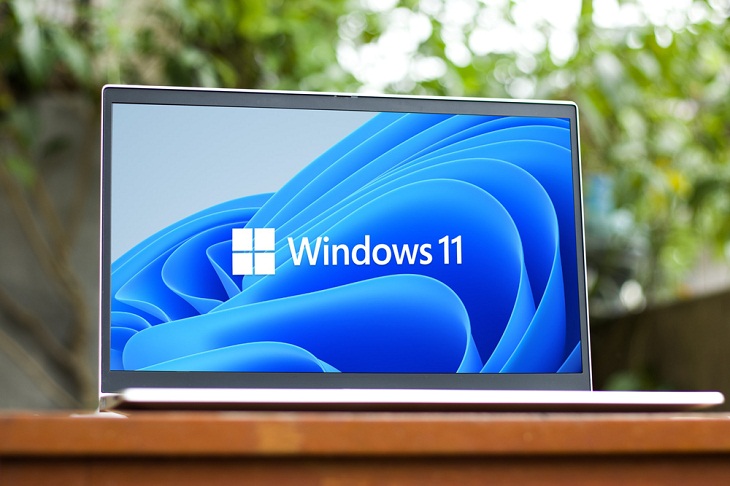
Keeping track of the ever-evolving Windows 11 feature set can be a challenge, given Microsoft's frequent feature releases and announcements. However, you're in luck because we've got you covered. Our guide brings together all the significant Windows 11 features that may have slipped under your radar but are essential for you to be well-informed about.
This year's first major update of Windows 11 introduced something almost revolutionary with the integration of Bing AI Chat. Microsoft opted to prominently feature this new search functionality within the Edge browser, ensuring it occupies a central position on the Windows 11 taskbar.
Microsoft's latest update has brought improvements to the Search bar on the Windows 11 taskbar. It's no longer just a button; now, you can initiate searches directly by typing in it, with the Search box opening as usual.
Simply click on the Bing button in the top right corner of the Edge browser to try it out. The chatbot guides users in their search for the correct answer by asking context-dependent, mainly precise questions and requesting clarification as needed.
Live subtitles are now a feature of Windows 11. This means that any audio content played on your computer, whether it's locally stored or streamed, audio-only or video, will receive automatic subtitles if recognized. To activate this feature, simply press Win-Ctrl-L, click "Download," and wait for the setup process to finish. Subtitles initially appear at the top of the screen, but you can customize their position using the cogwheel icon on the right. Additional language options and settings can also be adjusted here. Once configured, you can toggle subtitles on and off with the Win-Ctrl-L shortcut.
Related: How to Make Your Windows the Most Safe & Secure
Following extensive testing within the Windows 11 Insider versions, Microsoft has officially enabled the seconds display within the taskbar clock for all Windows 11 users. To activate this feature, navigate to your Windows settings, specifically under "Personalization -> Taskbar -> Taskbar behaviors." Simply select the checkbox labeled "Show seconds in the taskbar clock." However, it's worth noting that Microsoft advises users that this setting may result in increased power consumption.
Windows 11 has introduced an interesting change to Widgets, expanding the available space for user-configured apps. These Widgets will now span three columns instead of the previous two, ensuring a more personalized experience. Additionally, Microsoft has unveiled a Widgets picker, offering previews of chosen widgets and assistance in finding additional options.
For almost 30 years, the print key has been used for capturing the entire screen as a screenshot. However, with the new Windows 11 update, the Snipping Tool now starts with four selection options that make it much more versatile. With the mouse button pressed, you can select any section onscreen in Rectangular Mode, while Freehand Mode allows any shape to be selected.
Related: These Advanced Features Will Make You a Windows Expert
Furthermore, Window Mode lets you select a specific window to be screenshot. The Full Screen Mode still saves the entire screen, similar to how the Print key worked before. The complicated key combination Win-Shift-S for the Snipping Tool has been replaced by a much simpler approach. Users can now confidently utilize the Print key for a more streamlined and efficient experience.

5:13
Want Windows on Your Mac? It's Now Free!
Need to install Windows 10 on your Mac? It’s quite easy, actually.
4:21
Tech Tips: What to Do If Your Computer Mouse Isn't Working
Mouse stopped working suddenly? Try these tips and tricks.
Haven't Upgraded to Windows 10 Yet? Here's Why You Should
There's still much confusion about Windows 10, even some two years after it was released. Here's all you need to know about Microsoft's operating system.
10:56
Computer Tips: Clean Your Keyboard in Less Than 60 Mins
Is your computer keyboard an icky mess? Watch this guide to clean it at home with ease.

2:35
6 Simple Tips for Taking Screenshots on Windows
Taking screenshots on Windows is now super easy. Just note these tips.

Computer Guide: Windows 11 Shortcut Keys!
Learn the best shortcuts for Windows 11 using your keyboard. From taskbar to screenshots, learn it all.
5:23
Phone Security– The Fastest Way to Secure a Hacked Phone
This guide helps you in checking for hackers on your phone, removing them, and locking down your phone.
7 Safe Ways to Watch Movies & TV Shows Online Free in 2024
Free movie and TV show sites you need to know about in 2024.
Best ChatGPT Prompts for 2024
Let's explore some great prompts you can start with on your AI adventure, either for fun or for productivity or knowledge.
4:28
Update Now or Wait? Comparing iOS 17.7 and iOS 18
If you are wary of updating to iOS 18, watch this video.
Computer Guide: Comparing Skype and Microsoft Teams
This article will explain why Skype is going away, how Teams fills its shoes, and guide you through using Teams for your personal video calls, screen shares, and chats.
5 Things to Never Store on Your Smartphone
Stop using your smartphone as a master repository for saving all kinds of information. It may be dangerous...
12 USEFUL Chrome Extensions That Save Time
Improve your browsing experience with these free Google Chrome extensions.
How to Solve Windows 11's Most Annoying Errors
In this article, we’ll explain the frequent problems people run into on Windows 11 and walk through easy, no-fuss fixes.
Laptop Won't Power Up? Try These 11 Effective Solutions
Laptop not starting? Try these essential steps to troubleshoot it.
7 Tips to Follow When a Computer Hangs or Freezes
Take note of these steps that will help you unfreeze a computer that freezes or hangs regularly.
11:12
The Windows Recycle Bin Isn’t Just for Trash—Here’s Why
Did you know about these cool features of the Windows Recycle Bin?
7:31
How to Edit Your Photos Using 3 Different AI Services
If you shoot weddings, portraits, or anything high-volume, and you’ve wondered if AI can really speed things up without cutting corners, this is the no-nonsense breakdown you need.
Can’t Connect to the Internet? Here’s What To Do
Not being able to connect to the internet is one of the most pestering things. This is why it might be happening and easy solution to fix it.
Fed Up With Spotify? Try These Alternatives for Free Music
Here are eight of the best platforms where you can listen to music online without spending a dime.
11 Free AI Tools That Actually Help You Get Stuff Done
Have you tried any of these useful free AI apps?
9:43
Tired of Google Photos Storage Limits? Try These Solutions
Get more space in your Google Photos account with these useful hacks.
Busting 12 Password Myths to Safeguard Your Online Life
Don’t fall for these common password myths.
I Bet You Didn't Know You Could Do THIS on Google Maps
Here are all of the things you can do on Google Maps that you never knew you could.
Smishing 101: How to Recognize Scam Text Messages
This is how you recognize and handle fraudulent or scam text messages, also known as smashing.
Gboard Secrets: 7 Handy Features You're Not Using Yet
Make the most out of Gboard with these awesome tips and tricls.
USB Drives Can Do More Than You Think – 10 Hacks You Need
Let’s explore some of the most practical yet overlooked ways to use USB drives.
9:16
Unlock iOS 18 Early: Your Installation Guide
Follow this guide to install iOS 18 Beta on your device easily.
5:02
How to Transfer Data From Your Old iPhone to The New One
Got a new iPhone? Here's how you can move all your data from your old iPhone to the new one.
12:38
Skype is Dead: 9 Features of Microsoft Teams
These nine lesser-known tools are a must for any Microsoft Teams user.
9:42
Here's How to Make Your iPhone Run Like New Again - 9 Tips
Save space on your iPhone with these simple hacks.
Top 5 Apps for Checking on Your Pet’s Health
These apps were selected based on their functionality, user reviews, and relevance to health monitoring, as highlighted by pet care and technology sources.
14 Tips for Using the Computer More Easily
It’s very likely that in the following computer tips list you’ll find information that will surprise you!
2:35
6 Simple Tips for Taking Screenshots on Windows
Taking screenshots on Windows is now super easy. Just note these tips.
12 Amazing Internet Radio Stations to Spice Up Your Day!
Check out these 12 fantastic internet radio stations.
Skype Is Shutting Down – Try These Alternatives Now
With Skype officially retiring, here are some handy alternatives you should try.
Do This to Your Router to Increase Internet Speed
Want a faster and safer internet connection? Then do this to your router...
How to Identify an Online Scam Email
Phishing emails are a common way of stealing information, but you can avoid them if you follow these tips that'll help you identify them
Your Computer Mouse Can Do Much More Than You Think...
Knowing how to use your mouse can make computing so much easier than you ever realized. Here are some great tips on how to maximize the use of your mouse, which will increase your overall productivity on the computer.
5 Best Antiviruses in 2025 for Both PC and Mac
Below, we highlight five popular antivirus solutions for Windows PCs and five for Macs, featuring a mix of free and paid options.
Who Traces Your Emails? Learn How to Detect Email-Tracking
40% of emails are being tracked by somebody without people's consent or notification, which means you'd better learn how to protect your privacy...
Not Sure What to Watch Next? Try These 8 Helpful Sites
Not sure what to watch next? Try these helpful sites.
3:35
Want to Increase Your iPad Keyboard Size? Watch This Guide
Want to increase the size of your iPad? Watch this tutorial now…
How to Tell If a Virus Warning Is Real or Fake - 12 Tips
If you see a barrage of security alerts popping up on your computer, then it might be sign of a virus attack.
Don't Charge Your Phone Over 80%, Here's Why
There is truth to the no-overnight-charging rule, and there is also some science to back it up.
7 Clear Indicators Your Home Router Needs to Be Changed
Is your router in need of an upgrade? Watch out for these signs.
5 Best Online Platforms for Couples' Counselling
We've researched the options and returned with the 5 best platforms for online couples' therapy.
To enable your Ad-Free Subscription, please fill the fields below
Your subscription was successful, now you can enjoy an ad-free experience!! Note: To make sure you get no ads, please make sure to log in to your account. If you are logged in already, then refresh the page. The subscription can be cancelled at any time.