|
The internet is a big, often confusing, place. Hackers and scammers are abundant and getting more clever every day. These people take advantage of your lack of knowledge by “hijacking” you from your desired site and sending you into theirs, allowing them to do many illegal things, from a simple collection of data to credit and identity fraud. This easy guide will help you make sure the site you’re using is real and not a clever trap for the unwary surfer. |
|
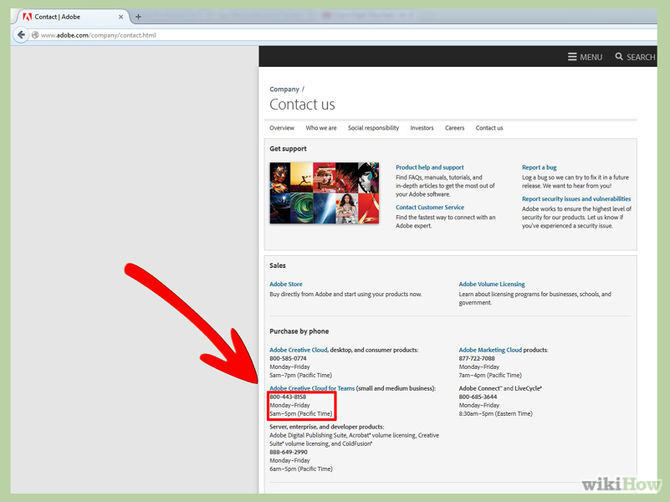
1. Contact the site: Find the site’s contact information and call, write or e-mail them. If you call them and get an automated reply, find out that the line’s disconnected or they don’t work during regular business hours, you can reasonably assume that the site may not be legit. |
![]() |
|
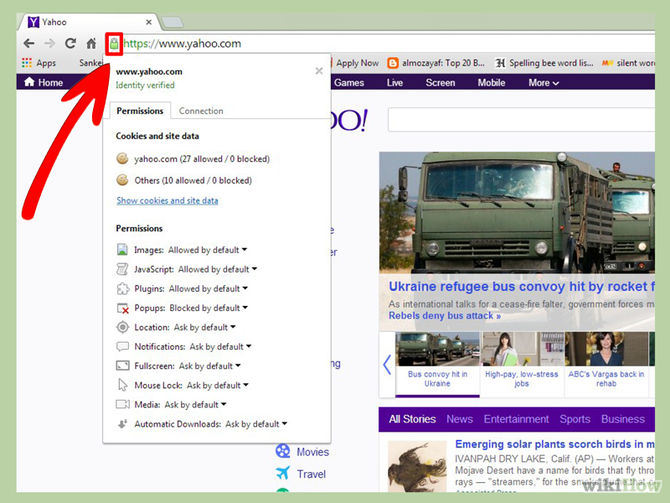
2. Is the site verified by Google? Look for the green lock sign by the address, click on it and you’ll see the site’s safety verification and identity verification. |
![]() |
|
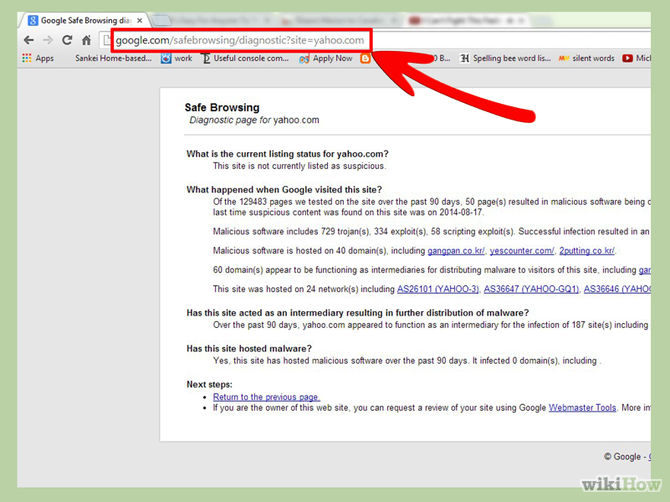
3. Check Google’s SafeBrowse report: If you can’t find the green lock, simply write ‘https://www.google.com/safebrowsing/diagnostic?site=’ and the site’s address after the “=” sign, and Google will check the site for you. |
![]() |
|
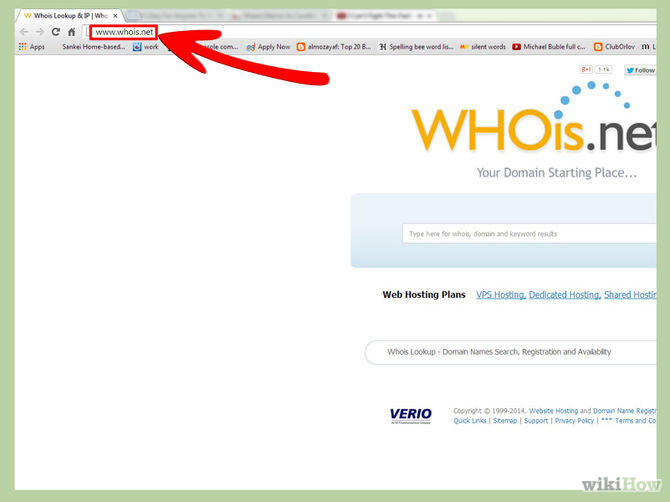
4. Use WHOis.com to verify the site: In the website, type the suspicious site’s address in the “Lookup” box and let them validate and asses the site. Look for where the site is located, it’s official contact information and how long has it been owned. (sites located in dubious countries or that have been owned for a short time may be unsafe) |
![]() |
|
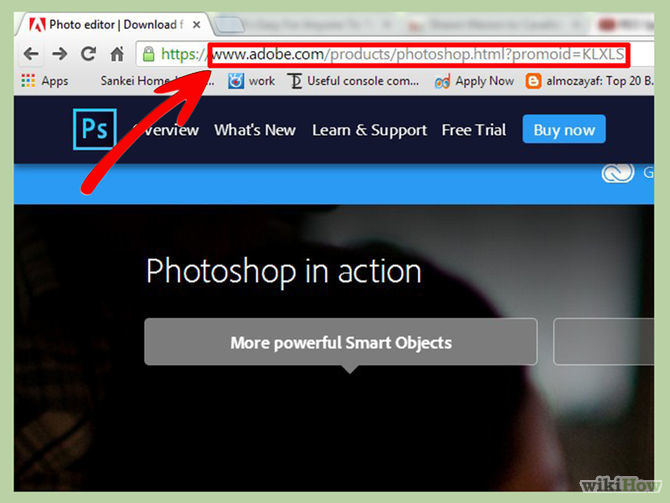
5. Check the site’s address: If you meant to go to “www.sitename.com” but the address now shows something completely different, there’s a good chance you were redirected and “hijacked” into another site, with a less-than-benevolent intent. |
![]() |
|
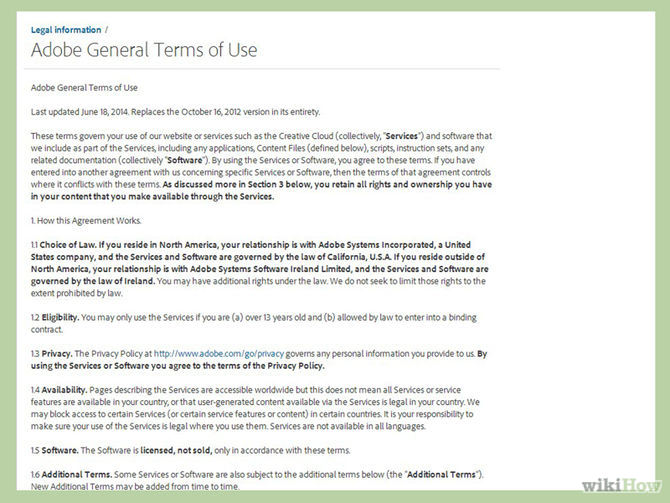
6. Read the terms and conditions: Before you decide to do business with a site, make sure you read the terms and conditions. If the conditions don’t make sense (for example: the site doesn’t commit to send you the desired merchandise or that they say they can share your information with a 3rd–party) – reconsider giving them your business. |
![]() |
|
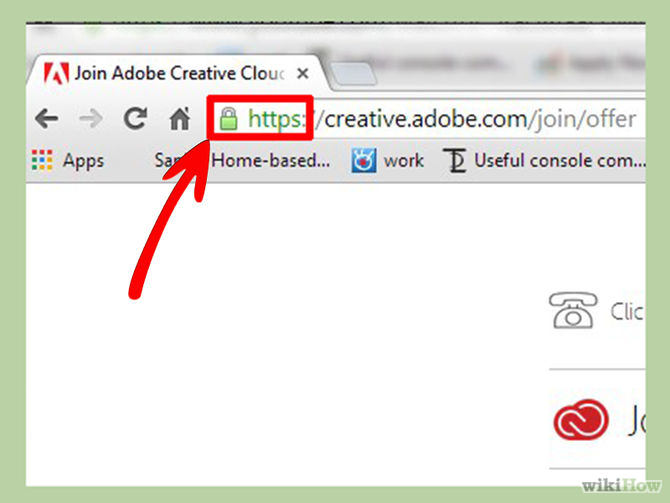
7. Is the site’s payment system secure?: So far, everything seems legit, and you're at the payment page. Check that the site is secure and uses SSL (Secure Socket Layer) encryption before typing in any sensitive information like credit card numbers, etc. (A good indicator is if the address starts with “https” and not “http”) |
![]() |
|
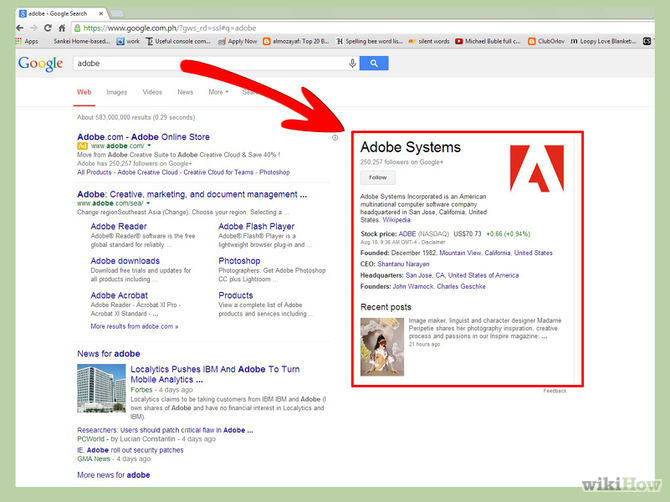
8. Search the company on major search-engines: See if they’re mentioned anywhere else, look for reviews about the company via multiple sources. Even if the site passed all the previous tests, it’s worth to see if other people have had any kind of negative interaction with it and what the customer feedback looks like. |
![]() |
| Source: WikiHow.com |

Learn the Basics of Using a Computer With These Guides!
Windows computers are the most commonly used throughout the world. Fear is the primary obstacle in seniors towards using them. Here are 7 basic video tutorials.
Guide to Chat GPT: What It Is and How to Use It
This beginner's guide to Chat GPT will help you take your first steps in using this helpful chatbot.
Make ListenOnRepeat Your New Music Hub With This Guide
This guide will teach you how to use this great new music site entitled ListenOnRepeat. Keep track of your favorite artists and trending music all in one place.
12 New Things You Can Learn For Free From YouTube
Looking to learn something new? Learn some useful new skills with YouTube.
6 Reliable Ways to Save YouTube Videos in 2024
Want to download your favorite YouTube videos for offline viewing? Read this now!
This Collection of Baking Charts is a Terrific Resource
Baking doesn't have to be difficult or complicated - all you need to do is follow the 8 fantastic charts that we've compiled in this post.
10 Warning Signs You’re About to Fall for a Fake Ad
Thse are 10 red flags that should make you pause before clicking on a social media ad.
11 Free AI Tools That Actually Help You Get Stuff Done
Have you tried any of these useful free AI apps?
Turn Off These 9 Android Settings. They Pose a Risk
Here are some Android settings that you should consider turning off to enhance your device’s performance.
12:38
Skype is Dead: 9 Features of Microsoft Teams
These nine lesser-known tools are a must for any Microsoft Teams user.
Computer Tips: All You Can Do With the CTRL/Control Key!
The control key has more uses than just copying and pasting. These are the 20 more useful keyboard shortcuts you can do with the control key.
11:12
The Windows Recycle Bin Isn’t Just for Trash—Here’s Why
Did you know about these cool features of the Windows Recycle Bin?
3:32
The Easy Way to Clean Your Computer's Keyboard
Cleaning a dirty keyboard is quite a straightforward task, as you're about to find out.
5:02
How to Transfer Data From Your Old iPhone to The New One
Got a new iPhone? Here's how you can move all your data from your old iPhone to the new one.
12:58
25 iPhone Tips and Tricks Everyone Should Know
If you've never tried these before, prepare to be amazed by what your phone can actually do. Let's get started!
Forget Chrome—Zen Browser Is the Upgrade You Need
If you’re tired of slow load times, constant battery drain, or a cluttered interface, Zen might be the browser you’ve been waiting for.
Guide: How to Sign a PDF Without Printing it First
This guide will teach you how to sign PDF files digitally without having to print them.
How to Tell If a Virus Warning Is Real or Fake - 12 Tips
If you see a barrage of security alerts popping up on your computer, then it might be sign of a virus attack.
23:04
ChatGPT: 30 Tips to Using and Working with the AI
In this video, we’re breaking down 30 practical tips to help you use ChatGPT more effectively
12 Amazing Internet Radio Stations to Spice Up Your Day!
Check out these 12 fantastic internet radio stations.
15:16
Get Smarter: How Do Hard Drives Work?
How do hard drives built and how do they work? All is explained in this video.
Thirsty For Knowledge? Check Out These YouTube Channels
If you love to learn new things with each passing day, then get ready to discover a gold mine full of educational tools!
Privacy Settings You Should Change in Chrome Right Now
These Chrome settings should always be disabled.
7 Websites With Free Useful Apps for Your Computer
we've gathered 7 recommended repositories where you can find almost any software you might need for Windows – and at no cost!
This Free Website Will Let You Play the Most Fun Mazes!
Do you love mazes and navigation challenges? Look no further than this fun site!
2:35
6 Simple Tips for Taking Screenshots on Windows
Taking screenshots on Windows is now super easy. Just note these tips.
Computer Guide: How to Clear Space on Your Google Account
How to easily free up storage space on your Google Drive without paying for more storage.
Fed Up With Spotify? Try These Alternatives for Free Music
Here are eight of the best platforms where you can listen to music online without spending a dime.
5:23
Phone Security– The Fastest Way to Secure a Hacked Phone
This guide helps you in checking for hackers on your phone, removing them, and locking down your phone.
14 Tips for Using the Computer More Easily
It’s very likely that in the following computer tips list you’ll find information that will surprise you!
There's a keyboard Shortcut for Nearly Everything Here!
These shortcuts will cut down the time you waste fiddling about on the computer, and make you into something of an expert.
If You Do This, Then You Could Be Damaging Your Phone...
Many people end up damaging their phones without even realizing that they are doing so, and here are 9 of the most common ways this happens.
Laptop Won't Power Up? Try These 11 Effective Solutions
Laptop not starting? Try these essential steps to troubleshoot it.
10 Free Ancestry Sites for Tracing Your Family History
Here are 10 of the best free ancestry sites that can help you uncover your family’s story.
7 UNDISCOVERED Apps That are NOT on the Google Play Store!
I can’t believe I never knew about these handy Android apps.
3:28
Easy Tips for Connecting Your Laptop to an External Screen
Watch this helpful tutorial to learn how to connect your laptop to a monitor.
This One Computer Key Is Used for a Myriad of Shortcuts!
The 'Win' key is usally thought to only bring up the start menu. It actually does a whole lot more. Get a load of these dozens of shortcuts!
Secure Your Data: 5 Must-Have Privacy Apps
A look at five apps that help you take back control of your digital footprint, including their strengths, trade-offs, and where to download them safely.
You Didn’t Realize it, But AI Is Making Your Life Better!
Here are thirteen unique ways AI can simplify daily life.
7 Clear Indicators Your Home Router Needs to Be Changed
Is your router in need of an upgrade? Watch out for these signs.
3:35
Want to Increase Your iPad Keyboard Size? Watch This Guide
Want to increase the size of your iPad? Watch this tutorial now…
4:08
Guide: Download All Google Photos in a Few Clicks!
Want to download all your Google your photos and videos in a few clicks? Watch this…
9 Useful Blogs Created Specifically For Senior Citizens
Here’s a wonderful collection of blogs that seniors will find particularly helpful.
Losing Important Emails? Here’s How to Tidy Up Your Gmail
A helpful guide to setting up Gmail filters to prevent emails from getting lost or spam overflowing your inbox.
9 Lesser Known Free Websites for Learning in 2025
A list of 9 great free learning websites that cover a variety of subjects, from coding and science to business and language learning.
Why Fake Info is Best for These 6 Types of Sites
Always avoid giving your real information on these kinds of websites.
These Websites ONLY Share Positivity and Good Stories!
Say goodbye to negativity with these positive news platforms.
To enable your Ad-Free Subscription, please fill the fields below
Your subscription was successful, now you can enjoy an ad-free experience!! Note: To make sure you get no ads, please make sure to log in to your account. If you are logged in already, then refresh the page. The subscription can be cancelled at any time.