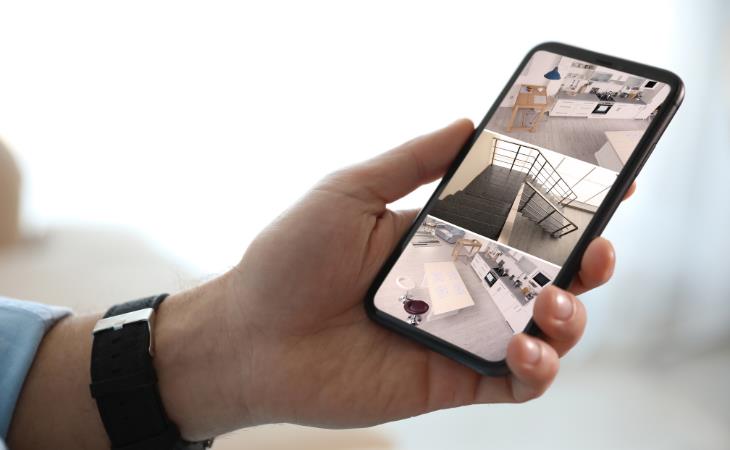
Repurpose your old phone into a home security camera by installing a security camera app on both your old and current devices, such as AlfredCamera, Wyze, or AtHome Camera. Mount the old phone in the chosen spot, and make sure it has access to power. A basic suction cup mount, typically used in cars, works well for this purpose. Once set up, simply log in to your current smartphone to view the live feed from the old device.
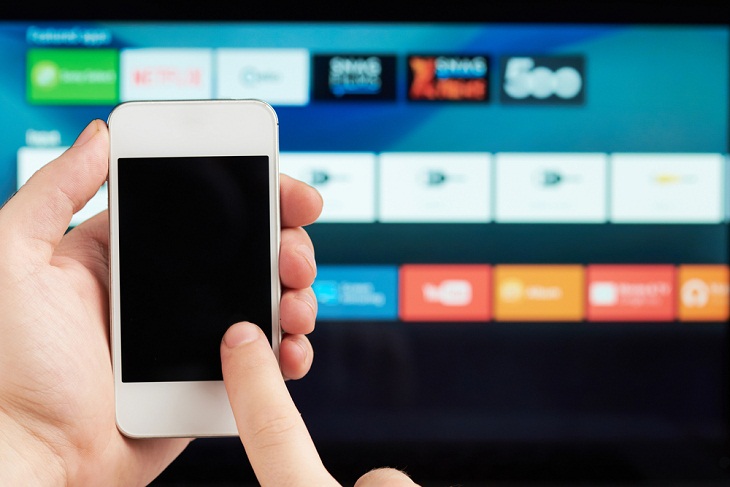
The remote control that comes with your media streaming device is often tiny and prone to getting misplaced. Whether you own an Apple TV, Chromecast, Fire TV Stick, or Roku, losing the remote is a common frustration. Instead of buying a replacement, consider using your smartphone. Any smartphone equipped with infrared (IR) technology can be repurposed as a media remote with the right app. These apps are widely available for both iPhone and Android devices. Using your phone as a remote allows you to consolidate multiple controls into a single, user-friendly touchscreen interface, and eliminates the need for multiple remote controls in your household. Just remember to recharge your phone every few days!
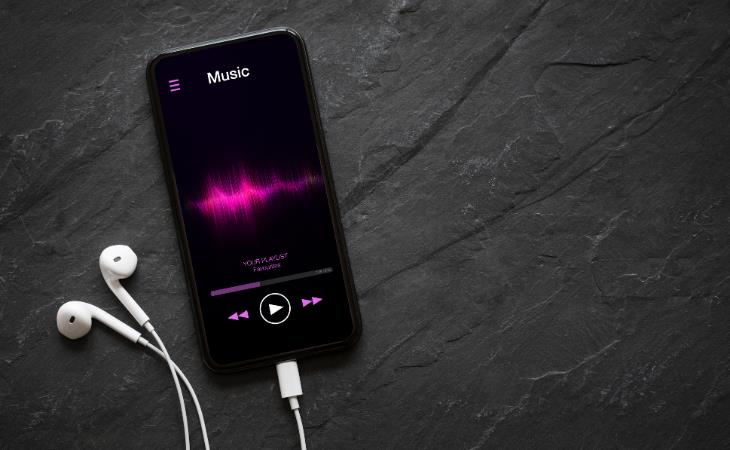
Music lovers can repurpose their old phones into dedicated music players for a better listening experience. Load your old smartphone with your favorite tracks and connect it to high-quality speakers to enjoy your music collection in style. You can also use apps like Spotify, Pandora, or YouTube Music to access a vast array of songs online. If you want to save money, use your old phone as a jukebox by connecting it to a TV or projector and controlling playback directly from your smartphone.
Related: 5 Things to Never Store on Your Smartphone
If you don't have a webcam for your desktop computer or are experiencing problems with the one on your laptop, an old smartphone might be a useful option. Use free software like DroidCam and EpocCam to turn your phone into a camera that works with your PC. Just download and install the app on both devices, then link the two.

You can easily convert your old phone into an alarm clock. All you have to do is set an alarm using the Clock app on your iPhone or Android device, or download an alarm clock app via Wi-Fi. Then, place your phone on a stand, connect it to power, and you're all set. An added benefit of using an old phone as an alarm clock is that you can keep your main phone away from the bedside table, which helps you reduce screen time before bed.

If you have an old smartphone that you no longer use, you can repurpose it as a backup storage device to store your files, photos, and documents. Firstly, ensure that you wipe the phone clean of any personal data. Then, connect it to your computer and transfer your files to its storage. You can use cloud storage apps or file manager apps to organize and access your data. You can also get a microSD card to store all your photos, videos, and files. Remember to keep the device charged and periodically back up its contents to prevent data loss. This way, your old phone can serve as an efficient backup solution.
Related: This Smartphone Hack Will Be Handy in an Emergency

4:08
Guide: Download All Google Photos in a Few Clicks!
Want to download all your Google your photos and videos in a few clicks? Watch this…
8 Genius Ways to Save Your Phone’s Battery While Traveling
Save your phone battery while traveling with these smart tips.
5:01
The Truth About Folding Phones You Need to Know
Don’t buy a foldable without knowing this first.
Selling Your Phone? Do These 9 Things First for Max Value
Here’s what you need to know before putting your phone up for sale.
Guide: How to Unlock Your Phone Without a Passcode
Forgot your phone passcode? Don't panic.Just follow these steps.
16:23
Get the Most Out of Google Photos With These Tips
These useful tips and tricks will help you get more out of Google Photos.
Make Google Maps Better with These Handy Tools
These add-ons make Google Maps so much better!
7 Tips to Follow When a Computer Hangs or Freezes
Take note of these steps that will help you unfreeze a computer that freezes or hangs regularly.
Exploring the Web Beyond Google: 7 Handy Alternatives
Try some of these non-conventional search engines that you didn't know existed.
Computer Tips: All You Can Do With the CTRL/Control Key!
The control key has more uses than just copying and pasting. These are the 20 more useful keyboard shortcuts you can do with the control key.
9:42
Here's How to Make Your iPhone Run Like New Again - 9 Tips
Save space on your iPhone with these simple hacks.
5 Awesome Google Chrome Settings You Aren’t Using
Google Chrome’s advanced settings have many useful features that will make your browsing experience so much better.
5 Best Antiviruses in 2025 for Both PC and Mac
Below, we highlight five popular antivirus solutions for Windows PCs and five for Macs, featuring a mix of free and paid options.
ChatGPT's Got Competition: 7 Exciting AI Contenders
Looking for a ChatGPT alternative? Here are a few good ones.
0:48
WhatsApp Hack: Read Messages Without Showing Blue Ticks
Learn how to read WhatsApp messages without showing blue ticks in this video.
Gboard Secrets: 7 Handy Features You're Not Using Yet
Make the most out of Gboard with these awesome tips and tricls.
The Most Reliable Cloud Storage Services for 2025
Here’s a closer look at some of the best cloud storage services to consider in 2025.
How to Identify an Online Scam Email
Phishing emails are a common way of stealing information, but you can avoid them if you follow these tips that'll help you identify them
6 Reliable Ways to Save YouTube Videos in 2024
Want to download your favorite YouTube videos for offline viewing? Read this now!
10 Practical Smartphone Tips and Features Few People Know
These practical tips and clever uses of smartphones will help you start using your phone at its full potential!
Privacy Settings You Should Change in Chrome Right Now

These Chrome settings should always be disabled.
Looking for an Instagram Alternative? Try These Platforms

If you’re ready to explore beyond Instagram, here are eight great alternatives.
Laptop Won't Power Up? Try These 11 Effective Solutions
Laptop not starting? Try these essential steps to troubleshoot it.
Not Sure What to Watch Next? Try These 8 Helpful Sites
Not sure what to watch next? Try these helpful sites.
5 Things to Never Store on Your Smartphone
Stop using your smartphone as a master repository for saving all kinds of information. It may be dangerous...
9:43
Tired of Google Photos Storage Limits? Try These Solutions
Get more space in your Google Photos account with these useful hacks.
Skype Is Shutting Down – Try These Alternatives Now
With Skype officially retiring, here are some handy alternatives you should try.
These 10 Keyboard Shortcuts Will Make Life Easy!
These keyboard shortcuts will help you learn the easiest ways to use your computer when your mouse is being less than cooperative!
Can’t Connect to the Internet? Here’s What To Do
Not being able to connect to the internet is one of the most pestering things. This is why it might be happening and easy solution to fix it.
How to Download Free Windows Software Securely – 7 Tools
Here’s how you can download free Windows software safely and securely.
The Most Amazing Websites for Learning Languages for Free
Learn any language for free with these amazing websites!
7:38
Most People Don’t Know About These Google Maps Features
Google Maps has a ton of new features that most people don’t know about.
These Websites ONLY Share Positivity and Good Stories!
Say goodbye to negativity with these positive news platforms.
15:16
Get Smarter: How Do Hard Drives Work?
How do hard drives built and how do they work? All is explained in this video.
2025's Online Threats Will Be More Sophisticated Than Ever
A look at the cyber scams that you need to be wary of this year.
Stop Paying For Software: 8 Free Productivity Options
Here are eight free open-source alternatives that can take the place of paid productivity apps without sacrificing quality or functionality.
This Free Website Will Let You Play the Most Fun Mazes!
Do you love mazes and navigation challenges? Look no further than this fun site!
5 Hidden Google Chrome Games (And a Bonus)
Tired of Backgammon online? Try Google Chrome's online in-browser collection of games for an easy-to-reach entertainment break. Tic-tac-toe, snake, and more!
Here’s Where You Can Watch Classic Movies for Free!
Want to watch free classic movies? Check out these sites and apps.
Boost Your Brain With These 8 Brainy Mobile Games!
We’ve gathered 8 recommended games to keep your brain active, challenge your logical thinking, and help you pass the time enjoyably.
Making These Email Mistakes Comes Off As Rude or Annoying
When sending an email, the last thing you want is to come off as impolite or annoying. Here are 5 common email mistakes to avoid.
2:35
6 Simple Tips for Taking Screenshots on Windows
Taking screenshots on Windows is now super easy. Just note these tips.
Learn Any New Language with These Awesome Apps!
Learn new languages faster with these AI-powered apps.
Firefox Just Got Better: 10 Handy Extensions You’ll Love
With the right add-ons, Firefox can become an indispensable browser that you'll rely on every day.
3:28
Easy Tips for Connecting Your Laptop to an External Screen
Watch this helpful tutorial to learn how to connect your laptop to a monitor.
9 Useful Blogs Created Specifically For Senior Citizens
Here’s a wonderful collection of blogs that seniors will find particularly helpful.
4:28
Update Now or Wait? Comparing iOS 17.7 and iOS 18
If you are wary of updating to iOS 18, watch this video.
To enable your Ad-Free Subscription, please fill the fields below
Your subscription was successful, now you can enjoy an ad-free experience!! Note: To make sure you get no ads, please make sure to log in to your account. If you are logged in already, then refresh the page. The subscription can be cancelled at any time.