We’d all like to think we would recognize a scam when presented with one, and yet as digital communication has evolved, so has the sophistication of all kinds of scammers. We have shared tips in the past in how to spot and avoid suspicious phone calls and phishing e-mails, and this time, we’d like to talk about text message scams, also known as ‘smishing’.
Smishing can be effective due to the personal nature of text messages - after all, your inbox is reserved mainly for close friends, family, and businesses that received your consent for such communication. Like most scams, the goal is to obtain your personal information through fraudulent means and get access to your bank account. These are the biggest warning signs for a smishing text, and how to avoid them.

Legitimate marketing text messages are usually sent from a 6-digit shortcode, a text-enabled, 10-digit toll-free number, or a business’s existing ten-digit landline. If the text you receive is from an unidentified 11-digit number, the odds are high it is a scam.
Even if the sender identities as your bank, insurance agency, or any other reliable source, you should look at the number the text was sent from for verification.

This is one of the most common text scams and it also happens to be one of the simplest. The recipient will be notified in a text message that they’ve won a raffle, giveaway, or something of that nature. There are usually a few steps to claim the “prize”, like clicking on a provided link and entering personal details.
If you haven’t entered any specific contest or giveaway, you should ignore the text and delete it. Do NOT click on the link. In case you’re not sure if you did, reach out to the brand holding the giveaway on their verified website or social media pages to double-check before clicking on the link or sharing any personal details.

Another common text scam is the refund scam, claiming there is money owed to you. These texts usually claim they are from a government agency or a monthly billing program, saying you have been “overcharged” and deserve a refund. Oftentimes they will include a link to a screen where you can share your direct deposit information so the charge can be reversed. Once again, do not click on it. Once they secure your routing number, they can access your account and steal from you.
Know that government agencies do not perform transactions through text messaging. So messages claiming to be from such sources are a definite scam.

This, too, is a common trick and can be a very frightening one. In a family emergency scam, you will receive a message saying something along the lines of “Your family member who lives in X (or is traveling in X) has run into some trouble and a money transfer is the only way to help them". Often, the scammers will claim that trying to contact that family member will cause them harm.
Because these texts are so alarming they tend to work. But before you panic and do anything rash, reach out to a trusted family member to verify the scammer’s story, even if they say to keep it a secret. In case the scammer claims they are the family member themselves, texting from a new pre-paid phone, you can try to ask them questions a stranger wouldn’t know the answer to. If you’re in doubt you could always call 1-877-FTC-HELP for advice.
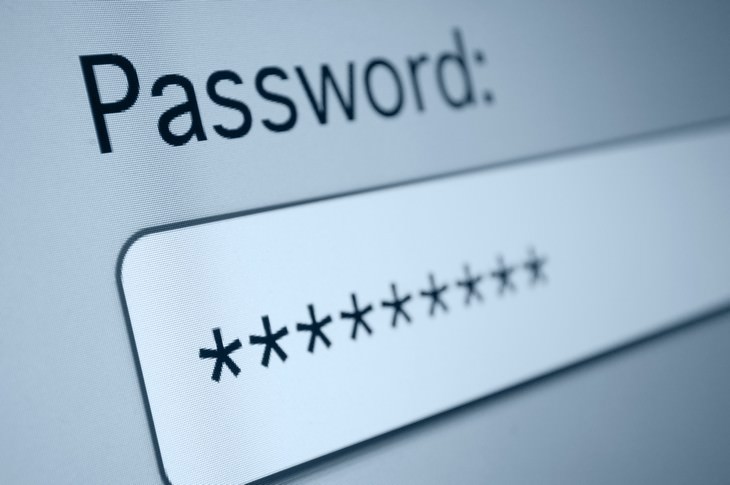
These scams look innocent on the surface and are similar to common phishing emails. The text will say that a password to your email or some app has expired, used on another device, or hacked and that your account was deactivated for your protection.
In the case of these messages simply delete them. Do not reply nor share any of your passwords. Simply check the account in question. When you see that it’s not deactivated, you’ll have your answer.
Pass on this important information by sharing this article with friends and family

8 Exercises To Take OFF Your Fitness Routine
Fitness experts strongly advise to skip these unnecessary exercises to avoid injuries and save time
Why Sitting Down is Slowly Putting Your Health at Risk
Some facts everyone should know about sitting.
These Houseplants Are Dangerous For You and Your Pets!
Some houseplants look beautiful but could pose a danger for small children and pets alike. Find out about 9 common poisonous houseplants.
4:19
15 Gas Station Foods You Should Avoid At All Costs
Nothing ruins a trip like food poisoning. Here are 15 foods to never buy at a gas station.
Shocking! How Thieves Steal Card Details at the ATM
Take note of some of the most common ways thieves will try to steal your credit card details.
How To Tell If a Mattress Contains Toxic Chemicals
Warning: toxic chemicals may lurking where you least want them - your bed! Find out how to tell whether a mattress contains toxic chemicals in this article.
Privacy Settings You Should Change in Chrome Right Now
These Chrome settings should always be disabled.
This One Computer Key Is Used for a Myriad of Shortcuts!
The 'Win' key is usally thought to only bring up the start menu. It actually does a whole lot more. Get a load of these dozens of shortcuts!
2:09
Guide: Download Netflix Videos on Any Laptop & PC
Want to watch your favorite Netflix content offline? This easy guide has you covered.
7 Clear Indicators Your Home Router Needs to Be Changed
Is your router in need of an upgrade? Watch out for these signs.
3:35
Want to Increase Your iPad Keyboard Size? Watch This Guide
Want to increase the size of your iPad? Watch this tutorial now…
Computer Guide: How to Clear Space on Your Google Account
How to easily free up storage space on your Google Drive without paying for more storage.

How to Spot Fake Online Reviews: A Shopper’s Guide
Here are practical tips to help you spot fake Amazon reviews.
What To Do When Windows Will NOT Boot
There's nothing more frustrating than your computer refusing to boot. Here is what you can do to fix it when the system won't even initialize.
Why Fake Info is Best for These 6 Types of Sites
Always avoid giving your real information on these kinds of websites.
11 Free AI Tools That Actually Help You Get Stuff Done

Have you tried any of these useful free AI apps?

7 Websites With Free Useful Apps for Your Computer
we've gathered 7 recommended repositories where you can find almost any software you might need for Windows – and at no cost!
9:43
Tired of Google Photos Storage Limits? Try These Solutions
Get more space in your Google Photos account with these useful hacks.
2:35
6 Simple Tips for Taking Screenshots on Windows
Taking screenshots on Windows is now super easy. Just note these tips.
Guide: How to Unlock Your Phone Without a Passcode
Forgot your phone passcode? Don't panic.Just follow these steps.
If You Aren’t Doing these Things, Your PC WILL Wear Out...
All the basics of computer maintenance.
7 Tips to Follow When a Computer Hangs or Freezes
Take note of these steps that will help you unfreeze a computer that freezes or hangs regularly.
5 Things to Never Store on Your Smartphone
Stop using your smartphone as a master repository for saving all kinds of information. It may be dangerous...
Skype Is Shutting Down – Try These Alternatives Now
With Skype officially retiring, here are some handy alternatives you should try.
Stop Paying For Software: 8 Free Productivity Options
Here are eight free open-source alternatives that can take the place of paid productivity apps without sacrificing quality or functionality.
Can’t Connect to the Internet? Here’s What To Do
Not being able to connect to the internet is one of the most pestering things. This is why it might be happening and easy solution to fix it.
Losing Important Emails? Here’s How to Tidy Up Your Gmail
A helpful guide to setting up Gmail filters to prevent emails from getting lost or spam overflowing your inbox.
The Most Amazing Websites for Learning Languages for Free
Learn any language for free with these amazing websites!
7 UNDISCOVERED Apps That are NOT on the Google Play Store!
I can’t believe I never knew about these handy Android apps.
What Causes Laptop Batteries to Bulge Over Time?
These early warning signs can save your laptop's battery and prevent potentially dangerous situations.
5 Hidden Google Chrome Games (And a Bonus)
Tired of Backgammon online? Try Google Chrome's online in-browser collection of games for an easy-to-reach entertainment break. Tic-tac-toe, snake, and more!
Turn Off These 9 Android Settings. They Pose a Risk
Here are some Android settings that you should consider turning off to enhance your device’s performance.
Did You Know These Cell Phone Facts Are All Totally False?
People just love to give you advice about smart phones, but it turns out that a lot of this information is false. Never believe these 9 smart phone myths.
This Free Website Will Let You Play the Most Fun Mazes!
Do you love mazes and navigation challenges? Look no further than this fun site!
USB Drives Can Do More Than You Think – 10 Hacks You Need
Let’s explore some of the most practical yet overlooked ways to use USB drives.
12:58
25 iPhone Tips and Tricks Everyone Should Know
If you've never tried these before, prepare to be amazed by what your phone can actually do. Let's get started!
5 Awesome Google Chrome Settings You Aren’t Using
Google Chrome’s advanced settings have many useful features that will make your browsing experience so much better.
Guide: How to Sign a PDF Without Printing it First
This guide will teach you how to sign PDF files digitally without having to print them.
We Found These Awesome Sites for Reading Short Stories!
These are the best places to read short stories online.
4:28
Update Now or Wait? Comparing iOS 17.7 and iOS 18
If you are wary of updating to iOS 18, watch this video.
Do This to Your Router to Increase Internet Speed
Want a faster and safer internet connection? Then do this to your router...
0:48
WhatsApp Hack: Read Messages Without Showing Blue Ticks
Learn how to read WhatsApp messages without showing blue ticks in this video.
12 USEFUL Chrome Extensions That Save Time
Improve your browsing experience with these free Google Chrome extensions.
Surround Yourself With the Forest Sounds of the World
Ready to be surrounded by the music of the world’s forests and experience the restorative properties of being in nature?
These Apps Make Every Photo Look Amazing!
No satisfied with your smartphone photos? Try these super apps today!
If You Do This, Then You Could Be Damaging Your Phone...
Many people end up damaging their phones without even realizing that they are doing so, and here are 9 of the most common ways this happens.
43:39
AI News: What's Going On With AI This Week?
This week's AI news covers major releases and impressive demos.
To enable your Ad-Free Subscription, please fill the fields below
Your subscription was successful, now you can enjoy an ad-free experience!! Note: To make sure you get no ads, please make sure to log in to your account. If you are logged in already, then refresh the page. The subscription can be cancelled at any time.