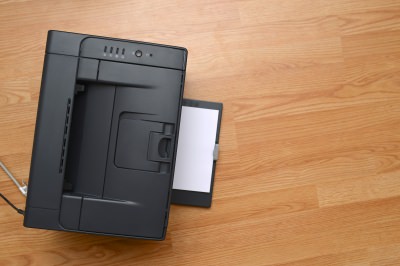
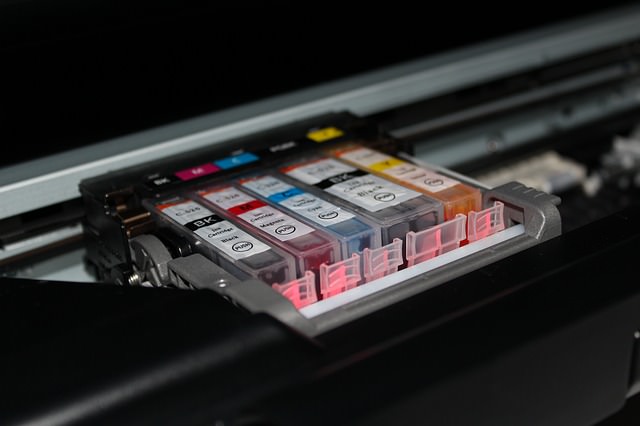
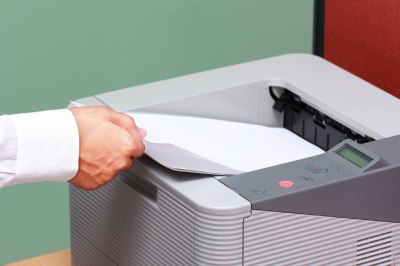
| It's a well-known joke in my family that we used to spend more money on ink cartridges than we did on the actual printer we got some time ago. The sad truth is that these little boxes cost a lot of money and tend to run dry faster than you expect. But I have learned over the years that this isn't how things have to be. By following these tips on the right way to use your printer you can save a lot of ink and money by using your printer in a smart way.
1) Be careful of cheap printers. There are a lot of cheap printers on the market today, from both known brands and knock-offs. It's important to be careful when buying them as the companies selling them might be looking to make their profit off of the ink cartridges rather than the printer itself. When buying a printer you should always look at the prices of the ink cartridges and their "life-span".
2) Use the right font. A few years ago, several American students shocked the world by showing that if their government switched to a thinner font, it could save about 400 million dollars a year. While you won't be able to save that kind of money yourself, using a simple and thin font (like Garamond) can improve your ink usage by about 20%. 3) Use the low-quality setting. Unless you are printing photos or really small items, there is no need to print in the higher printer settings. You can change this in the print setting after you send a document to the printer, usually under "print properties" or something similar. And unless you really have to use color, printing in black and white is recommended.
4) Use recycled cartridges. Many shops today offer none-original ink in recycled packs, while some even offer refills if you bring your own empty cartridges. Printer companies claim this might harm your printer, but there is no clear evidence to support that. 5) Try using a refill kit at home. Some ink cartridges can be refilled with a simple kit you can use at home and it's often very cheap to buy at stores. The big downside of this is the potential mess it might create and the work you will need to do each time you use it. However, if these things don't bother you, it's a pretty cheap way to do things. 6) Keep printing. Just like your car tells you it is out of gas even before the tank is empty, your printer will tell you it is out of ink even when there is still some left. This means that you can keep on printing, even with a low ink warning. It just means the writing might be a little grayer. It might also help if you just take out the cartridge and put it back in.
7) Save paper. Printing paper can be just as expensive as ink and you can save a lot of money by printing on both sides of each page. Most modern printers have an automatic option to do so, you just need to turn it on. Take a look at the printer manual to see how it is done. 8) Save room when printing presentations. If you are printing a PowerPoint presentation, you can put about 4 slides in a page and still read them with ease. This will save you both ink and paper. To do so, just look at the print menu on PowerPoint and change the settings to your liking. 9) Don't print the test paper. Many printers do a test printing when you turn them on with no real reason. Look at the printer manual to find out how to disable this and only use your ink and paper on what you really need. If you don't use your printer for a long time, the ink in the bottom of the cartridge can dry out and then the whole cartridge becomes useless. To prevent this just print out a single line of text once a week. I use the same sheet of paper for this every time, with each print just one line under the old one. 11) Wait before turning off your printer. After a print job is done, the cartridge is returned to a protected and closed part of the printer. If you force it to shut down before it can do that, you risk the ink drying up and maybe even leaking.
There is no bigger waste than printing something only to discover an error and then having to print it again. It is important to double-check spelling and page layout before you print a document to make sure you won't need to do it again.
|

You Can Use Google for a Lot More Than Just Searching…
Google is an extremely popular search engine that most of us use in order to find information and sites around the internet. I learned some really fun and useful things you can do with Google that I would like to share with you.
These Password Tips Will Ensure You're Safe from Hackers...
Cybercrime is increasing thanks to ever-improving technology. Therefore, it's very important that you have a strong password. These tips will ensure you do!
Take Superb iPhone Photos Every Time - a Beginner's Guide
11 beginner-friendly tricks that will allow you to take professional photos on your iPhone.
There's a keyboard Shortcut for Nearly Everything Here!
These shortcuts will cut down the time you waste fiddling about on the computer, and make you into something of an expert.
Your Computer Mouse Can Do Much More Than You Think...
Knowing how to use your mouse can make computing so much easier than you ever realized. Here are some great tips on how to maximize the use of your mouse, which will increase your overall productivity on the computer.
Use Google Like a Pro With These Neat Hints and Tips
You can do so much more with Google than just hitting search. Make your life easier by employing some advanced knowledge in your next search.
2:19
Google Presents Genie: A New Way to Create Interactions
This is Project Genie. Where imagination meets interaction, and every prompt opens a new frontier in AI research.
10 Free Ancestry Sites for Tracing Your Family History
Here are 10 of the best free ancestry sites that can help you uncover your family’s story.
2:35
6 Simple Tips for Taking Screenshots on Windows
Taking screenshots on Windows is now super easy. Just note these tips.
20:27
Learn About Your Computer: Every Component Explained!
In just 3 minutes, you'll be much wiser about what your computer is made of.
9 Useful Blogs Created Specifically For Senior Citizens
Here’s a wonderful collection of blogs that seniors will find particularly helpful.
10 Helpful Apps Every Senior Can Use
Ten of the best free apps out there for seniors, with easy links for both iPhone and Android phones.
The Only Guide You Need to Clean Your Computer
Computers collect dust and dirt, causing them to slow down and heat up. Here's how to clean them:
8 Benefits of Quitting Social Media (Even for a Week)
Learn about 8 benefits you can enjoy when quitting social media, even for a short period.
5:23
Phone Security– The Fastest Way to Secure a Hacked Phone
This guide helps you in checking for hackers on your phone, removing them, and locking down your phone.
How to Set Up Your Phone to Call for Help If You Fall
This article teaches you to set up your iPhone or Android phone to be ready to summon help and speak for you when you need it most.
12 USEFUL Chrome Extensions That Save Time
Improve your browsing experience with these free Google Chrome extensions.
5:15
How to Find Out if Your Computer Has a Virus
In this video, I'll show you the most telling signs that your machine may be infected, walk you through how to remove threats effectively, and share the best antivirus solutions to keep you protected for good.
Replace Your Smartphone if It’s Showing Any of These Signs
Here are 7 major telltale signs that your smartphone is in need of an upgrade.
5 DIY Solutions to Better Organize Your Cords and Cables
Computer cables have an annoying tendency to tangle and create an unseemly mess. Here are some easy ways to prevent that.
How to Tell If a Virus Warning Is Real or Fake - 12 Tips
If you see a barrage of security alerts popping up on your computer, then it might be sign of a virus attack.
USB Drives Can Do More Than You Think – 10 Hacks You Need
Let’s explore some of the most practical yet overlooked ways to use USB drives.
If You Aren’t Doing these Things, Your PC WILL Wear Out...
All the basics of computer maintenance.
7:10
Computer Guide: How to Use Password Managers
Password managers help us by requiring us to remember just one password instead of many. Have a look at this video explaining all about it.
5 Awesome Google Chrome Settings You Aren’t Using
Google Chrome’s advanced settings have many useful features that will make your browsing experience so much better.
How to Spot a Fake "Your Computer Is Infected" Pop-Up
This article helps people to identify malware or hacking pop ups that promise fake virus removal and what to do if you click or call them.
7 Most Common Reasons the Phone Battery Deteriorates
The seven most common mistakes that quietly drain your battery and shorten its lifespan, along with simple ways to break each one.
Secure Your Data: 5 Must-Have Privacy Apps
A look at five apps that help you take back control of your digital footprint, including their strengths, trade-offs, and where to download them safely.
17:20
Discover a Feature of Windows That's Super Helpful
Learn how to use some advanced new features of Windows 10 that you probably weren't aware of.
9:45
iPhone vs. Android: What's the Difference?
It’s one of the greatest rivalries in tech history: Android versus iPhone. But this battle is about much more than just smartphones...
This Incredible Map Will Let You to Fly Above Any Location
This amazing site allows you to watch drone videos by location - and boy are they beautiful.
The Truth Behind Misleading Phone Charging Myths
We're putting down these rumors once and for all! These cellphone battery charge myths are untrue.
3:28
Easy Tips for Connecting Your Laptop to an External Screen
Watch this helpful tutorial to learn how to connect your laptop to a monitor.
Gemini 3: An AI Upgrade or a Warning of Things to Come?
A new AI version hitting the market is always the most successful, most surprising, and always overshadows its predecessors in every comparison metric - until the next version arrives and surpasses it.
7:00
How to Remove Malware From Your Android Device
. For anyone looking to secure their phone and get it running smoothly again, this guide has it covered
Want Your PC to Run Longer? Then Avoid These Mistakes
Avoiding these silly mistakes will help you prevent damage to your computer and also extend its life.
Get Closer to Nature with These Wonderful Free Apps
Install these free nature apps on your phone and understand nature a little better from the comfort of your home.
5 of the Best Apps for Anxiety in 2026
The Mind Ease App is our best overall because it's free and caters to anxiety in various ways for different people and symptoms.
If Your Computer Is Not Working, Here's What to Do
This troubleshooting guide is all you need if you're computer isn't turning on.
The Most Reliable Cloud Storage Services for 2025
Here’s a closer look at some of the best cloud storage services to consider in 2025.
11:22
10 Things You Should Turn Off in Your PC
Don't let Windows run the show - watch now to see exactly what to shut down first.
These Gmail Shortcuts Will Save You Time & Frustration
If you use Gmail, but you don't know how to use a single keyboard shortcut, then you well and truly are missing out. Here are the most useful ones...
8 Mistakes That Shorten the Life of Your Electronics
Your gadgets and household electronics won’t last long if you keep repeating these common mistakes.
This Free Website Will Let You Play the Most Fun Mazes!
Do you love mazes and navigation challenges? Look no further than this fun site!
I Bet You Didn't Know You Could Do THIS on Google Maps
Here are all of the things you can do on Google Maps that you never knew you could.
Your Easy Guide to OpenAI's Amazing Video and Photo Tools
OpenAI has created tools that anyone can use to make videos and photos, even if you're not a computer expert. Let me walk you through them step by step.
Do You Eat Out Often? These 7 Apps Will Save You Money!
If you’re struggling to keep up with your monthly food budget, you’re not alone. Here are 7 dinning apps that will save you money every time you eat.
To enable your Ad-Free Subscription, please fill the fields below
Your subscription was successful, now you can enjoy an ad-free experience!! Note: To make sure you get no ads, please make sure to log in to your account. If you are logged in already, then refresh the page. The subscription can be cancelled at any time.