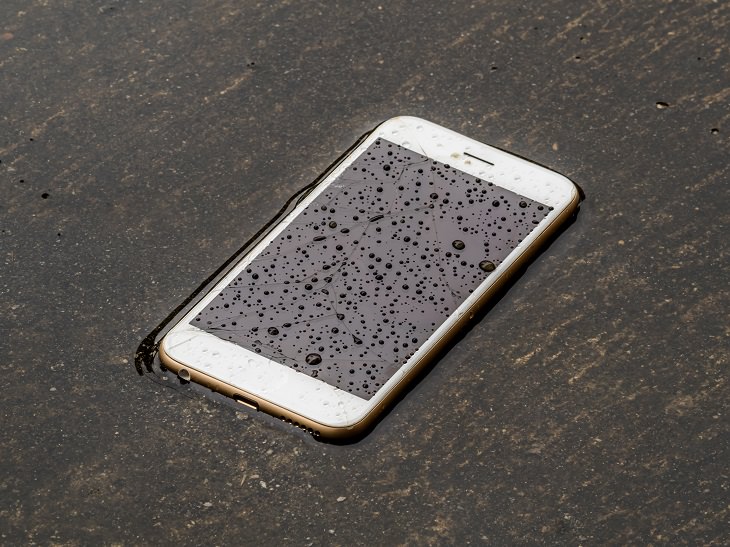
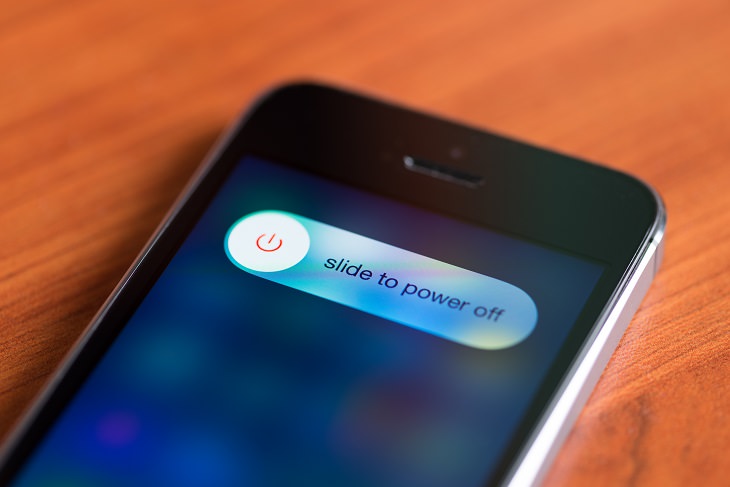
Once you are done with the outside remove any cases, covers or shells the phone might have, and then remove the battery and the SIM card. Dry them using a dry towel the same way as you did the outside.
Now before we get to the next step on how to dry your phone, I want to go over some of the worst ways to do it. Though they may dry your mobile device, they will destroy it at the same time. Never use any of these methods to dry your phone: Don't blow on it with a hairdryer, place it on or under an oven, or put it in the microwave.


The ideal time to leave your phone like this may change depending on how wet it got. The safest thing is to leave it in the rice overnight but in some cases even six hours will do. When you take the phone out, gently clean it with a soft brush or a vacuum cleaner, put all the parts back together and turn it on.
While it might not always work if your phone gets too wet, or stays in the water for too long, it's still the best and safest way to dry it. Be sure to open the case from time to time after you get it working again to check for any possible corrosion. If your phone still doesn’t work go to a repair lab and hope that the electronic parts that were damaged can be replaced.
Good luck!

What Are the Effects of Drinking Contaminated Water?
How safe is it to drink contaminated water? Find out here.
Do We Really Need to Be Drinking So Much Water? YES!

If you still need convincing that plain old water really is necessary - and in copious amounts - this short video will give you all the evidence you need.
8:02
31 Nifty Tips to Make Your Phone Work Longer and Faster
Let's learn some handy tips that will make your smartphone last longer.
Most Android Users Don't Know About These Useful Features
Android phones have many hidden features that many people don't know about, and here are 10 of our favorites.
How Tennis Balls Are Effective at Relieving Body Pain
You can use Tennis Balls to ease your aches and pains. Here's how!
Muscle Degeneration Starts with these 8 Early Symptoms!
Are you familiar with muscular dystrophy? Spot the early signs of this disease by being aware of these tips.
This Free Website Will Let You Play the Most Fun Mazes!
Do you love mazes and navigation challenges? Look no further than this fun site!
Making These Email Mistakes Comes Off As Rude or Annoying
When sending an email, the last thing you want is to come off as impolite or annoying. Here are 5 common email mistakes to avoid.
2:09
Guide: Download Netflix Videos on Any Laptop & PC
Want to watch your favorite Netflix content offline? This easy guide has you covered.
5 Hidden Google Chrome Games (And a Bonus)
Tired of Backgammon online? Try Google Chrome's online in-browser collection of games for an easy-to-reach entertainment break. Tic-tac-toe, snake, and more!
We Found These Awesome Sites for Reading Short Stories!
These are the best places to read short stories online.
Surround Yourself With the Forest Sounds of the World
Ready to be surrounded by the music of the world’s forests and experience the restorative properties of being in nature?
15:16
Get Smarter: How Do Hard Drives Work?
How do hard drives built and how do they work? All is explained in this video.
4:08
Guide: Download All Google Photos in a Few Clicks!
Want to download all your Google your photos and videos in a few clicks? Watch this…
7 Tips to Follow When a Computer Hangs or Freezes
Take note of these steps that will help you unfreeze a computer that freezes or hangs regularly.
7:31
How to Edit Your Photos Using 3 Different AI Services
If you shoot weddings, portraits, or anything high-volume, and you’ve wondered if AI can really speed things up without cutting corners, this is the no-nonsense breakdown you need.
Watch Classic Cinema for Free with These Sites!
Here's where you can watch hundreds of classic movies online for free.
Is Your Browser Slowing Down? Fix It With These 10 Tips
Get Chrome running smoothly with these seven easy fixes.
8:31
20 Terrifically Helpful Chrome Keyboard Shortcuts
Welcome to the ultimate guide to mastering 20 essential keyboard shortcuts for the Google Chrome browser!
Laptop Won't Power Up? Try These 11 Effective Solutions
Laptop not starting? Try these essential steps to troubleshoot it.
Top 5 Apps for Checking on Your Pet’s Health
These apps were selected based on their functionality, user reviews, and relevance to health monitoring, as highlighted by pet care and technology sources.
11 Free AI Tools That Actually Help You Get Stuff Done
Have you tried any of these useful free AI apps?
3:28
Easy Tips for Connecting Your Laptop to an External Screen
Watch this helpful tutorial to learn how to connect your laptop to a monitor.
Don't Charge Your Phone Over 80%, Here's Why
There is truth to the no-overnight-charging rule, and there is also some science to back it up.
Learn Any New Language with These Awesome Apps!
Learn new languages faster with these AI-powered apps.
How to Tell If a Virus Warning Is Real or Fake - 12 Tips
If you see a barrage of security alerts popping up on your computer, then it might be sign of a virus attack.
Why Fake Info is Best for These 6 Types of Sites
Always avoid giving your real information on these kinds of websites.
Stop Paying For Software: 8 Free Productivity Options
Here are eight free open-source alternatives that can take the place of paid productivity apps without sacrificing quality or functionality.
All You Need to Know About Your Computer
It's that age of computers, and we should all educate ourselves so we all save ourselves time and anxiety when using a computer, a tablet or a phone. This collection of posts will give you insight into many computer-related issues.
PowerToys: The Best Free Microsoft App for Windows Users
In this article, we'll introduce you to this toolbox and show you which 23 useful tools are waiting for you there.
You Should Bookmark These Incredibly Useful Sites
Make sure that you bookmark these handy websites!
7 Clear Indicators Your Home Router Needs to Be Changed
Is your router in need of an upgrade? Watch out for these signs.
10 Popular Tech Myths You Need To Stop Believing Now
Here we bust some popular and common myths about everyday tech that people still believe in.
The Most Amazing Websites for Learning Languages for Free
Learn any language for free with these amazing websites!
Losing Important Emails? Here’s How to Tidy Up Your Gmail
A helpful guide to setting up Gmail filters to prevent emails from getting lost or spam overflowing your inbox.
Secure Your Data: 5 Must-Have Privacy Apps
A look at five apps that help you take back control of your digital footprint, including their strengths, trade-offs, and where to download them safely.
5 Best Online Platforms for Couples' Counselling
We've researched the options and returned with the 5 best platforms for online couples' therapy.
The Most Reliable Cloud Storage Services for 2025
Here’s a closer look at some of the best cloud storage services to consider in 2025.
8 Mistakes That Shorten the Life of Your Electronics
Your gadgets and household electronics won’t last long if you keep repeating these common mistakes.
Exploring the Web Beyond Google: 7 Handy Alternatives
Try some of these non-conventional search engines that you didn't know existed.
These 5 Free Tools Can Help You Save Money Today!
These free apps and sites make saving money a breeze.
7 Websites With Free Useful Apps for Your Computer
we've gathered 7 recommended repositories where you can find almost any software you might need for Windows – and at no cost!
10 Warning Signs You’re About to Fall for a Fake Ad
Thse are 10 red flags that should make you pause before clicking on a social media ad.
3:35
Want to Increase Your iPad Keyboard Size? Watch This Guide
Want to increase the size of your iPad? Watch this tutorial now…
You Can Now Speak With ChatGPT on Your Whatsapp!
et’s explore what 1-800-ChatGPT offers, how to use it effectively, and why this innovation makes interacting with AI more seamless.
1:55
Never Lose Your WhatsApp Chats Again with These Hacks!
Protect your WhatsApp chats with these tips.
9 Lesser Known Free Websites for Learning in 2025
A list of 9 great free learning websites that cover a variety of subjects, from coding and science to business and language learning.
To enable your Ad-Free Subscription, please fill the fields below
Your subscription was successful, now you can enjoy an ad-free experience!! Note: To make sure you get no ads, please make sure to log in to your account. If you are logged in already, then refresh the page. The subscription can be cancelled at any time.