|
Google is an extremely popular search engine that most of us use in order to find information and sites around the internet. But the vast amounts of data that Google has access to also give it some other amazing "powers" to help us do things faster than ever before, even things you didn’t know you wanted to do! Here are some of my favorite "Google tricks", essential for anyone who wants to use the site to its full potential: Google can calculate your tip: |
![]() |
|
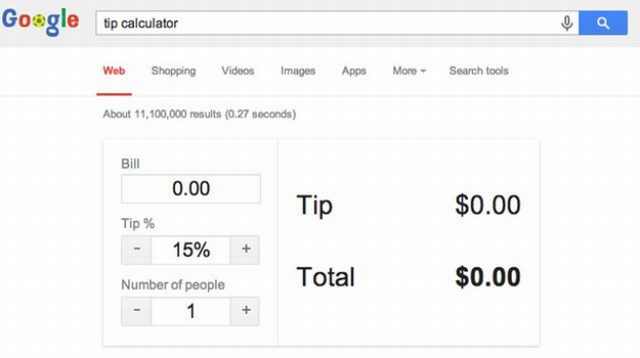
If you are at a restaurant and you are not sure about the right amount to tip just ask Google! Take out your smartphone and search for “tip calculator” in Google. The tip calculator will appear and help you work out your tip. Look up Holidays and "special days": |
![]() |
|
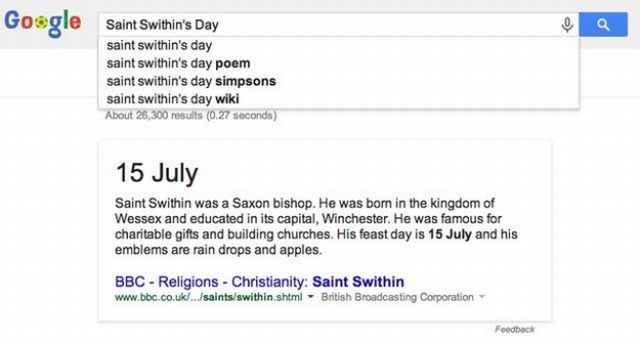
Type in an important day or date and Google will automatically tell you when it is occurring and give you a brief description of what it’s all about. Find out when a movie is coming out: |
![]() |
|
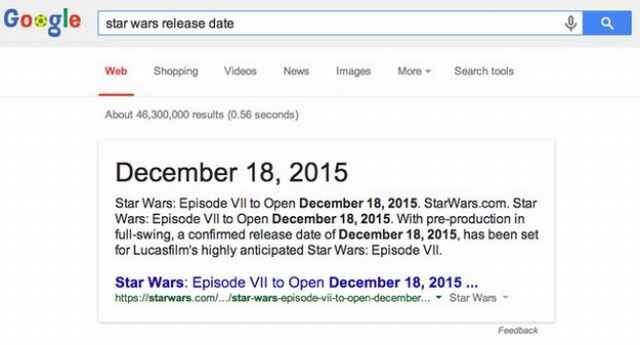
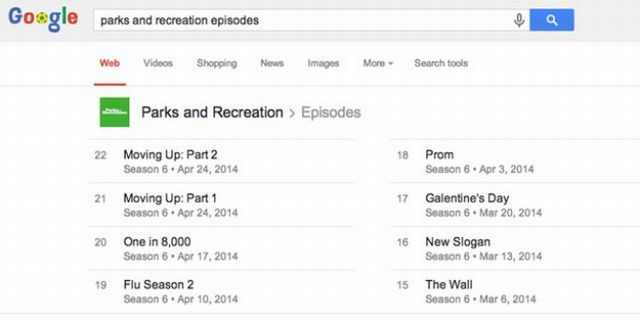
Just search for the name of the movie and the words "release date". Google will have the answer in a second, plus some information about the movie. Get the full schedule of your favorite show: |
![]() |
|
Just type the shows name and "episodes". Find more things done by your favorite artists: |
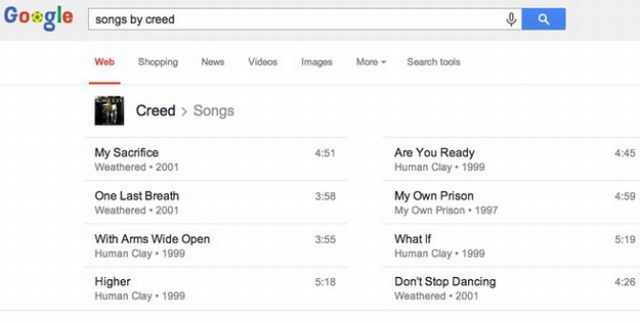
![]() |
|
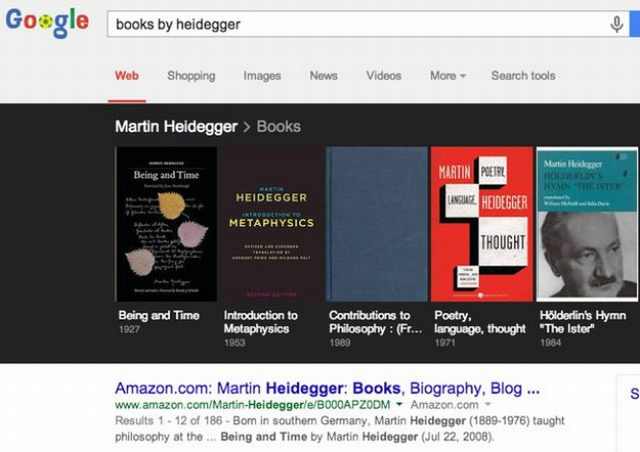
Search for "songs by: (artist name)". And if you are in the mood for something more relaxing this will also work with books by your favorite authors: |
![]() |
|
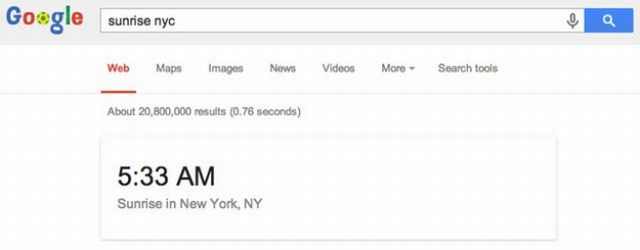
Use it to plan a romantic date with the sun: |
![]() |
|
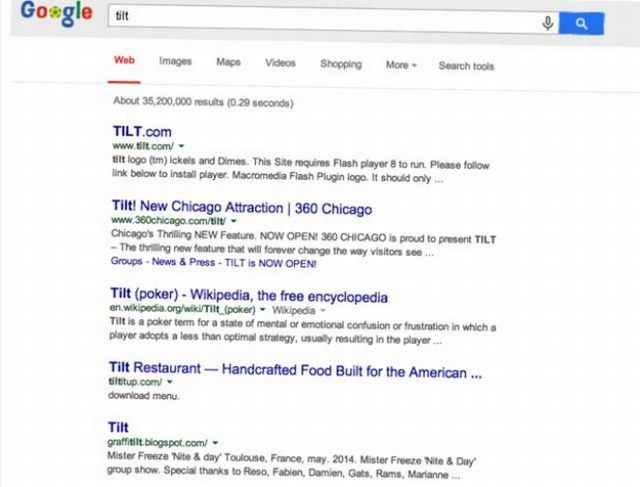
Google can give you the exact time of sunrise and sunset in your city by searching its name and the words "sunrise" or "sunset". Make Google tilt: |
![]() |
|
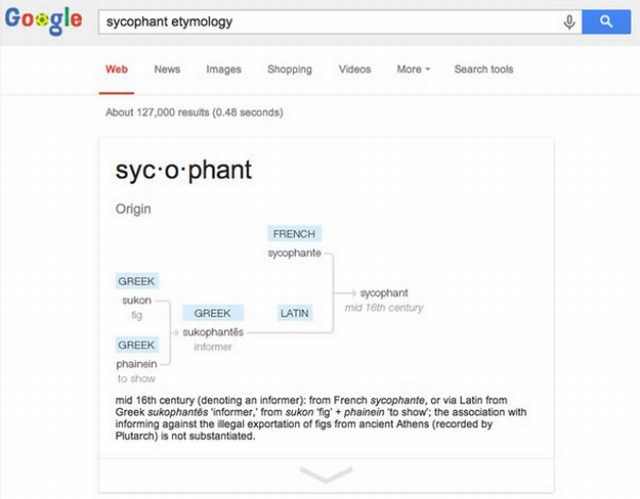
As a cute little practical joke you can make Google tilt by searching for that word. Google can show you the etymology of words: |
![]() |
|
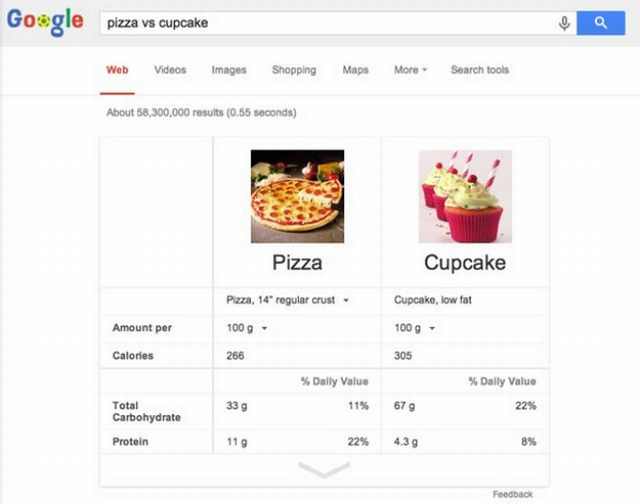
Etymology is the study of the origin of words and the way in which their meanings have changed throughout history. It’s a handy little tool if you want to find out more about the meaning and the souse of a word. Just search the word you're interested in and "etymology". Google can help you eat right: |
![]() |
|
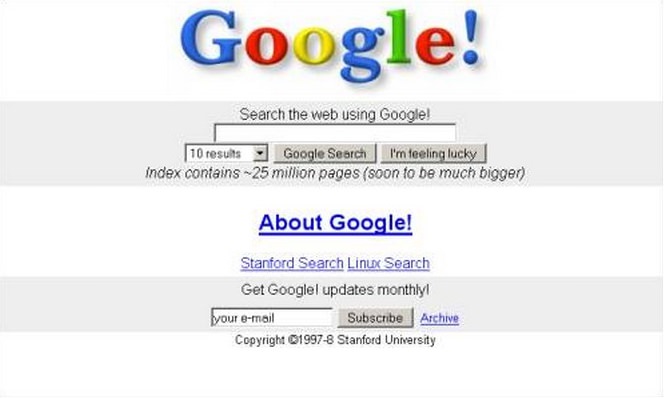
Typing "food A" vs "food B" will give you a calorie comparison of the two. The "Google Time Machine": |
![]() |
|
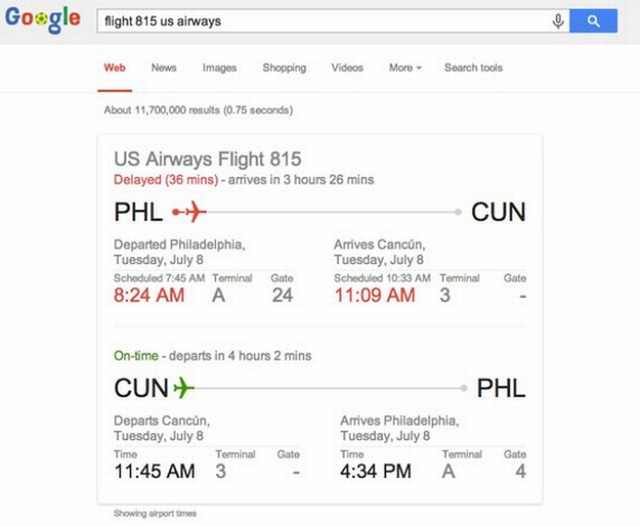
Just type “Google in 1998” in the search bar and your back to the glorious ’90s. Look up your flight: |
![]() |
|
A great and fast way to look up a flight status, just enter its name in Google. |

Here Are the Most Googled Health Questions of 2018
We're always told not to Google questions about or health, but there are millions of people who do so. Here are the 10 most Googled health questions of 2018.
Google Is Watching You - Here's How to Stop It
Stories about Google watching you aren't really that far removed from the truth as you imagine. Here's how to use Google's My Activity page.
A Few Hacks Any Zoom User Needs to Know
For better and for worse - Zoom is a part of our daily lives. Check out these 9 hacks that will make navigating the app easier.
5 Things YouTube Can Do That No One Told You About!
Five Things that YouTube can do but no one told you about...
Save Money On Your Printer With These Great Tips
These tips will help you save a lot of ink and money whenever you print something.
Google is Not Just a Search Engine: Look at These Tricks!
Google is amazing, but to know how amazing you have to appreciate these cool little known tricks. As it happens, Google can do much more than we thought.
The Most Amazing Websites for Learning Languages for Free
Learn any language for free with these amazing websites!
Thirsty For Knowledge? Check Out These YouTube Channels
If you love to learn new things with each passing day, then get ready to discover a gold mine full of educational tools!
Computer Guide: How to Keep Your Computer Up-to-Date!
Follow this simple guide to update drives and resolve common issues on your Windows computer.
Computer Tips: All You Can Do With the CTRL/Control Key!
The control key has more uses than just copying and pasting. These are the 20 more useful keyboard shortcuts you can do with the control key.
11 Free AI Tools That Actually Help You Get Stuff Done
Have you tried any of these useful free AI apps?
You Can Now Speak With ChatGPT on Your Whatsapp!
et’s explore what 1-800-ChatGPT offers, how to use it effectively, and why this innovation makes interacting with AI more seamless.
2:35
6 Simple Tips for Taking Screenshots on Windows
Taking screenshots on Windows is now super easy. Just note these tips.
USB Drives Can Do More Than You Think – 10 Hacks You Need
Let’s explore some of the most practical yet overlooked ways to use USB drives.
1:55
Never Lose Your WhatsApp Chats Again with These Hacks!
Protect your WhatsApp chats with these tips.
3:35
Want to Increase Your iPad Keyboard Size? Watch This Guide
Want to increase the size of your iPad? Watch this tutorial now…
3:32
The Easy Way to Clean Your Computer's Keyboard
Cleaning a dirty keyboard is quite a straightforward task, as you're about to find out.
Guide: How to Unlock Your Phone Without a Passcode
Forgot your phone passcode? Don't panic.Just follow these steps.
12 Amazing Internet Radio Stations to Spice Up Your Day!
Check out these 12 fantastic internet radio stations.
Is Your Browser Slowing Down? Fix It With These 10 Tips
Get Chrome running smoothly with these seven easy fixes.
Surround Yourself With the Forest Sounds of the World
Ready to be surrounded by the music of the world’s forests and experience the restorative properties of being in nature?
Best ChatGPT Prompts for 2024
Let's explore some great prompts you can start with on your AI adventure, either for fun or for productivity or knowledge.
Overpaying for Streaming? Here’s How to Fix That!
Save big on your streaming bills with these simple tips.
Making These Email Mistakes Comes Off As Rude or Annoying
When sending an email, the last thing you want is to come off as impolite or annoying. Here are 5 common email mistakes to avoid.
15:16
Get Smarter: How Do Hard Drives Work?
How do hard drives built and how do they work? All is explained in this video.
We Found These Awesome Sites for Reading Short Stories!
These are the best places to read short stories online.
How to Spot Fake Online Reviews: A Shopper’s Guide
Here are practical tips to help you spot fake Amazon reviews.
Forget Chrome—Zen Browser Is the Upgrade You Need
If you’re tired of slow load times, constant battery drain, or a cluttered interface, Zen might be the browser you’ve been waiting for.
Don't Charge Your Phone Over 80%, Here's Why
There is truth to the no-overnight-charging rule, and there is also some science to back it up.
How to Solve Windows 11's Most Annoying Errors
In this article, we’ll explain the frequent problems people run into on Windows 11 and walk through easy, no-fuss fixes.
Learn How to Protect Yourself Using a Public Wi-Fi Network
Public Wi-Fi networks are incredibly convenient, but they're not always safe. Here are 10 ways of protecting yourself when using public Wi-Fi.
Here’s Where You Can Watch Classic Movies for Free!
Want to watch free classic movies? Check out these sites and apps.
This Free Website Will Let You Play the Most Fun Mazes!
Do you love mazes and navigation challenges? Look no further than this fun site!
Your Computer Mouse Can Do Much More Than You Think...
Knowing how to use your mouse can make computing so much easier than you ever realized. Here are some great tips on how to maximize the use of your mouse, which will increase your overall productivity on the computer.
Is DeepSeek Worth the Hype? A Closer Look at Its Features
DeepSeek is the new AI chatbot in town. But is worth the hype?
These Websites ONLY Share Positivity and Good Stories!
Say goodbye to negativity with these positive news platforms.
Privacy Settings You Should Change in Chrome Right Now
These Chrome settings should always be disabled.
Skype Is Shutting Down – Try These Alternatives Now
With Skype officially retiring, here are some handy alternatives you should try.
These 10 Keyboard Shortcuts Will Make Life Easy!
These keyboard shortcuts will help you learn the easiest ways to use your computer when your mouse is being less than cooperative!
Watch Classic Cinema for Free with These Sites!
Here's where you can watch hundreds of classic movies online for free.
Can’t Connect to the Internet? Here’s What To Do
Not being able to connect to the internet is one of the most pestering things. This is why it might be happening and easy solution to fix it.
Make Google Maps Better with These Handy Tools
These add-ons make Google Maps so much better!
9:43
Tired of Google Photos Storage Limits? Try These Solutions
Get more space in your Google Photos account with these useful hacks.
What To Do When Windows Will NOT Boot
There's nothing more frustrating than your computer refusing to boot. Here is what you can do to fix it when the system won't even initialize.
Who Traces Your Emails? Learn How to Detect Email-Tracking
40% of emails are being tracked by somebody without people's consent or notification, which means you'd better learn how to protect your privacy...
This One Computer Key Is Used for a Myriad of Shortcuts!
The 'Win' key is usally thought to only bring up the start menu. It actually does a whole lot more. Get a load of these dozens of shortcuts!
Fed Up With Spotify? Try These Alternatives for Free Music
Here are eight of the best platforms where you can listen to music online without spending a dime.
To enable your Ad-Free Subscription, please fill the fields below
Your subscription was successful, now you can enjoy an ad-free experience!! Note: To make sure you get no ads, please make sure to log in to your account. If you are logged in already, then refresh the page. The subscription can be cancelled at any time.