We all hear unnerving stories about how internet giants keep masses of data on all of us, but they aren’t as far removed from the reality of the situation as you might think. Google, for instance, knows quite a lot more about you than you realize.
With that being said, it does offer a number of ways to limit how much you are tracked, as well as control over the ads you see. These can be accessed via the search engine’s “My Activity” page, which is a digital dashboard that gives you a snapshot of all the data that it has gathered on you.
Click here to get started:
When You First Log In
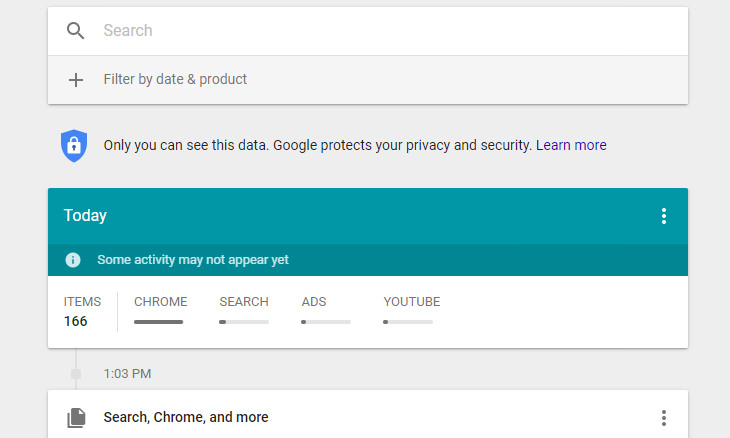
The first thing you’ll be presented with when you log in is a timeline of your activity using Google’s various products such as the search engine itself, your Google Chrome web browsing history or Google Maps. The privacy settings that you currently have enabled on Google determine what is displayed on the timeline.
How to See the Full Picture
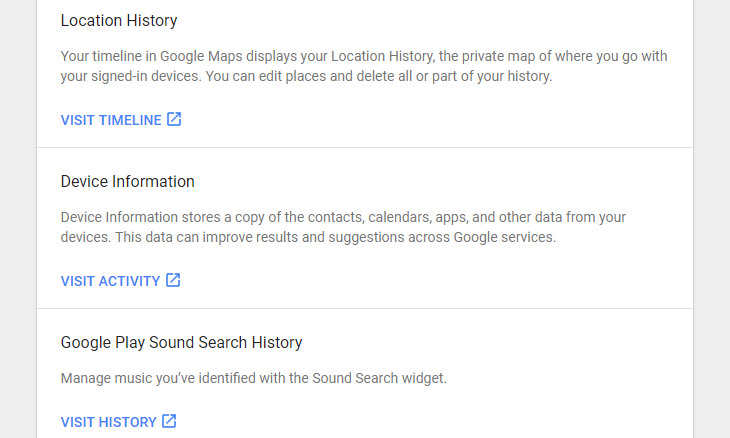
Seeing as the full picture of what Google knows about you might be obscured due to your privacy settings, you’ll need to point to the Menu icon in the upper left-hand corner of your screen and select Other Google Activity to find any additional data that Google has been gathering.
An example of this is your location history. All of the places that you’ve visited while being signed in to Google Maps (this will most likely happen when you’ve been using your smartphone to find your way around somewhere) will appear here.
Deleting Your Activity
There are several methods that you can employ to delete your data from your My Activity page. You’ll find three vertical dots next to each individual item in the Other Google Activity page. All you need to do to begin deleting your data is to click on them. A menu will appear giving you the option to delete an individual item from your Google history permanently.
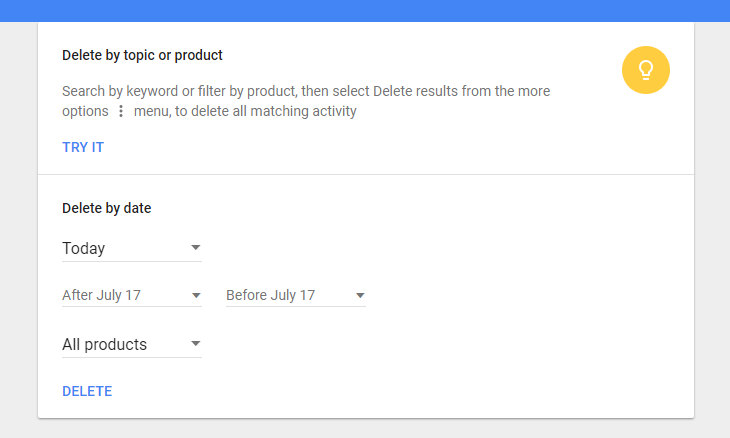
You can also search by product or topic using the search bar, and delete it via the three dots once you’ve found it.
Last but not least, you can also delete by date. Simply click the three vertical dots at the top of your screen and selected Delete Activity By. This option also allows you to delete data from “all time”.
Limit Your Data from Being Saved
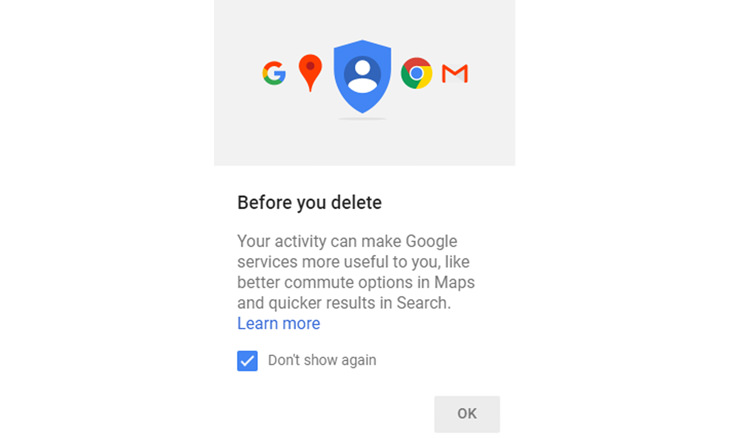
So you’ve deleted the activity you wished to, and now you’re probably wondering how to stop Google from collecting your data in the future.
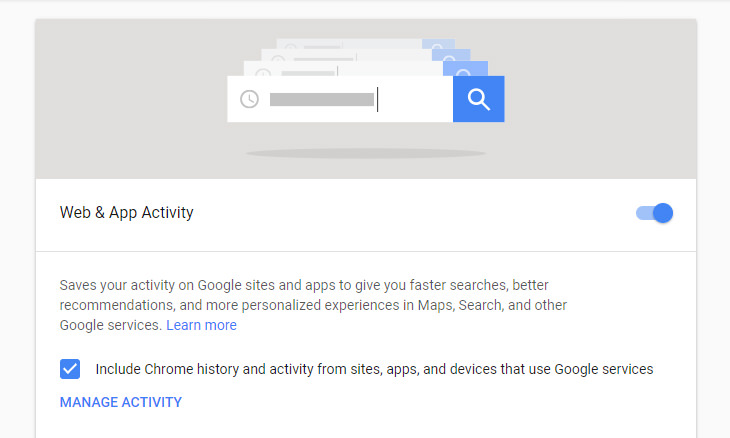
All you need to do is click on the menu icon in the upper left-hand corner and select Activity Controls to edit your preferences for the following:
• Web & app activity
• Location history
• Device information
• Voice & audio activity
• YouTube search history
• YouTube watch history
At this point, it’s also a good idea to run Google’s Privacy Checkup tool to review your privacy settings and just them to how you want them. And there you have it!

Losing Important Emails? Here’s How to Tidy Up Your Gmail
A helpful guide to setting up Gmail filters to prevent emails from getting lost or spam overflowing your inbox.
5 Turmeric-Based Facial Masks For Removing Hair
Turmeric is a wonderful spice from India that has a whole myriad of different applications. Here's how to make 5 turmeric-based masks for unwanted hair removal.
7 Handy Chrome Extensions That You Must Install Today
This article features some of the best and most useful Google Chrome extensions that will be handy to every user.
Here Are the Most Googled Health Questions of 2018
We're always told not to Google questions about or health, but there are millions of people who do so. Here are the 10 most Googled health questions of 2018.
Get the Most Out of Facebook with These Useful Tips
Want to get more out of your Facebook account? Then check out these brilliant Facebook tips, tricks and facts!

Make ListenOnRepeat Your New Music Hub With This Guide
This guide will teach you how to use this great new music site entitled ListenOnRepeat. Keep track of your favorite artists and trending music all in one place.
9:43
Tired of Google Photos Storage Limits? Try These Solutions
Get more space in your Google Photos account with these useful hacks.
9 Useful Blogs Created Specifically For Senior Citizens
Here’s a wonderful collection of blogs that seniors will find particularly helpful.
43:39
AI News: What's Going On With AI This Week?
This week's AI news covers major releases and impressive demos.
Looking for an Instagram Alternative? Try These Platforms
If you’re ready to explore beyond Instagram, here are eight great alternatives.
There's a keyboard Shortcut for Nearly Everything Here!
These shortcuts will cut down the time you waste fiddling about on the computer, and make you into something of an expert.
7:09
Struggling with Slow iPhone Internet? Try These Tips
iPhone running slow again? Here’s how you boost your speed…
ChatGPT's Got Competition: 7 Exciting AI Contenders
Looking for a ChatGPT alternative? Here are a few good ones.
These 10 Keyboard Shortcuts Will Make Life Easy!
These keyboard shortcuts will help you learn the easiest ways to use your computer when your mouse is being less than cooperative!
Do You Eat Out Often? These 7 Apps Will Save You Money!
If you’re struggling to keep up with your monthly food budget, you’re not alone. Here are 7 dinning apps that will save you money every time you eat.
Making These Email Mistakes Comes Off As Rude or Annoying
When sending an email, the last thing you want is to come off as impolite or annoying. Here are 5 common email mistakes to avoid.
This Free Website Will Let You Play the Most Fun Mazes!
Do you love mazes and navigation challenges? Look no further than this fun site!
The Most Amazing Websites for Learning Languages for Free
Learn any language for free with these amazing websites!
5 Hidden Google Chrome Games (And a Bonus)
Tired of Backgammon online? Try Google Chrome's online in-browser collection of games for an easy-to-reach entertainment break. Tic-tac-toe, snake, and more!
8 Mistakes That Shorten the Life of Your Electronics
Your gadgets and household electronics won’t last long if you keep repeating these common mistakes.
How to Identify an Online Scam Email
Phishing emails are a common way of stealing information, but you can avoid them if you follow these tips that'll help you identify them
15:24
15 Tech Hacks That Will Make Your Life Way Easier
These practical tips are designed to improve your daily tech experience.
You Didn’t Realize it, But AI Is Making Your Life Better!
Here are thirteen unique ways AI can simplify daily life.
8:31
20 Terrifically Helpful Chrome Keyboard Shortcuts
Welcome to the ultimate guide to mastering 20 essential keyboard shortcuts for the Google Chrome browser!
6 Reliable Ways to Save YouTube Videos in 2024
Want to download your favorite YouTube videos for offline viewing? Read this now!
2025's Online Threats Will Be More Sophisticated Than Ever
A look at the cyber scams that you need to be wary of this year.
PowerToys: The Best Free Microsoft App for Windows Users
In this article, we'll introduce you to this toolbox and show you which 23 useful tools are waiting for you there.
12 USEFUL Chrome Extensions That Save Time
Improve your browsing experience with these free Google Chrome extensions.
We Found These Awesome Sites for Reading Short Stories!
These are the best places to read short stories online.
Forget Chrome—Zen Browser Is the Upgrade You Need
If you’re tired of slow load times, constant battery drain, or a cluttered interface, Zen might be the browser you’ve been waiting for.
Gboard Secrets: 7 Handy Features You're Not Using Yet
Make the most out of Gboard with these awesome tips and tricls.
Make Google Maps Better with These Handy Tools
These add-ons make Google Maps so much better!
5:23
Phone Security– The Fastest Way to Secure a Hacked Phone
This guide helps you in checking for hackers on your phone, removing them, and locking down your phone.
Don't Charge Your Phone Over 80%, Here's Why
There is truth to the no-overnight-charging rule, and there is also some science to back it up.
Guide: How to Sign a PDF Without Printing it First
This guide will teach you how to sign PDF files digitally without having to print them.
5 Awesome Google Chrome Settings You Aren’t Using
Google Chrome’s advanced settings have many useful features that will make your browsing experience so much better.
5 Best Online Platforms for Couples' Counselling
We've researched the options and returned with the 5 best platforms for online couples' therapy.
9:42
Here's How to Make Your iPhone Run Like New Again - 9 Tips
Save space on your iPhone with these simple hacks.
10 Free Ancestry Sites for Tracing Your Family History
Here are 10 of the best free ancestry sites that can help you uncover your family’s story.
Master AliExpress Shopping with These Expert Tips
Here’s how to shop smart and save on AliExpress.
Exploring the Web Beyond Google: 7 Handy Alternatives
Try some of these non-conventional search engines that you didn't know existed.
15:16
Get Smarter: How Do Hard Drives Work?
How do hard drives built and how do they work? All is explained in this video.
Guide: How to Unlock Your Phone Without a Passcode
Forgot your phone passcode? Don't panic.Just follow these steps.
Boost Your Brain With These 8 Brainy Mobile Games!
We’ve gathered 8 recommended games to keep your brain active, challenge your logical thinking, and help you pass the time enjoyably.
Who Traces Your Emails? Learn How to Detect Email-Tracking
40% of emails are being tracked by somebody without people's consent or notification, which means you'd better learn how to protect your privacy...
5 Things to Never Store on Your Smartphone
Stop using your smartphone as a master repository for saving all kinds of information. It may be dangerous...
12 Amazing Internet Radio Stations to Spice Up Your Day!
Check out these 12 fantastic internet radio stations.
To enable your Ad-Free Subscription, please fill the fields below
Your subscription was successful, now you can enjoy an ad-free experience!! Note: To make sure you get no ads, please make sure to log in to your account. If you are logged in already, then refresh the page. The subscription can be cancelled at any time.