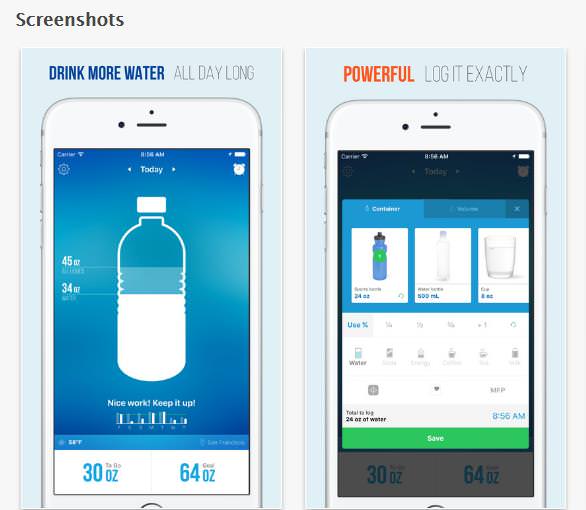


As we all know, taking too many drugs can be fatal. This is why it's very important to make sure you're taking your medication safely and in a way that is going to benefit your health. This app will help you to identify medications, learn about side effects and potential interactions, as well as track your dosage. But best of all, you can check for recalls and ask specific questions about any drugs that you are taking.
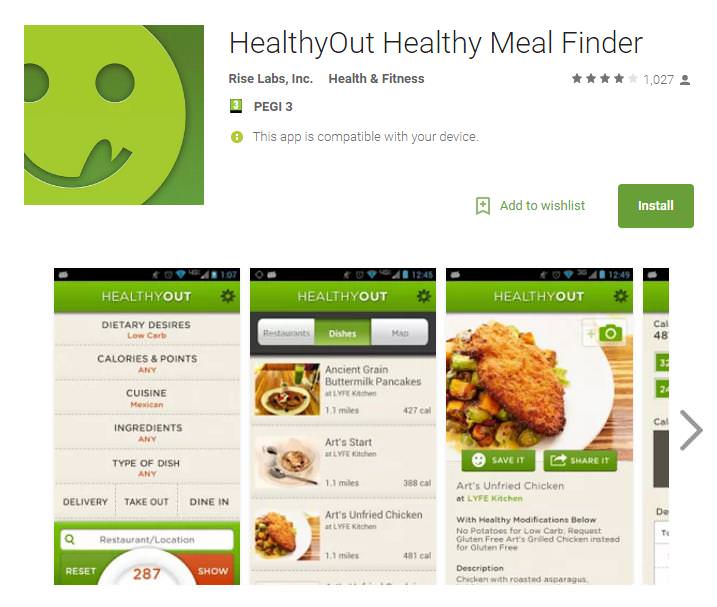
Frequently eating out can put a serious dent in your attempt to lose weight and your overall health goals. HealthyOut is a great app that can help minimize the damage. This app is fantastic if you want to remain health-conscious even when you're treating yourself at some lavish restaurants. You can search by zip code or GPS, and then narrow your option by your dietary restrictions or cuisine preferences. Best of all, you can get the complete dietary information for the foods on the menus.
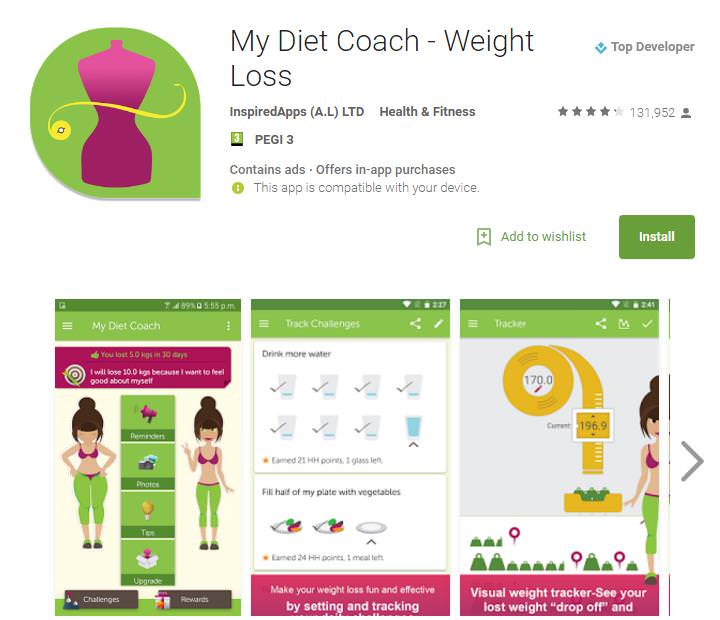
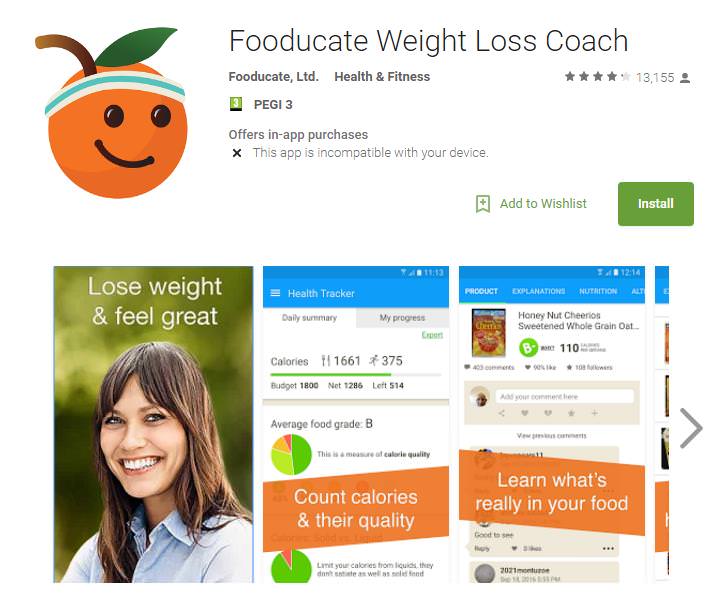
Those of us who have tried a diet all know how difficult it is, but with this app you'll get access to a wide variety of tools that will increase your chances of success. The most unique feature is a visual weight tracker, where you can find an animated version of yourself which will change its appearance as you update your measurements and weight. You can also use this fantastic app to track your exercise and diet, find tips, reminders, and inspirational quotes.
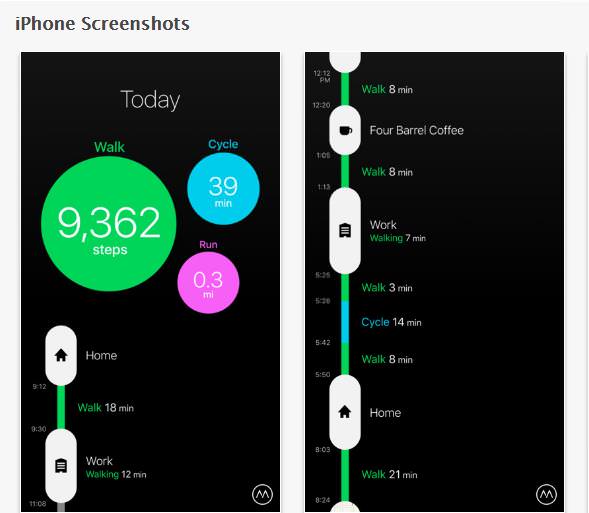
Your activity level has a massive impact on your physical and mental health, and this app is designed to track just how active you're being. You can carry your phone in your pocket or bag, and the app will monitor your steps and mileage based on movement, tagging your locations, and even displaying what your mode of transport is. Come the end of the day, you can see how much you have walked, run, or cycled in the past 24 hours. After you have been using this app for a period of time, you can work on improving your pace and activity level.
Sources: healthline and digitaltrends
10 of the Best Home Security Apps for Android and IOS
Home security apps are very important when it comes down to home monitoring. Here are the best ones available for Android and IOS.
If You're Hungry at Night, You Should Eat These Foods!
If you are partial to a midnight snack, here are 7 foods that you should consider eating.
Do You Eat Out Often? These 7 Apps Will Save You Money!
If you’re struggling to keep up with your monthly food budget, you’re not alone. Here are 7 dinning apps that will save you money every time you eat.
17 Really Useful Android Tips and Tricks for Beginners
Android is a great addition to the modern cell phone, but it can be a little daunting and complex to the newcomer. Therefore, here are 20 really useful Android tips.
How to Set Up Your Phone to Call for Help If You Fall
This article teaches you to set up your iPhone or Android phone to be ready to summon help and speak for you when you need it most.
8 Useful Tips For Taking Care of Your Beloved Dog's Teeth
It's imperative that you look after your dog's teeth. Untreated dental issues in dogs can lead to tooth loss, painful abscesses, and systemic infections throughout your dog’s body.
17:41
TikTok: Tips and Tricks for Beginners
Whether you are a total beginner or just looking to streamline your process to get more views, this tutorial covers everything you need to know to go from recording to posting.
Don't Charge Your Phone Over 80%, Here's Why
There is truth to the no-overnight-charging rule, and there is also some science to back it up.
5 Useful Apps for Seniors You Probably Haven't Heard Of
We've selected five such apps for you. They are all completely free to download and allow you to enjoy their core features without paying a dime.
20:27
Learn About Your Computer: Every Component Explained!
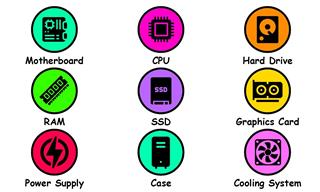
In just 3 minutes, you'll be much wiser about what your computer is made of.
Your Computer Mouse Can Do Much More Than You Think...
Knowing how to use your mouse can make computing so much easier than you ever realized. Here are some great tips on how to maximize the use of your mouse, which will increase your overall productivity on the computer.
2:19
Google Presents Genie: A New Way to Create Interactions
This is Project Genie. Where imagination meets interaction, and every prompt opens a new frontier in AI research.
7:00
How to Remove Malware From Your Android Device
. For anyone looking to secure their phone and get it running smoothly again, this guide has it covered
Thirsty For Knowledge? Check Out These YouTube Channels
If you love to learn new things with each passing day, then get ready to discover a gold mine full of educational tools!
16:20
iPhone Duo: A Hands-On Look at the New Foldable
We'll compare all three iPhone folding phones, show you the upgrades, and help you figure out which one is worth your money.
4:44
What Is Net Neutrality and How Does It Affect You?
What on Earth is net neutrality, and how does it effect you? Watch this informative video and find out!
If Your Computer Is Not Working, Here's What to Do
This troubleshooting guide is all you need if you're computer isn't turning on.
If You Do This, Then You Could Be Damaging Your Phone...
Many people end up damaging their phones without even realizing that they are doing so, and here are 9 of the most common ways this happens.
How to Find Your Phone When You've Misplaced It
our phone is almost certainly close by, and there are some wonderfully simple ways to make it announce itself. Here is how, on both iPhone and Android.
7 Tips to Follow When a Computer Hangs or Freezes
Take note of these steps that will help you unfreeze a computer that freezes or hangs regularly.
Learn How to Protect Yourself Using a Public Wi-Fi Network
Public Wi-Fi networks are incredibly convenient, but they're not always safe. Here are 10 ways of protecting yourself when using public Wi-Fi.
5 Things to Never Store on Your Smartphone
Stop using your smartphone as a master repository for saving all kinds of information. It may be dangerous...

11:22
10 Things You Should Turn Off in Your PC
Don't let Windows run the show - watch now to see exactly what to shut down first.
You've Probably Been Using Your Keyboard Wrong...
There's a very specific reason why the F and J keys are raised on your keyboard. Read this guide to find out why computer keyboards are the way they are.

7 Reasons Why Your Computer is Running Abnormally Slow

There are many things that could be slowing your computer down and you'll find 7 of them in this article. Take a look!
WARNING: 25 Most Common Scams on the Internet in 2026
As we navigate the internet, there's a minefield of scams that we have to avoid that could potentially explode in our faces. Here are the 25 most common.
These Password Tips Will Ensure You're Safe from Hackers
Cybercrime is increasing thanks to ever-improving technology. Therefore, it's very important that you have a strong password. These tips will ensure you do!
Want Your PC to Run Longer? Then Avoid These Mistakes
Avoiding these silly mistakes will help you prevent damage to your computer and also extend its life.
8 Mistakes That Shorten the Life of Your Electronics
Your gadgets and household electronics won’t last long if you keep repeating these common mistakes.
These Gmail Shortcuts Will Save You Time & Frustration
If you use Gmail, but you don't know how to use a single keyboard shortcut, then you well and truly are missing out. Here are the most useful ones...
The Truth Behind Misleading Phone Charging Myths
We're putting down these rumors once and for all! These cellphone battery charge myths are untrue.
4:50
Guide: How to Remove Malware from Android Phones
In this video, we’ll cut through the tech jargon to show you exactly how to spot the red flags of a compromised device.
How to Solve Your Most Common Printer Trouble
Let's go through the most common printer problems one by one, why they happen, and the fixes that actually work.
43:39
AI News: What's Going On With AI This Week?
This week's AI news covers major releases and impressive demos.
Guide: How to Protect Your Eyes When On the Computer
Eye strain can be a serious problem if you work at a computer for long hours each day. Luckily, there are various things you can do in order to prevent it.
All You Need to Know About Your Computer
It's that age of computers, and we should all educate ourselves so we all save ourselves time and anxiety when using a computer, a tablet or a phone. This collection of posts will give you insight into many computer-related issues.
How to Free Up Phone Storage Without Deleting Photos
Let's walk through feeing space on your phone, with instructions for both iPhone and Android.
A Plain-Language Guide to Password Managers
Here is a plain-language explanation of what they are, why they are worth having, and exactly how to get one on your phone or computer.
Do You Know How to Act in a Medical Emergency?
Don't feel powerless in a medical emergency, learn what actions to take in these 10 serious medical emergencies and how to save lives
19:08
How to Solve the Top 30 Desktop Computer Issues
in this great and helpful video, we're touching on 30 common PC problems and how to prevent and fix them.
The Only Guide You Need to Clean Your Computer
Computers collect dust and dirt, causing them to slow down and heat up. Here's how to clean them:
5 Most Common Mistakes People Make When Working With AIs
Here are the five biggest mistakes people make when working with AI, and exactly how to sidestep them.
7 Handy Chrome Extensions That You Must Install Today
This article features some of the best and most useful Google Chrome extensions that will be handy to every user.
Learn All About the Different File Types on Your Computer
Computer extensions can have such confusing names and functions. If you're like me, you will appreciate this guide to 12 different file types!
12 Google Chrome Shortcuts Everyone Should Know
Keyboard shortcuts are immensely useful! If you’re using Google Chrome to browse the internet, we have a few neat shortcuts to share with you.
25:19
S26 Ultra vs 17 Pro Max: A 2026 Flagship Phone Matchup!
In 2026, the smartphone crown is a toss-up between two absolute titans: the Samsung Galaxy S26 Ultra and the iPhone 17 Pro Max.
How to Make Easy Videos with AI (No Film School Required)
This guide explains how AI video creation works, what it costs, which tools are easiest to start with, and how to use a regular chatbot to write the instructions for you when you don't know the filmmaking vocabulary.
To enable your Ad-Free Subscription, please fill the fields below
Your subscription was successful, now you can enjoy an ad-free experience!! Note: To make sure you get no ads, please make sure to log in to your account. If you are logged in already, then refresh the page. The subscription can be cancelled at any time.