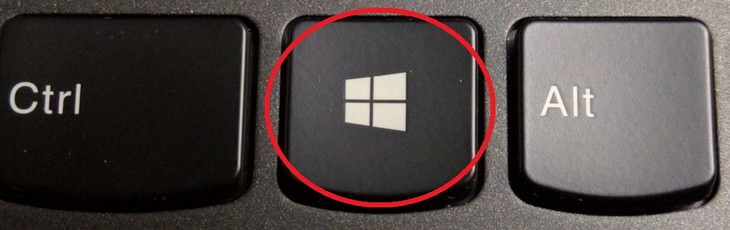
• ⊞ Win + Ctrl + B — switches to a new message in the Notification Area
• ⊞ Win + C — brings up Microsoft Teams
• ⊞ Win + D — shows the desktop and minimizes all windows

Image courtesy of Depositphotos
• ⊞ Win + ⇧ Shift + M — restores windows that have been minimized
• ⊞ Win + O — locks device orientation (and disables gyroscope function on tablets);
• ⊞ Win + P — switches operating modes to an outside monitor or projector

Image courtesy of Depositphotos
• ⊞ Win + Pause — opens My Computer
• ⊞ Win + 1 ... 0 — runs or switches to the program pinned to the Taskbar with a specific sequence number

Image courtesy of Depositphotos
• ⊞ Win + ⇧ Shift + ↑ or ↓ — stretches the active window from the top to the bottom of the screen and restores the window size
• ⊞ Win + Home — minimizes or restores all non-closed windows, except active ones (only Windows 7), goes to the top of the web page
• ⊞ Win + Space — looks at the desktop (only Windows 7). Changes the layout (only Windows 8 and 10)

• ⊞ Win + + — activates the Magnifier Utility or zooms the image by 100%
• ⊞ Win + — — if the Magnifier Utility is active, the image is reduced by 100%
• ⊞ Win + Esc — disables the Magnifier Utility

3:29
Former NSA Hacker Reveals How to Keep Yourself Safe Online
If you want to keep yourself safe online, then make sure that you heed these tips from a former hacker.
Here's How to Free Up Disk Space On Your Computer Or Mac
Keeping your computer or Mac with enough disk space for your to use is vital. Here are 5 PC and 5 Mac methods of freeing up disk space.
The Most Useful Keyboard Tricks for Microsoft Word
These Word Tricks are guaranteed to make you a master of typing!
Computer Guide: How to Backup and Restore Your Files!
If you're tired of copying your important computer files to a thumb drive, take a look at this guide to backing up and restoring Windows files ...
These Shortcuts Make Using My PC SO Easy!
Shortcuts make life easier in many parts of life, and computing is no different. Here we'll show you how your keyboard can be used to speed things up.
These Settings Will Keep Your Eyes Safe While on the PC
Here's how you can protect your eyes from computer screens using blue light filters.
Top 5 Apps for Checking on Your Pet’s Health
These apps were selected based on their functionality, user reviews, and relevance to health monitoring, as highlighted by pet care and technology sources.
Don't Charge Your Phone Over 80%, Here's Why
There is truth to the no-overnight-charging rule, and there is also some science to back it up.
Why Fake Info is Best for These 6 Types of Sites
Always avoid giving your real information on these kinds of websites.
11 Free AI Tools That Actually Help You Get Stuff Done
Have you tried any of these useful free AI apps?
8 Mistakes That Shorten the Life of Your Electronics
Your gadgets and household electronics won’t last long if you keep repeating these common mistakes.
You Didn’t Realize it, But AI Is Making Your Life Better!
Here are thirteen unique ways AI can simplify daily life.
1:55
Never Lose Your WhatsApp Chats Again with These Hacks!
Protect your WhatsApp chats with these tips.
The Most Reliable Cloud Storage Services for 2025
Here’s a closer look at some of the best cloud storage services to consider in 2025.
There's a keyboard Shortcut for Nearly Everything Here!
These shortcuts will cut down the time you waste fiddling about on the computer, and make you into something of an expert.
7 Reasons Why Your Computer is Running Abnormally Slow
There are many things that could be slowing your computer down and you'll find 7 of them in this article. Take a look!
You Can Now Speak With ChatGPT on Your Whatsapp!
et’s explore what 1-800-ChatGPT offers, how to use it effectively, and why this innovation makes interacting with AI more seamless.
PowerToys: The Best Free Microsoft App for Windows Users
In this article, we'll introduce you to this toolbox and show you which 23 useful tools are waiting for you there.
43:39
AI News: What's Going On With AI This Week?
This week's AI news covers major releases and impressive demos.
Is DeepSeek Worth the Hype? A Closer Look at Its Features
DeepSeek is the new AI chatbot in town. But is worth the hype?
Learn Any New Language with These Awesome Apps!
Learn new languages faster with these AI-powered apps.
9:16
Unlock iOS 18 Early: Your Installation Guide
Follow this guide to install iOS 18 Beta on your device easily.
Guide: How to Unlock Your Phone Without a Passcode
Forgot your phone passcode? Don't panic.Just follow these steps.
12:38
Skype is Dead: 9 Features of Microsoft Teams
These nine lesser-known tools are a must for any Microsoft Teams user.
Looking for an Instagram Alternative? Try These Platforms
If you’re ready to explore beyond Instagram, here are eight great alternatives.
9 Lesser Known Free Websites for Learning in 2025
A list of 9 great free learning websites that cover a variety of subjects, from coding and science to business and language learning.
2:35
6 Simple Tips for Taking Screenshots on Windows
Taking screenshots on Windows is now super easy. Just note these tips.
7 Tips to Follow When a Computer Hangs or Freezes
Take note of these steps that will help you unfreeze a computer that freezes or hangs regularly.
5 Awesome Google Chrome Settings You Aren’t Using
Google Chrome’s advanced settings have many useful features that will make your browsing experience so much better.
12:58
25 iPhone Tips and Tricks Everyone Should Know
If you've never tried these before, prepare to be amazed by what your phone can actually do. Let's get started!
7:31
How to Edit Your Photos Using 3 Different AI Services

If you shoot weddings, portraits, or anything high-volume, and you’ve wondered if AI can really speed things up without cutting corners, this is the no-nonsense breakdown you need.
12 USEFUL Chrome Extensions That Save Time
Improve your browsing experience with these free Google Chrome extensions.
It’s Almost a Crime Not to Use These Free Nifty Websites
Check out 15 really useful websites. They are completely free to use!
Making These Email Mistakes Comes Off As Rude or Annoying
When sending an email, the last thing you want is to come off as impolite or annoying. Here are 5 common email mistakes to avoid.
5:02
How to Transfer Data From Your Old iPhone to The New One
Got a new iPhone? Here's how you can move all your data from your old iPhone to the new one.
Secure Your Data: 5 Must-Have Privacy Apps
A look at five apps that help you take back control of your digital footprint, including their strengths, trade-offs, and where to download them safely.
Exploring the Web Beyond Google: 7 Handy Alternatives
Try some of these non-conventional search engines that you didn't know existed.
9:43
Tired of Google Photos Storage Limits? Try These Solutions

Get more space in your Google Photos account with these useful hacks.

Fed Up With Spotify? Try These Alternatives for Free Music
Here are eight of the best platforms where you can listen to music online without spending a dime.
5:23
Phone Security– The Fastest Way to Secure a Hacked Phone
This guide helps you in checking for hackers on your phone, removing them, and locking down your phone.
If You Aren’t Doing these Things, Your PC WILL Wear Out...
All the basics of computer maintenance.
2:09
Guide: Download Netflix Videos on Any Laptop & PC

Want to watch your favorite Netflix content offline? This easy guide has you covered.

I Bet You Didn't Know You Could Do THIS on Google Maps
Here are all of the things you can do on Google Maps that you never knew you could.
5 Best Online Platforms for Couples' Counselling
We've researched the options and returned with the 5 best platforms for online couples' therapy.
4:28
Update Now or Wait? Comparing iOS 17.7 and iOS 18
If you are wary of updating to iOS 18, watch this video.
3:35
Want to Increase Your iPad Keyboard Size? Watch This Guide
Want to increase the size of your iPad? Watch this tutorial now…
3:28
Easy Tips for Connecting Your Laptop to an External Screen
Watch this helpful tutorial to learn how to connect your laptop to a monitor.
To enable your Ad-Free Subscription, please fill the fields below
Your subscription was successful, now you can enjoy an ad-free experience!! Note: To make sure you get no ads, please make sure to log in to your account. If you are logged in already, then refresh the page. The subscription can be cancelled at any time.