Did you know that your computer’s operating system has a simple-yet-powerful photo manipulation tool called “Paint”? Since its introduction in 1992 as part of the then-new Windows 3.1, Paint has evolved into its modern-day version, allowing you to do quite a few actions that once required you to buy photo manipulating software. This guide will teach you how to make the best of Paint, turning you from a novice to a pro.
Where is Paint?
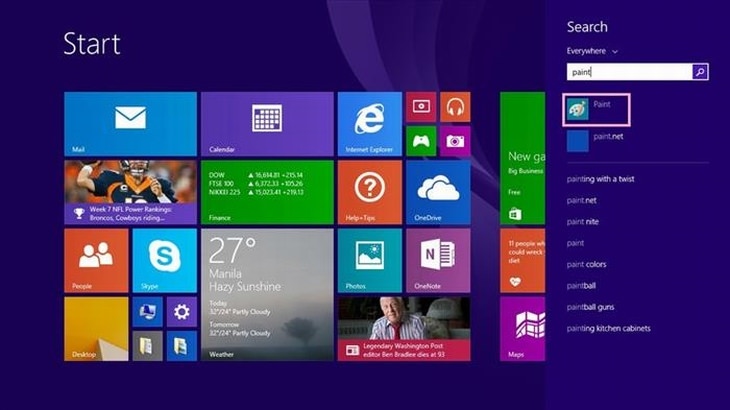
Windows 7 users – Click on the start button and in the search bar type in paint, then select the Paint icon.
Alternatively, you can click on Start > All Programs > Accessories > Paint.
Windows 8/8.1 – In the main menu, scroll until you see the Paint icon and click on it.
Windows 10 – Type paint in the search box on taskbar, and click Paint in the result.
Getting to know Paint
This is the main screen.
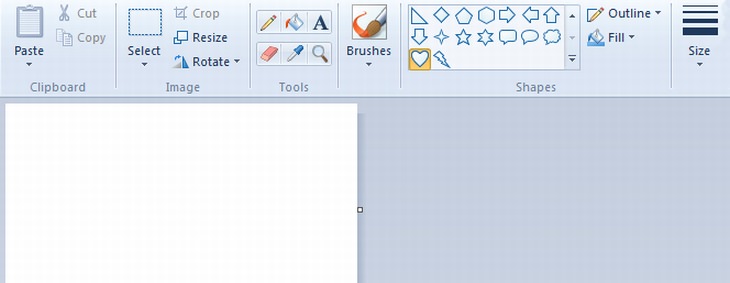
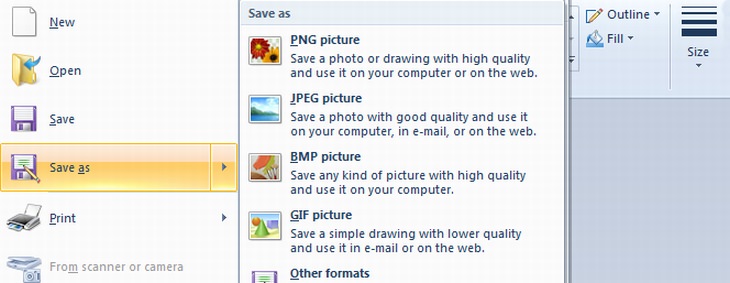

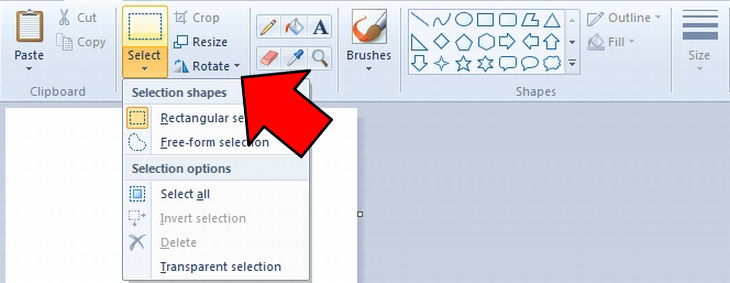
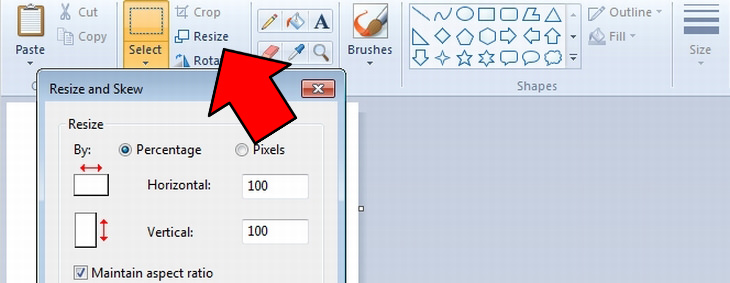
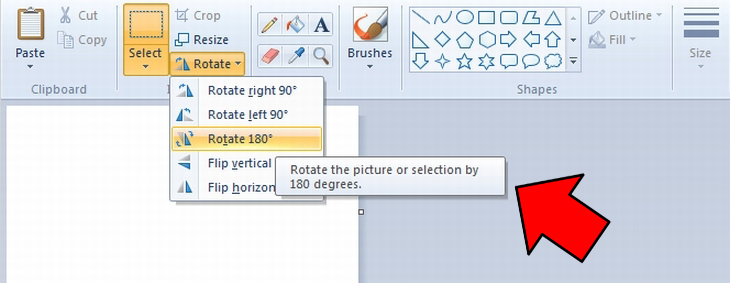
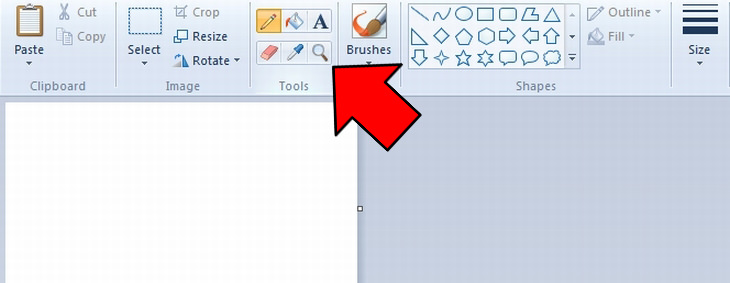
The side buttons to the right of the selection menu are the basic tools, top-down from left to right:
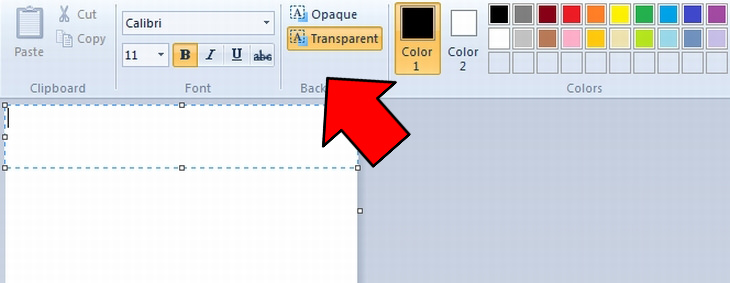
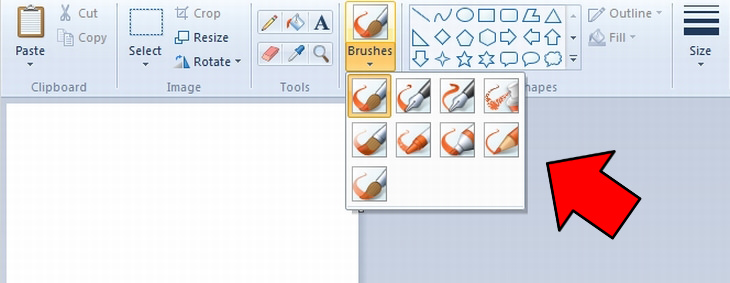
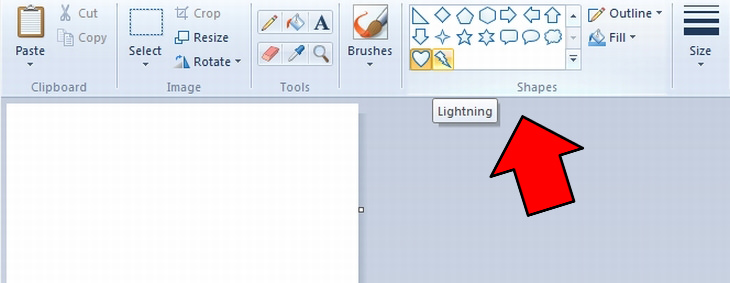
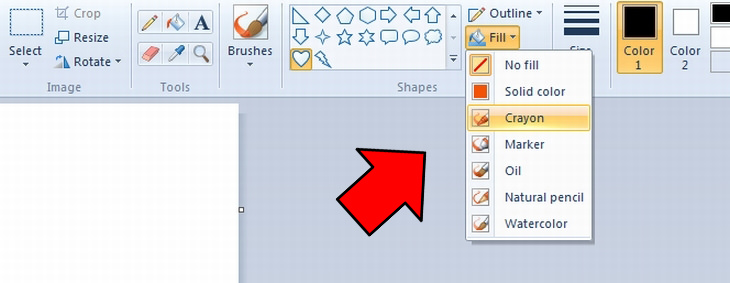
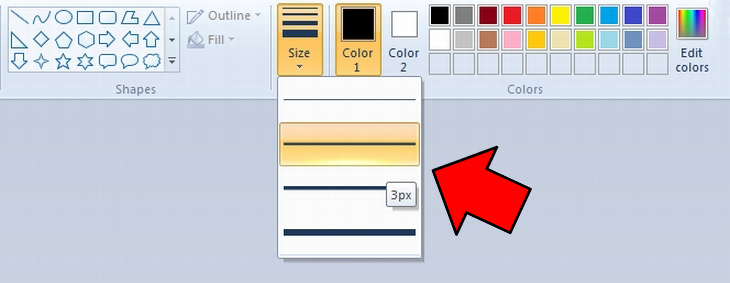
Next is the size menu, which lets you choose the thickness of your brush/pencil stroke.
To the right of the size menu, you have Color1 and Color2. Color1 relates to the outline and the default brush color while Color2 is the fill of a shape, or can be used by holding the right-mouse-button, rather than the left.
You now have the quick color pallet, as well as the extended color pallet, which lets you choose whatever color you want.
If you've performed an action that you’re not happy with, you can undo it by using the keyboard combination Ctrl+Z.
If you’ve mastered the use of paint, you can try a couple of free, more complex photo manipulation and editing programs:
Pixlr – a browser-based photo editing software. It only requires that you have an internet connection and a modern browser (such as Mozilla Firefox or Google Chrome).
Adobe Photoshop Express – Another free alternative that is browser-based. It is similar to the famous Photoshop software, but not as powerful.

Did You Know the Difference Between Router and Modem?
Learn the difference between a router and a modem.

FYI: 7 Simple Ways to Avoid Hacking and Identity Theft
The internet is an amazing tool and a fun opportunity to add toย your knowledge, it's important to remember to have fun while keeping yourself secure and safe from identity theft. These are the basic habits you need to have to keep your online identit
3:29
Former NSA Hacker Reveals How to Keep Yourself Safe Online
If you want to keep yourself safe online, then make sure that you heed these tips from a former hacker.
2:01
WiFi Guide: This Is How You Can Get a Better Connection
Is the wireless internet reception in your home shoddy or weak? This video guide will show you what you need to do to fix it.
These Overlooked Apps Really Deserve Your Attention!
It's a shame that certain apps get overlooked, because most of them are available for free. Check out 5 Android + 5 iOS apps you should take notice of.
10 Fun and Mind Boggling Facts About the Internet
Since its beginnings in the 1960s, the Internet itself has evolved beyond belief. These 10 fun, mind boggling facts teach you about the history and inner workings of the Internet.
Fed Up With Spotify? Try These Alternatives for Free Music
Here are eight of the best platforms where you can listen to music online without spending a dime.
Guide: How to Sign a PDF Without Printing it First
This guide will teach you how to sign PDF files digitally without having to print them.
7 Clear Indicators Your Home Router Needs to Be Changed
Is your router in need of an upgrade? Watch out for these signs.
Is DeepSeek Worth the Hype? A Closer Look at Its Features
DeepSeek is the new AI chatbot in town. But is worth the hype?
1:55
Never Lose Your WhatsApp Chats Again with These Hacks!
Protect your WhatsApp chats with these tips.
15:16
Get Smarter: How Do Hard Drives Work?
How do hard drives built and how do they work? All is explained in this video.
3:28
Easy Tips for Connecting Your Laptop to an External Screen
Watch this helpful tutorial to learn how to connect your laptop to a monitor.
9 Warning Signs You're Dealing with a Social Media Scam
Donโt fall for these common social media scam ads.
5 Things to Never Store on Your Smartphone
Stop using your smartphone as a master repository for saving all kinds of information. It may be dangerous...
USB Drives Can Do More Than You Think โ 10 Hacks You Need
Letโs explore some of the most practical yet overlooked ways to use USB drives.
All You Need to Know About Your Computer
It's that age of computers, and we should all educate ourselves so we all save ourselves time and anxiety when using a computer, a tablet or a phone. This collection of posts will give you insight into many computer-related issues.
What To Do When Windows Will NOT Boot
There's nothing more frustrating than your computer refusing to boot. Here is what you can do to fix it when the system won't even initialize.
Computer Guide: How to Clear Space on Your Google Account
How to easily free up storage space on your Google Drive without paying for more storage.
7 Tips to Follow When a Computer Hangs or Freezes
Take note of these steps that will help you unfreeze a computer that freezes or hangs regularly.
Thirsty For Knowledge? Check Out These YouTube Channels
If you love to learn new things with each passing day, then get ready to discover a gold mine full of educational tools!
5 Awesome Google Chrome Settings You Arenโt Using
Google Chromeโs advanced settings have many useful features that will make your browsing experience so much better.
12 USEFUL Chrome Extensions That Save Time
Improve your browsing experience with these free Google Chrome extensions.
Did You Know These Cell Phone Facts Are All Totally False?
People just love to give you advice about smart phones, but it turns out that a lot of this information is false. Never believe these 9 smart phone myths.
5 DIY Solutions to Better Organize Your Cords and Cables
Computer cables have an annoying tendency to tangle and create an unseemly mess. Here are some easy ways to prevent that.
11:12
The Windows Recycle Bin Isnโt Just for TrashโHereโs Why
Did you know about these cool features of the Windows Recycle Bin?
This One Computer Key Is Used for a Myriad of Shortcuts!
The 'Win' key is usally thought to only bring up the start menu. It actually does a whole lot more. Get a load of these dozens of shortcuts!
Itโs Almost a Crime Not to Use These Free Nifty Websites
Check out 15 really useful websites. They are completely free to use!
10 Warning Signs Youโre About to Fall for a Fake Ad
Thse are 10 red flags that should make you pause before clicking on a social media ad.
7 Websites With Free Useful Apps for Your Computer
we've gathered 7 recommended repositories where you can find almost any software you might need for Windows โ and at no cost!
10 Popular Tech Myths You Need To Stop Believing Now
Here we bust some popular and common myths about everyday tech that people still believe in.
You Didnโt Realize it, But AI Is Making Your Life Better!
Here are thirteen unique ways AI can simplify daily life.
We Found These Awesome Sites for Reading Short Stories!
These are the best places to read short stories online.
Stop Paying For Software: 8 Free Productivity Options
Here are eight free open-source alternatives that can take the place of paid productivity apps without sacrificing quality or functionality.
Computer Guide: How to Keep Your Computer Up-to-Date!
Follow this simple guide to update drives and resolve common issues on your Windows computer.
These 10 Keyboard Shortcuts Will Make Life Easy!
These keyboard shortcuts will help you learn the easiest ways to use your computer when your mouse is being less than cooperative!
Laptop Won't Power Up? Try These 11 Effective Solutions
Laptop not starting? Try these essential steps to troubleshoot it.
9:16
Unlock iOS 18 Early: Your Installation Guide
Follow this guide to install iOS 18 Beta on your device easily.
The Most Reliable Cloud Storage Services for 2025
Hereโs a closer look at some of the best cloud storage services to consider in 2025.
The Most Amazing Websites for Learning Languages for Free
Learn any language for free with these amazing websites!
2:09
Guide: Download Netflix Videos on Any Laptop & PC
Want to watch your favorite Netflix content offline? This easy guide has you covered.
These Websites ONLY Share Positivity and Good Stories!
Say goodbye to negativity with these positive news platforms.
Why Fake Info is Best for These 6 Types of Sites
Always avoid giving your real information on these kinds of websites.
There's a keyboard Shortcut for Nearly Everything Here!
These shortcuts will cut down the time you waste fiddling about on the computer, and make you into something of an expert.
Simplify Finances With These Budget Apps for Families
Try these money mangement tools to simplify your finances in 2025
43:39
AI News: What's Going On With AI This Week?
This week's AI news covers major releases and impressive demos.
8:31
20 Terrifically Helpful Chrome Keyboard Shortcuts
Welcome to the ultimate guide to mastering 20 essential keyboard shortcuts for the Google Chrome browser!
To enable your Ad-Free Subscription, please fill the fields below
Your subscription was successful, now you can enjoy an ad-free experience!! Note: To make sure you get no ads, please make sure to log in to your account. If you are logged in already, then refresh the page. The subscription can be cancelled at any time.