|
Google Drive is a free data storage service offered by the American search giant, Google. It offers you up to 15 gigabytes of storage space that you can use to store important files, documents, pictures and so on. It uses cloud computing technology, which means that your precious data is stored on one of Google’s servers so that you can access it from anywhere you may be. Here are 9 benefits of using Google Drive: 1. Backup Your Precious Files
Do you have photos of a family vacation that mean the world to you, or some important business documents that you just cannot afford to lose? Google Drive is a better storage alternative than an external hard drive or USB stick because it can both begin to malfunction or become corrupted over time, meaning that you’ can lose your precious files forever. Not with Google Drive, though.
2. Send Large Files to Family, Friends or Co-WorkersIf you happen to use Gmail, also using Google Drive will allow you to send large files to your contacts directly from your email account.
3. Use Google Drive App to Access Documents
Should you need to access any files while on the go, you can download the Google Drive app to your smartphone. You can use this if you need to give a presentation or show proof of purchase.
4. Efficient Built-in Search EngineGoogle Drive has its very own built-in search engine, which allows you to search by file type, such as image, Word document or video, as well as by keyword. It also allows you to search by owner. 5. Optical Character Recognition Feature
Do you happen to be look up someone or something in particular? Google Drive’s optical character recognition technology is capable of scanning through documents saved by other users and finding the word (or name) that you searched for. It can also be helpful if you’re conducting research on a historical topic.
6. Share Photos and Videos with Your ContactsIf your family members or friends also have their own Google Drive accounts, you can all share files with each other. This is especially handy if you have to travel for your occupation and need to work on a project simultaneously with colleagues while in completely different locations.
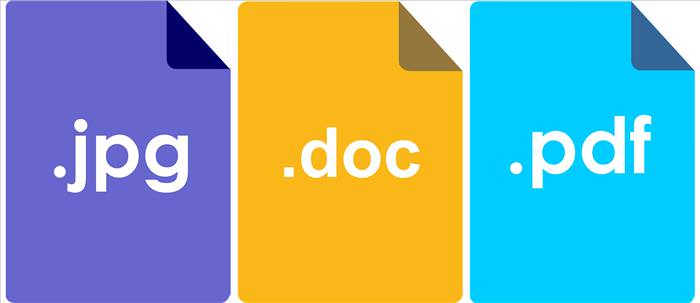
7. Open and Edit Various Kinds of Document
8. Fantastic Built-in Image Recognition TechnologyThis one is more of a neat feature than a benefit, but it’s still worth mentioning. Google Drive’s image recognition technology can actually recognize the content of your pictures. If you’ve visited a famous landmark on a recent vacation and upload a picture of you in front of it, the picture will come up when other users search for that landmark using Google Drive’s search.
9. Completely Free to Use
Google Drive offers you all these benefits while being entirely free to use. Thank you, Google! Google Drive Safety Tips
1. Make sure that you use a password that will not allow others to guess it easily. 2. Do not share your password with anyone. 3. If you’re accessing files stored on Google Drive from a public computer, make sure you log out of your account as soon as you leave.
Content Source: Art Systems Canada |

10 Fun and Mind Boggling Facts About the Internet
Since its beginnings in the 1960s, the Internet itself has evolved beyond belief. These 10 fun, mind boggling facts teach you about the history and inner workings of the Internet.
Here’s How to Organize Your Closet Easily and Efficiently!
Come spring everyone's rushing to organize their closet, and these 6 tips can make your lives much easier when doing so!
5 Hidden Google Chrome Games (And a Bonus)
Tired of Backgammon online? Try Google Chrome's online in-browser collection of games for an easy-to-reach entertainment break. Tic-tac-toe, snake, and more!
What Are the Health Benefits of CBD Oil?
With more states legalizing marijuana, CBD oil is gaining popularity. But is it safe?
Read Our Comprehensive Guide to Using Google Translate
Of the many Google tricks out there, Google translate is by far one of the most useful. Read this free guide to learn exactly how to make use of it.
Did You Know Shampoo Has Other Useful Uses Besides Hair?
if you always thought your shampoo was only meant for keeping your hair healthy and beautiful, you are about to discover 10 particularly useful surprises!
PowerToys: The Best Free Microsoft App for Windows Users
In this article, we'll introduce you to this toolbox and show you which 23 useful tools are waiting for you there.
Busting 12 Password Myths to Safeguard Your Online Life
Don’t fall for these common password myths.
We Found These Awesome Sites for Reading Short Stories!
These are the best places to read short stories online.
15:16
Get Smarter: How Do Hard Drives Work?
How do hard drives built and how do they work? All is explained in this video.
12 USEFUL Chrome Extensions That Save Time
Improve your browsing experience with these free Google Chrome extensions.
15:24
15 Tech Hacks That Will Make Your Life Way Easier
These practical tips are designed to improve your daily tech experience.
Learn How to Protect Yourself Using a Public Wi-Fi Network
Public Wi-Fi networks are incredibly convenient, but they're not always safe. Here are 10 ways of protecting yourself when using public Wi-Fi.
This One Computer Key Is Used for a Myriad of Shortcuts!
The 'Win' key is usally thought to only bring up the start menu. It actually does a whole lot more. Get a load of these dozens of shortcuts!
Surround Yourself With the Forest Sounds of the World
Ready to be surrounded by the music of the world’s forests and experience the restorative properties of being in nature?
5 DIY Solutions to Better Organize Your Cords and Cables
Computer cables have an annoying tendency to tangle and create an unseemly mess. Here are some easy ways to prevent that.
Simplify Finances With These Budget Apps for Families
Try these money mangement tools to simplify your finances in 2025
11 Free AI Tools That Actually Help You Get Stuff Done
Have you tried any of these useful free AI apps?
You Should Bookmark These Incredibly Useful Sites
Make sure that you bookmark these handy websites!
2:09
Guide: Download Netflix Videos on Any Laptop & PC
Want to watch your favorite Netflix content offline? This easy guide has you covered.
Learn Any New Language with These Awesome Apps!
Learn new languages faster with these AI-powered apps.
Skype Is Shutting Down – Try These Alternatives Now
With Skype officially retiring, here are some handy alternatives you should try.
Losing Important Emails? Here’s How to Tidy Up Your Gmail
A helpful guide to setting up Gmail filters to prevent emails from getting lost or spam overflowing your inbox.
1:55
Never Lose Your WhatsApp Chats Again with These Hacks!
Protect your WhatsApp chats with these tips.
9 Lesser Known Free Websites for Learning in 2025
A list of 9 great free learning websites that cover a variety of subjects, from coding and science to business and language learning.
This Free Website Will Let You Play the Most Fun Mazes!
Do you love mazes and navigation challenges? Look no further than this fun site!
5:23
Phone Security– The Fastest Way to Secure a Hacked Phone
This guide helps you in checking for hackers on your phone, removing them, and locking down your phone.
Guide: How to Sign a PDF Without Printing it First
This guide will teach you how to sign PDF files digitally without having to print them.
There's a keyboard Shortcut for Nearly Everything Here!
These shortcuts will cut down the time you waste fiddling about on the computer, and make you into something of an expert.
These 5 Free Tools Can Help You Save Money Today!
These free apps and sites make saving money a breeze.
23:04
ChatGPT: 30 Tips to Using and Working with the AI
In this video, we’re breaking down 30 practical tips to help you use ChatGPT more effectively
USB Drives Can Do More Than You Think – 10 Hacks You Need
Let’s explore some of the most practical yet overlooked ways to use USB drives.
10 Free Ancestry Sites for Tracing Your Family History
Here are 10 of the best free ancestry sites that can help you uncover your family’s story.
10 Warning Signs You’re About to Fall for a Fake Ad
Thse are 10 red flags that should make you pause before clicking on a social media ad.
12:58
25 iPhone Tips and Tricks Everyone Should Know
If you've never tried these before, prepare to be amazed by what your phone can actually do. Let's get started!
2:27
Tutorial: How to Uninstall Apps on Your Windows 11 PC
How to uninstall apps on your windows PC.
These Websites ONLY Share Positivity and Good Stories!
Say goodbye to negativity with these positive news platforms.
The Most Reliable Cloud Storage Services for 2025
Here’s a closer look at some of the best cloud storage services to consider in 2025.
43:39
AI News: What's Going On With AI This Week?
This week's AI news covers major releases and impressive demos.
How to Tell If a Virus Warning Is Real or Fake - 12 Tips
If you see a barrage of security alerts popping up on your computer, then it might be sign of a virus attack.
I Bet You Didn't Know You Could Do THIS on Google Maps
Here are all of the things you can do on Google Maps that you never knew you could.
The Most Amazing Websites for Learning Languages for Free
Learn any language for free with these amazing websites!
It’s Almost a Crime Not to Use These Free Nifty Websites
Check out 15 really useful websites. They are completely free to use!
2025's Online Threats Will Be More Sophisticated Than Ever
A look at the cyber scams that you need to be wary of this year.
7 Tips to Follow When a Computer Hangs or Freezes
Take note of these steps that will help you unfreeze a computer that freezes or hangs regularly.
7:09
Struggling with Slow iPhone Internet? Try These Tips
iPhone running slow again? Here’s how you boost your speed…
Your Easy Guide to OpenAI's Amazing Video and Photo Tools
OpenAI has created tools that anyone can use to make videos and photos, even if you're not a computer expert. Let me walk you through them step by step.
To enable your Ad-Free Subscription, please fill the fields below
Your subscription was successful, now you can enjoy an ad-free experience!! Note: To make sure you get no ads, please make sure to log in to your account. If you are logged in already, then refresh the page. The subscription can be cancelled at any time.