
|
Getting a new computer is a great feeling. It’s faster than your old one, thanks to its newer hardware, but also thanks to it being free of unneeded software you've installed (knowingly or otherwise). However, unless you’re a computer whiz, you probably have no idea what to do with your brand new machine. Instead of spending good money for someone to do 10 minutes of actual work, use this guide to get your device in tip-top shape and ready for use, for free. Tip: Click on the names of the programs (marked in blue) to go to their install page.
|
|

![]() |
|
|
1. The Browser: The main use of most computers is browsing the internet, but Windows only comes with Internet Explorer as a default. Internet Explorer is usually considered to be one of the slowest and least useful internet browsers there are, so you should first start by installing a new browser like Google Chrome or Mozilla Firefox. |
|

![]() |
|
|
2. Cleanup Software: Most store-bought PCs and laptops come with a lot of pre-installed software that most people don’t need, such as games you never play, backup utilities that don’t work, antivirus software that wants you to pay after a few weeks of use, etc. PC Decrapifier, while having a crude name, is a very useful cleanup tool. It will scan your computer, find junk software automatically and remove it, and will offer you the option to remove the software it isn’t sure is junk. Alternatively, you can install Iobit Uninstaller, which also goes through your computer and searches for unneeded software and lets you remove it quickly. Installation of both programs is very short and simple, and both offer an interface that is very easy to use. If you are unsure about the program you consider removing, try searching for its name on Google. 3. Ninite: This website allows you to download a bunch of useful programs in a single, unified installer, which removes any junk software that might be bundled with them. Simply check the box next to all the programs you need and Ninite will create a single file that will install the latest version of all of them automatically. |
|

![]() |
|
|
A new computer must have an antivirus installed. Windows 8 users have a basic antivirus installed as part of Windows, but even then, it’s recommended to install a more comprehensive one. The free options are usually just as good as the paid versions (though they often have small pop-up messages asking you to buy the full version). The most recommended antivirus programs are Panda, BitDefender, Avast!, and Avira (the last 2 are available on Nanite).
5. Malwarebytes: Malware can slow down your computer, steal your information and trick you into spending money on useless applications. The best malware protection today is Malwarebytes (also available through Nanite). If you want to know more about malware, read our article, HERE. 6. CC Cleaner: After installing and uninstalling various programs and browsing the internet, a lot of useless and potentially harmful files are still left on your computer, which can slow it down. CC Cleaner scans your computer and cleans any unwanted leftovers, and thus keeping your computer speedy and efficient. 7. Secunia PSI: Now that you’ve installed the basics, deleted the junk and your computer is protected – time to make sure everything is up-to-date. Older versions of programs can have security gaps, perform slower, and may miss out on new and useful features. Secunia PSI checks every program on your computer, makes sure it’s the latest version, and notifies you if it isn’t. |
|

![]() |
|
|
The most used PDF reader is Adobe Acrobat, but it’s sluggish and not very user-friendly. The best alternatives are: SumatraPDF and Foxit Reader. Both alternatives are quick, light and easy to use. 9. Password Manager: It feels like everywhere you go on the internet, you need to enter a password. Using the same one is highly unsafe, but remembering so many different passwords can be tiresome. Luckily, there are a few options: Dashlane, LastPass, and KeePass. They all offer the same functionality, but Dashlane and LastPass offer a better user-interface, while KeePass is more basic, but is available on Ninite. |
5 Programs You Should Remove from Your Computer
This article specifies 5 programs that most people don't need on their computers and how to get rid of them.
FYI: 7 Simple Ways to Avoid Hacking and Identity Theft
The internet is an amazing tool and a fun opportunity to add toย your knowledge, it's important to remember to have fun while keeping yourself secure and safe from identity theft. These are the basic habits you need to have to keep your online identit
Malware Is Harmful to Your Computer. Here's How to Stop It
Is your computer slow, getting weird messages or even threats? It's likely that you have malware. Don't fret, however - here's all you need to know about it.
No Antivirus? Try These Free Online Virus Scanners Now!
Donโt have an antivirus installed? No problem. Try these free online virus scanners instead.
How to Protect Your Computer From Malware!
Is your computer running slowly, and do you see strange messages or even threats when you browse the internet? If so, you might have malware...
5:15
How to Find Out if Your Computer Has a Virus
In this video, I'll show you the most telling signs that your machine may be infected, walk you through how to remove threats effectively, and share the best antivirus solutions to keep you protected for good.
What We Can Learn from ChatGPT About Being Human
What can we learn from ChatGPT about ourselves?
2:19
Google Presents Genie: A New Way to Create Interactions
This is Project Genie. Where imagination meets interaction, and every prompt opens a new frontier in AI research.
If You Do This, Then You Could Be Damaging Your Phone...
Many people end up damaging their phones without even realizing that they are doing so, and here are 9 of the most common ways this happens.
Computer Tips: All You Can Do With the CTRL/Control Key!
The control key has more uses than just copying and pasting. These are the 20 more useful keyboard shortcuts you can do with the control key.
20:27
Learn About Your Computer: Every Component Explained!
In just 3 minutes, you'll be much wiser about what your computer is made of.
25:19
S26 Ultra vs 17 Pro Max: A 2026 Flagship Phone Matchup!
In 2026, the smartphone crown is a toss-up between two absolute titans: the Samsung Galaxy S26 Ultra and the iPhone 17 Pro Max.
7 Tips to Follow When a Computer Hangs or Freezes
Take note of these steps that will help you unfreeze a computer that freezes or hangs regularly.
8 Mistakes That Shorten the Life of Your Electronics
Your gadgets and household electronics wonโt last long if you keep repeating these common mistakes.
This Incredible Map Will Let You to Fly Above Any Location
This amazing site allows you to watch drone videos by location - and boy are they beautiful.
Don't Charge Your Phone Over 80%, Here's Why
There is truth to the no-overnight-charging rule, and there is also some science to back it up.
How to Free Up Phone Storage Without Deleting Photos
Let's walk through feeing space on your phone, with instructions for both iPhone and Android.
12:58
25 iPhone Tips and Tricks Everyone Should Know
If you've never tried these before, prepare to be amazed by what your phone can actually do. Let's get started!
What is "AI Psychosis", and Should You Be Worried?
A new informal term has been making the rounds - "AI psychosis" - and while it may sound alarming, understanding what it means can help you stay grounded and use these tools wisely.
What Do Those 12 'F' Keys on Your Keyboard Do?
Find out what those 12 curious F keys on your keyboard mean.
8:11
11 Do's and Donโts for Using a Smartphone Better
Find out some useful do's and don'ts of smartphones that you might not have known earlier.
7 Handy Chrome Extensions That You Must Install Today
This article features some of the best and most useful Google Chrome extensions that will be handy to every user.
17:41
TikTok: Tips and Tricks for Beginners
Whether you are a total beginner or just looking to streamline your process to get more views, this tutorial covers everything you need to know to go from recording to posting.
There's a keyboard Shortcut for Nearly Everything Here!
These shortcuts will cut down the time you waste fiddling about on the computer, and make you into something of an expert.
Do You Eat Out Often? These 7 Apps Will Save You Money!
If youโre struggling to keep up with your monthly food budget, youโre not alone. Here are 7 dinning apps that will save you money every time you eat.
I Never Knew Repairing a Smartphone Was So Simple!
Having phone trouble? Here are 6 of the most common smartphone issues and exactly how you can fix them.
11:22
10 Things You Should Turn Off in Your PC
Don't let Windows run the show - watch now to see exactly what to shut down first.
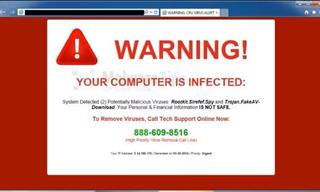
How to Spot a Fake "Your Computer Is Infected" Pop-Up
This article helps people to identify malware or hacking pop ups that promise fake virus removal and what to do if you click or call them.
STOP! You're Damaging Your Computer...
Computers are practically indispensable to us these days. The thing is, you could be damaging yours without even knowing it. Looking out for these 16 things.
Your Computer Mouse Can Do Much More Than You Think...
Knowing how to use your mouse can make computing so much easier than you ever realized. Here are some great tips on how to maximize the use of your mouse, which will increase your overall productivity on the computer.
5 of the Best Apps for Anxiety in 2026
The Mind Ease App is our best overall because it's free and caters to anxiety in various ways for different people and symptoms.
5 Things to Never Store on Your Smartphone
Stop using your smartphone as a master repository for saving all kinds of information. It may be dangerous...
The Rise of QR-Code Fraud and How to Spot It
hat sense of ease is exactly what a new wave of scammers is counting on. The crime even has a name: quishing, a blend of "QR code" and "phishing."
Gemini 3: An AI Upgrade or a Warning of Things to Come?
A new AI version hitting the market is always the most successful, most surprising, and always overshadows its predecessors in every comparison metric - until the next version arrives and surpasses it.
These 10 Keyboard Shortcuts Will Make Life Easy!
These keyboard shortcuts will help you learn the easiest ways to use your computer when your mouse is being less than cooperative!
Want Your PC to Run Longer? Then Avoid These Mistakes
Avoiding these silly mistakes will help you prevent damage to your computer and also extend its life.
43:39
AI News: What's Going On With AI This Week?
This week's AI news covers major releases and impressive demos.
5 DIY Solutions to Better Organize Your Cords and Cables
Computer cables have an annoying tendency to tangle and create an unseemly mess. Here are some easy ways to prevent that.
7:31
How to Edit Your Photos Using 3 Different AI Services
If you shoot weddings, portraits, or anything high-volume, and youโve wondered if AI can really speed things up without cutting corners, this is the no-nonsense breakdown you need.
5 Best Online Platforms for Couples' Counselling
We've researched the options and returned with the 5 best platforms for online couples' therapy.
All You Need to Know About Your Computer
It's that age of computers, and we should all educate ourselves so we all save ourselves time and anxiety when using a computer, a tablet or a phone. This collection of posts will give you insight into many computer-related issues.
19:08
How to Solve the Top 30 Desktop Computer Issues
in this great and helpful video, we're touching on 30 common PC problems and how to prevent and fix them.
Get Closer to Nature with These Wonderful Free Apps
Install these free nature apps on your phone and understand nature a little better from the comfort of your home.
Smishing 101: How to Recognize Scam Text Messages
This is how you recognize and handle fraudulent or scam text messages, also known as smashing.
These Settings Will Keep Your Eyes Safe While on the PC
Here's how you can protect your eyes from computer screens using blue light filters.
8:31
20 Terrifically Helpful Chrome Keyboard Shortcuts
Welcome to the ultimate guide to mastering 20 essential keyboard shortcuts for the Google Chrome browser!
8:56
Computer Guide: How to Clean Your Laptop Safely
Weโll blast the grime out of that filthy keyboard, de-streak the screen without scratching it, and sanitize the chassis.
To enable your Ad-Free Subscription, please fill the fields below
Your subscription was successful, now you can enjoy an ad-free experience!! Note: To make sure you get no ads, please make sure to log in to your account. If you are logged in already, then refresh the page. The subscription can be cancelled at any time.