|
The internet is a big, often confusing, place. Hackers and scammers are abundant and getting more clever every day. These people take advantage of your lack of knowledge by “hijacking” you from your desired site and sending you into theirs, allowing them to do many illegal things, from a simple collection of data to credit and identity fraud. This easy guide will help you make sure the site you’re using is real and not a clever trap for the unwary surfer. |
|
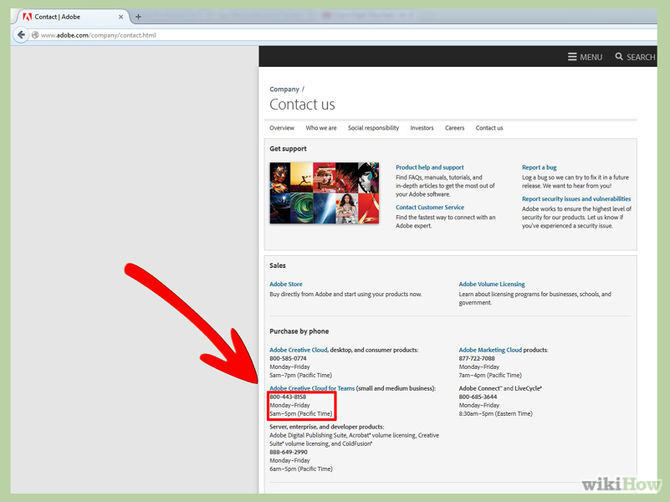
1. Contact the site: Find the site’s contact information and call, write or e-mail them. If you call them and get an automated reply, find out that the line’s disconnected or they don’t work during regular business hours, you can reasonably assume that the site may not be legit. |
![]() |
|
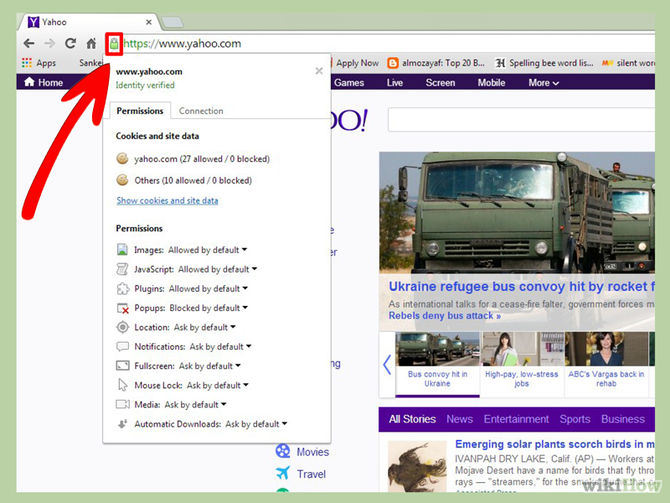
2. Is the site verified by Google? Look for the green lock sign by the address, click on it and you’ll see the site’s safety verification and identity verification. |
![]() |
|
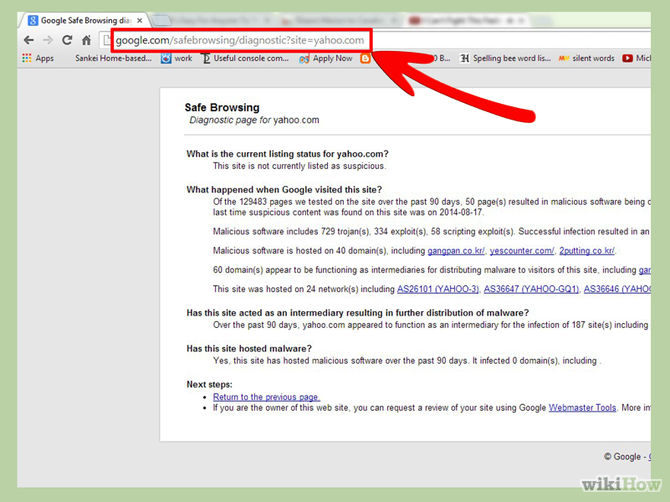
3. Check Google’s SafeBrowse report: If you can’t find the green lock, simply write ‘https://www.google.com/safebrowsing/diagnostic?site=’ and the site’s address after the “=” sign, and Google will check the site for you. |
![]() |
|
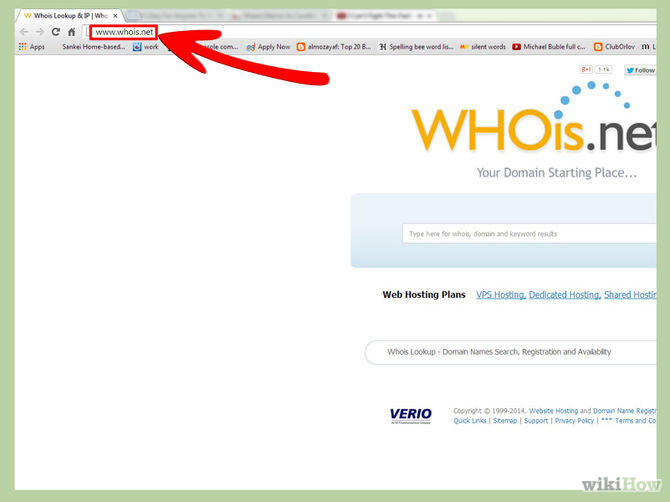
4. Use WHOis.com to verify the site: In the website, type the suspicious site’s address in the “Lookup” box and let them validate and asses the site. Look for where the site is located, it’s official contact information and how long has it been owned. (sites located in dubious countries or that have been owned for a short time may be unsafe) |
![]() |
|
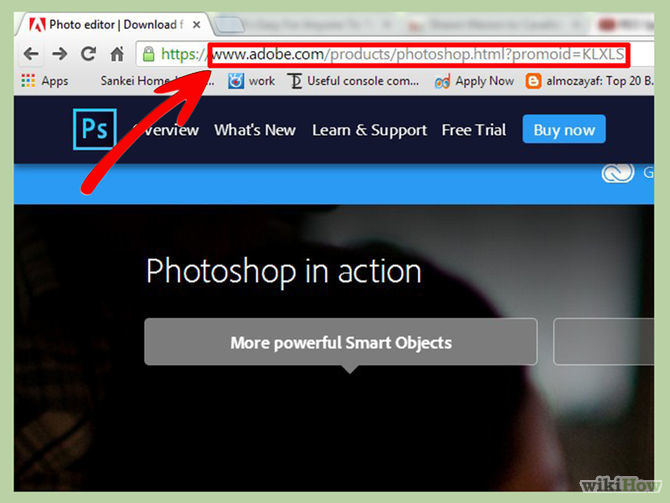
5. Check the site’s address: If you meant to go to “www.sitename.com” but the address now shows something completely different, there’s a good chance you were redirected and “hijacked” into another site, with a less-than-benevolent intent. |
![]() |
|
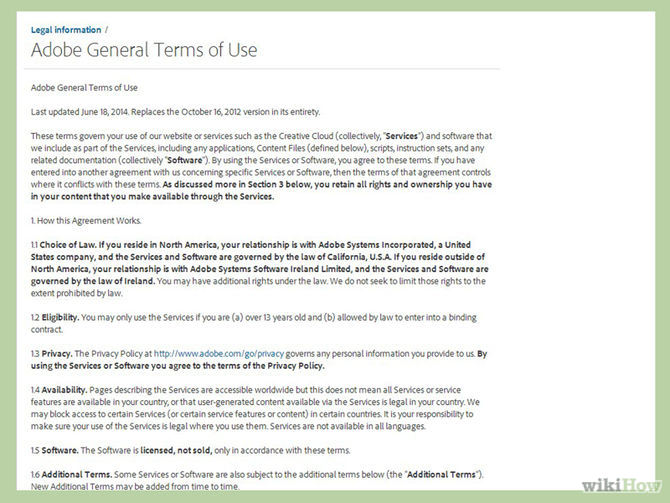
6. Read the terms and conditions: Before you decide to do business with a site, make sure you read the terms and conditions. If the conditions don’t make sense (for example: the site doesn’t commit to send you the desired merchandise or that they say they can share your information with a 3rd–party) – reconsider giving them your business. |
![]() |
|
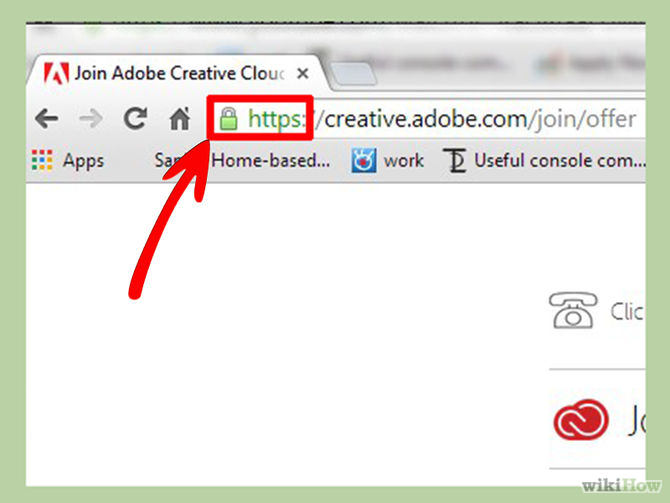
7. Is the site’s payment system secure?: So far, everything seems legit, and you're at the payment page. Check that the site is secure and uses SSL (Secure Socket Layer) encryption before typing in any sensitive information like credit card numbers, etc. (A good indicator is if the address starts with “https” and not “http”) |
![]() |
|
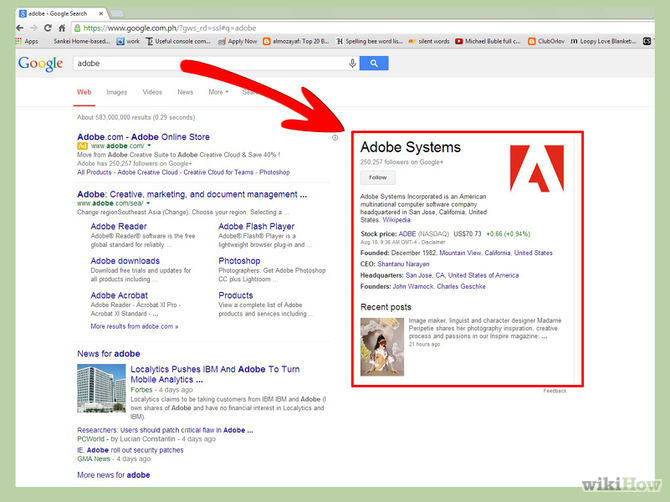
8. Search the company on major search-engines: See if they’re mentioned anywhere else, look for reviews about the company via multiple sources. Even if the site passed all the previous tests, it’s worth to see if other people have had any kind of negative interaction with it and what the customer feedback looks like. |
![]() |
| Source: WikiHow.com |
6 Reliable Ways to Save YouTube Videos in 2024
Want to download your favorite YouTube videos for offline viewing? Read this now!
Losing Important Emails? Here’s How to Tidy Up Your Gmail
A helpful guide to setting up Gmail filters to prevent emails from getting lost or spam overflowing your inbox.
12 New Things You Can Learn For Free From YouTube
Looking to learn something new? Learn some useful new skills with YouTube.
Before You Answer That Email, Here are a Few Tips
Here are 9 common situations that require a response and the recommended and less recommended ways to say what you want.
Bored of the Outlet Covers? Here's How to Paint Them Well
In this article, we'll learn how to paint and wallpaper plastic or metal outlet covers effectively and professionally.
How to Tell Your Children You Have Cancer
What's the right way to tell your children you have cancer, and are there situations where you shouldn't?
How to Stretch Your Gluteus Medius and When to See a Dr.
Stretching this muscle can help prevent injury and relieve pain in your lower back, knees, and hips.
Four Great Tips for Hosting Guests With Food Allergies
The holiday season is a time for friends, family, and loved ones to come together under one roof and share meals. With so many gatherings during this festive period, there's a good chance you'll be hosting someone with food allergies at your table.
These 10 Keyboard Shortcuts Will Make Life Easy!
These keyboard shortcuts will help you learn the easiest ways to use your computer when your mouse is being less than cooperative!
Can’t Connect to the Internet? Here’s What To Do
Not being able to connect to the internet is one of the most pestering things. This is why it might be happening and easy solution to fix it.
12:58
25 iPhone Tips and Tricks Everyone Should Know
If you've never tried these before, prepare to be amazed by what your phone can actually do. Let's get started!
You Didn’t Realize it, But AI Is Making Your Life Better!
Here are thirteen unique ways AI can simplify daily life.
17:41
TikTok: Tips and Tricks for Beginners
Whether you are a total beginner or just looking to streamline your process to get more views, this tutorial covers everything you need to know to go from recording to posting.
How to Spot Fake Online Reviews: A Shopper’s Guide
Here are practical tips to help you spot fake Amazon reviews.
These 5 Free Tools Can Help You Save Money Today!
These free apps and sites make saving money a breeze.
Computer Guide: How to Keep Your Computer Up-to-Date!
Follow this simple guide to update drives and resolve common issues on your Windows computer.
Busting 12 Password Myths to Safeguard Your Online Life
Don’t fall for these common password myths.
12 Amazing Internet Radio Stations to Spice Up Your Day!
Check out these 12 fantastic internet radio stations.
Do This to Your Router to Increase Internet Speed
Want a faster and safer internet connection? Then do this to your router...
There's a keyboard Shortcut for Nearly Everything Here!
These shortcuts will cut down the time you waste fiddling about on the computer, and make you into something of an expert.
12:38
Skype is Dead: 9 Features of Microsoft Teams
These nine lesser-known tools are a must for any Microsoft Teams user.
17:20
Discover a Feature of Windows That's Super Helpful
Learn how to use some advanced new features of Windows 10 that you probably weren't aware of.
If You Do This, Then You Could Be Damaging Your Phone...
Many people end up damaging their phones without even realizing that they are doing so, and here are 9 of the most common ways this happens.
Your Easy Guide to OpenAI's Amazing Video and Photo Tools
OpenAI has created tools that anyone can use to make videos and photos, even if you're not a computer expert. Let me walk you through them step by step.
Fed Up With Spotify? Try These Alternatives for Free Music
Here are eight of the best platforms where you can listen to music online without spending a dime.
What To Do When Windows Will NOT Boot
There's nothing more frustrating than your computer refusing to boot. Here is what you can do to fix it when the system won't even initialize.
Gboard Secrets: 7 Handy Features You're Not Using Yet
Make the most out of Gboard with these awesome tips and tricls.
Turn Off These 9 Android Settings. They Pose a Risk
Here are some Android settings that you should consider turning off to enhance your device’s performance.
9:16
Unlock iOS 18 Early: Your Installation Guide
Follow this guide to install iOS 18 Beta on your device easily.
It’s Almost a Crime Not to Use These Free Nifty Websites
Check out 15 really useful websites. They are completely free to use!
ChatGPT's Got Competition: 7 Exciting AI Contenders
Looking for a ChatGPT alternative? Here are a few good ones.
These Apps Make Every Photo Look Amazing!
No satisfied with your smartphone photos? Try these super apps today!
What We Can Learn from ChatGPT About Being Human
What can we learn from ChatGPT about ourselves?
12 USEFUL Chrome Extensions That Save Time
Improve your browsing experience with these free Google Chrome extensions.
Thirsty For Knowledge? Check Out These YouTube Channels
If you love to learn new things with each passing day, then get ready to discover a gold mine full of educational tools!
The Most Amazing Websites for Learning Languages for Free
Learn any language for free with these amazing websites!
Computer Guide: Comparing Skype and Microsoft Teams
This article will explain why Skype is going away, how Teams fills its shoes, and guide you through using Teams for your personal video calls, screen shares, and chats.
6 Reliable Ways to Save YouTube Videos in 2024
Want to download your favorite YouTube videos for offline viewing? Read this now!
Privacy Settings You Should Change in Chrome Right Now
These Chrome settings should always be disabled.
Computer Tips: All You Can Do With the CTRL/Control Key!
The control key has more uses than just copying and pasting. These are the 20 more useful keyboard shortcuts you can do with the control key.
Skype Is Shutting Down – Try These Alternatives Now
With Skype officially retiring, here are some handy alternatives you should try.
5 Awesome Google Chrome Settings You Aren’t Using
Google Chrome’s advanced settings have many useful features that will make your browsing experience so much better.
2:27
Tutorial: How to Uninstall Apps on Your Windows 11 PC
How to uninstall apps on your windows PC.
7:31
How to Edit Your Photos Using 3 Different AI Services
If you shoot weddings, portraits, or anything high-volume, and you’ve wondered if AI can really speed things up without cutting corners, this is the no-nonsense breakdown you need.
Losing Important Emails? Here’s How to Tidy Up Your Gmail
A helpful guide to setting up Gmail filters to prevent emails from getting lost or spam overflowing your inbox.
0:48
WhatsApp Hack: Read Messages Without Showing Blue Ticks
Learn how to read WhatsApp messages without showing blue ticks in this video.
You Can Now Speak With ChatGPT on Your Whatsapp!
et’s explore what 1-800-ChatGPT offers, how to use it effectively, and why this innovation makes interacting with AI more seamless.
Looking for an Instagram Alternative? Try These Platforms
If you’re ready to explore beyond Instagram, here are eight great alternatives.
The Most Reliable Cloud Storage Services for 2025
Here’s a closer look at some of the best cloud storage services to consider in 2025.
To enable your Ad-Free Subscription, please fill the fields below
Your subscription was successful, now you can enjoy an ad-free experience!! Note: To make sure you get no ads, please make sure to log in to your account. If you are logged in already, then refresh the page. The subscription can be cancelled at any time.